Matrix IR
Control Input
7.7. Matrix Control Connections
Alldrivers,associatedsoftwareandextradocumentationisavailableontheB-500-MTRX-230-4X4productpageat
www.SnapAV.comundertheSupportTab.
7.7.1. IR Control
The B-500-MTRX-230-4X4 can be controlled by IR from the front panel receiver or by
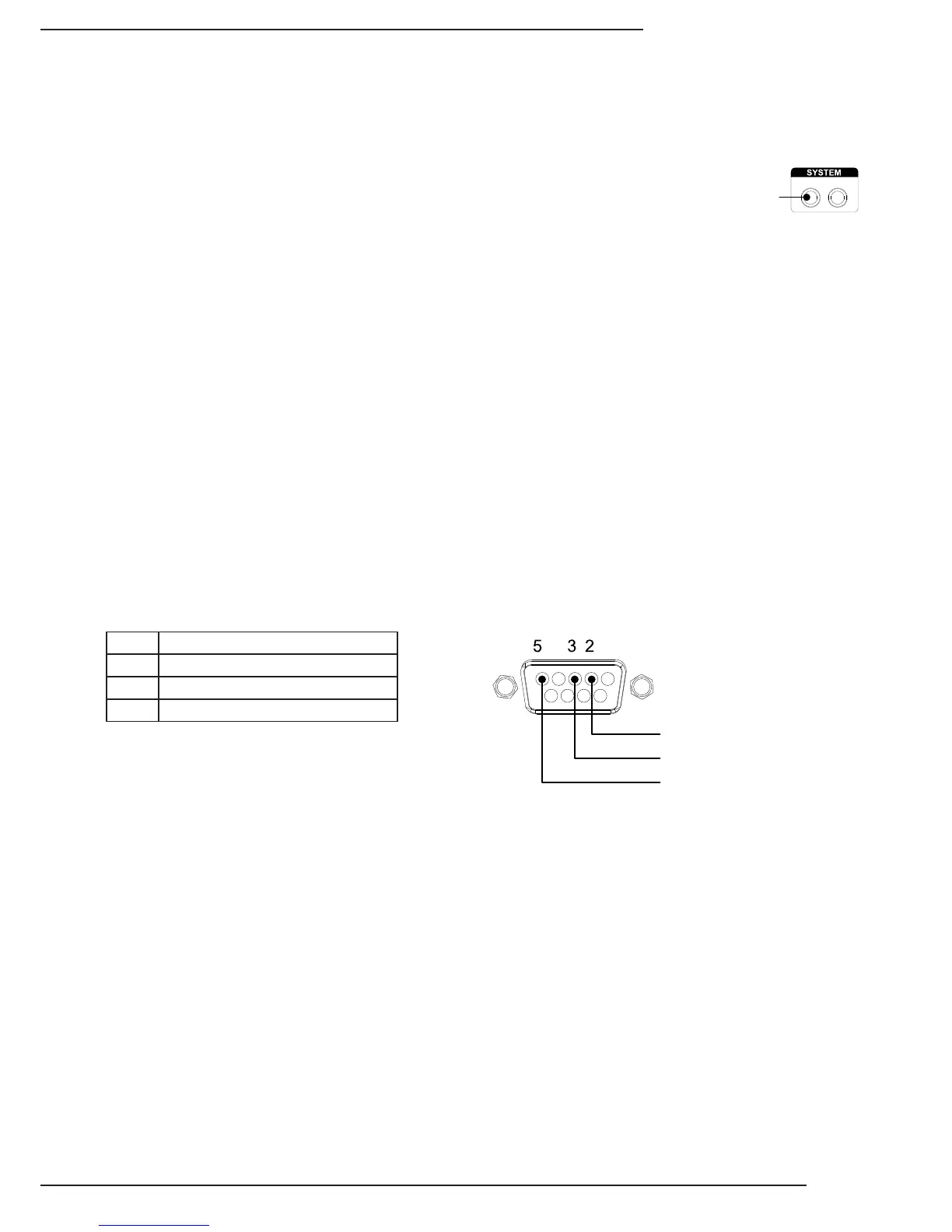
attaching a mono cable from the control system asher output to the “System IR In” port
onthebackofthematrixswitcher.Forthemostreliablecontrol,usetheSystemIRInport.
The matrix switcher will also process commands received on IR Receiver inputs from
B-500-RX-230-IRinzonesconnectedviaHDBaseT.(SeeSection7.10.2.IRPass-ThroughfromRoomstoSourceson
page15foranapplicationexampleofthisfeature.)
Note: System IR Control and the front panel IR Receiver can be disabled when not in use by using the Conguration
Utility. See the Conguration Utility manual section, “Other Settings” for more information.
7.7.2. RS232 Control
TocontroltheB-500-MTRX-230-4x4withRS232,thedevicesmustconnectusingthecorrectpincongurationforthe
controlsysteminuse.
Thematrixswitcherreceivescontroldataonpin2(RxD–DataReceive)andtransmitscontroldataonpin3(TxD-Data
Transmit).TheconnectioncablebetweenthematrixswitcherandtheAutomationSystemwillneedtobecongured
sothatpin2(RxD)ontheswitcherisconnectedtothecontrolsystemTxD(DataTransmit)pin,andpin3(TxD)onthe
switcherisconnectedtothecontrolsystemRxD(DataReceive)pin.Seethediagrambelowfordetails.
Congurationforcontrolsystemserialportscanvary.Refertothedocumentationforthesysteminusetoensureproper
connectionandconguration.
Note: This port is also used to communicate with a PC when using the PC Conguration Utility. Refer to the Conguration
Utility manual for details.
B-500-MTRX-230-4x4RS232PortConguration


 To Next Page