BD/ED/FD (E2) Service Manual
State: 01/2002 Created: 06/2002 / Jochen Tussinger
15
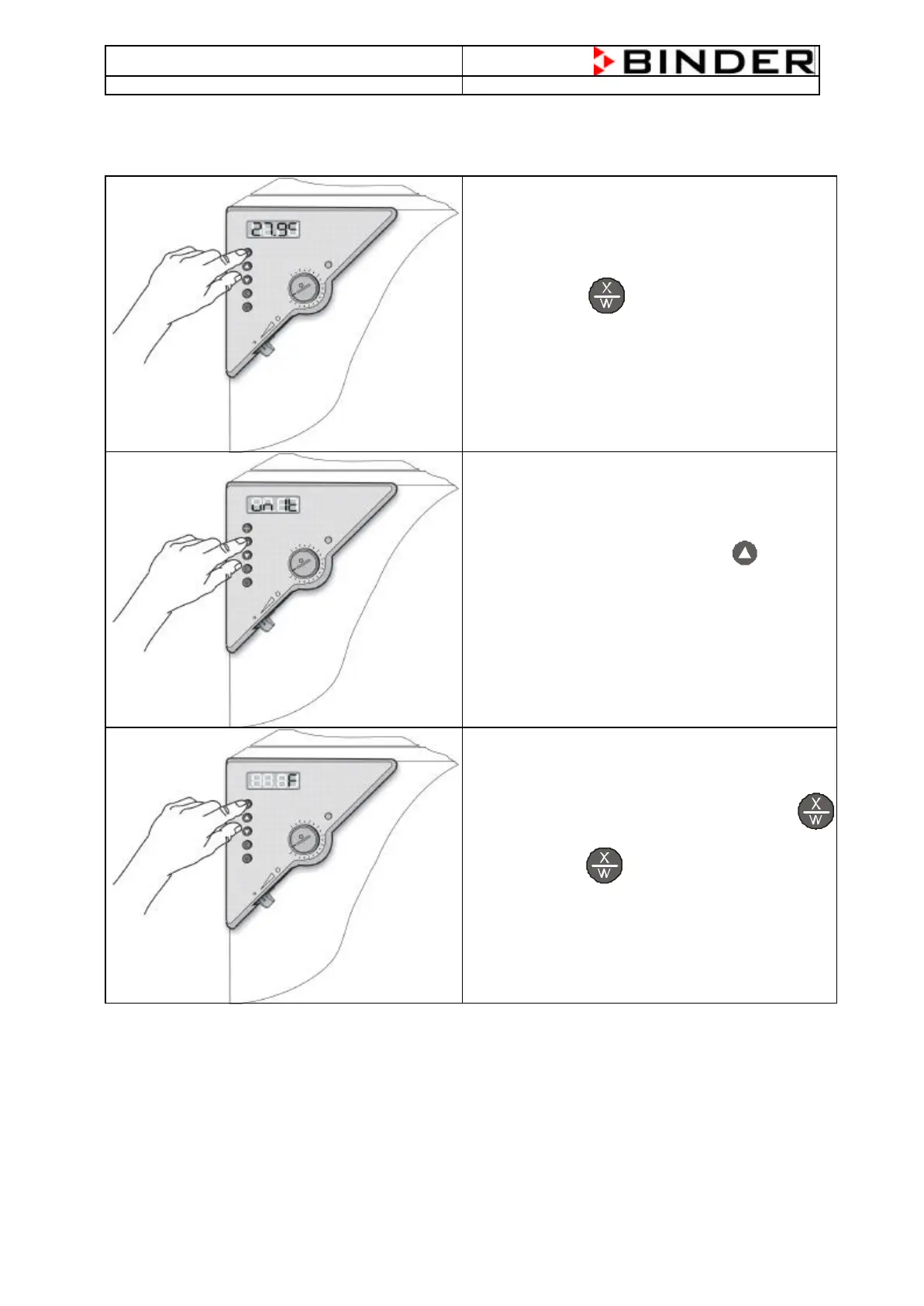
4.4 Change Display from °C (Celsius) to °F (Fahrenheit)
Press the Button for at least 5 seconds
The Display shows „unit“.
Change the setting “C” with the Button into “F”
Attention: The controller changes the value
automatically into °F.
Confirm your new setting by pressing the Button
Press the Button 4 times to go back to the
normal display
Remember:
If you set the chamber to °F, the highest Temperature is 300°F. This corresponds to approx. 148,62°C.
Correlation:
0°C = 31°F
100°C = 212°F
[Value in °F] = 1,81 x [Value in °C] + 31







 To Next Page