BD/ED/FD (E2) Service Manual
State: 01/2002 Created: 06/2002 / Jochen Tussinger
17
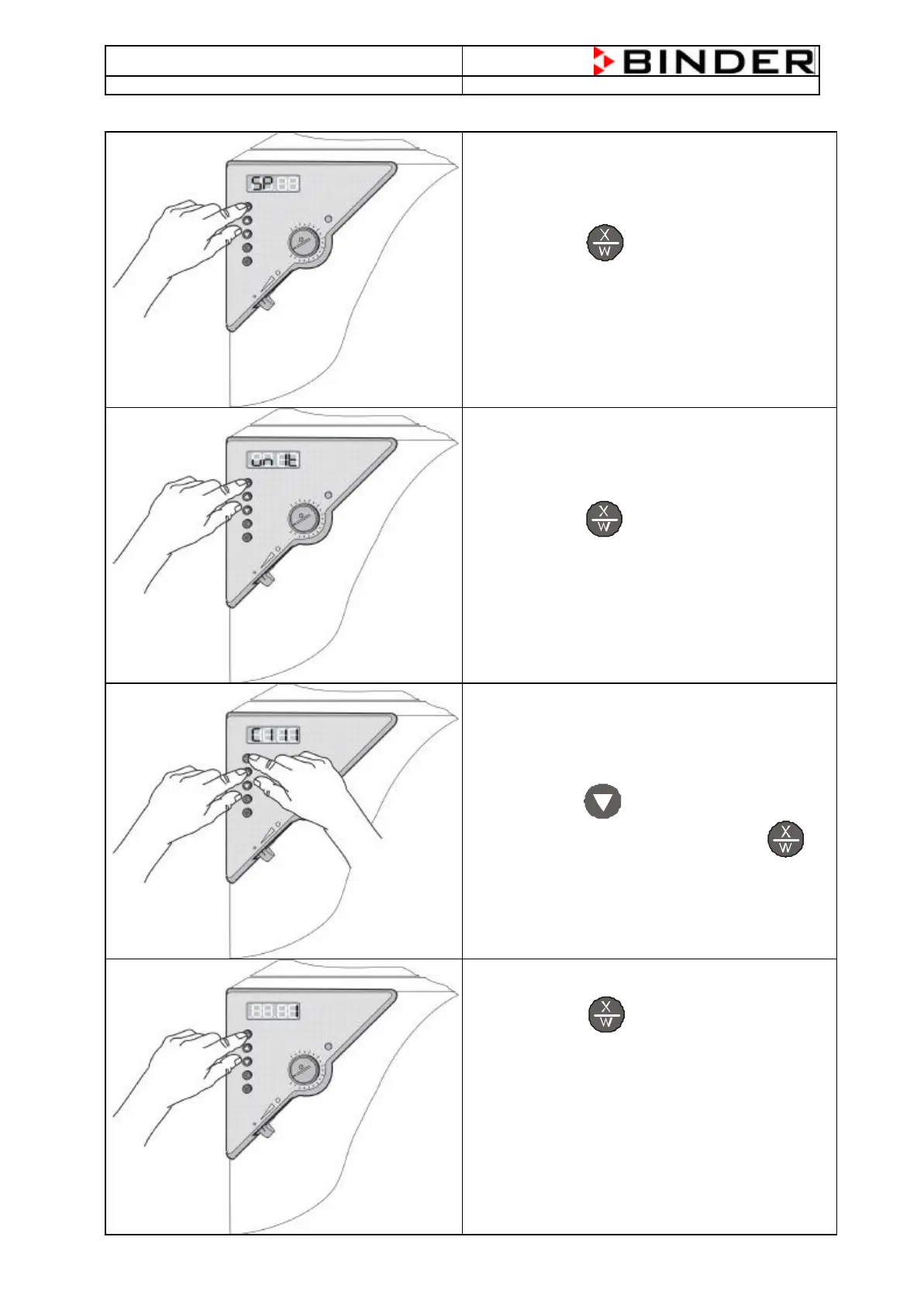
Step 2 – Changing of the parameter for the 0.1 degree display
Press the Button for at least 5 seconds
so that “unit” will be displayed
Press the Button for at least 5 seconds again
so that “C111” will be displayed
Press the Button for 1 time to set the “0” to “1”
Confirm your setting by pressing the Button
Press the Button 18 times to go back to
normal display.
The displayed value now is with 0.1 step
Please restore the Level-Protection. If not it is
possible that the parameters could changed. The
chamber doesn’t work correctly.







 To Next Page