BD / BF / ED / FD / FED (E3.1) 12/2017 page 54/105
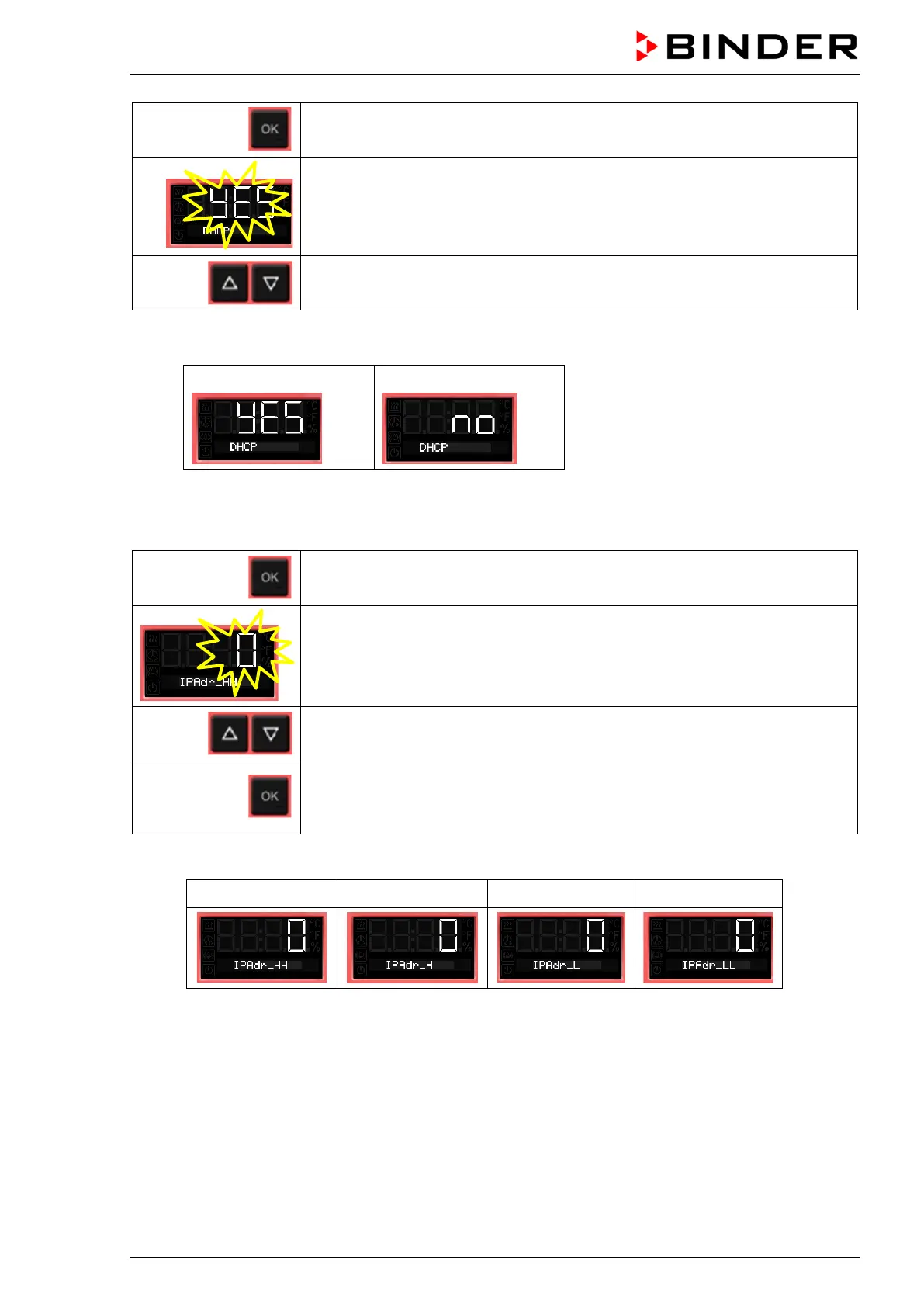
Continue with OK to switching on and off the DHCP state
The current DHCP state is displayed (on). The setting flashes.
Select the setting with the arrow buttons.
There are the following options:
DHCP switched on:
DHCP switched off:
To configure the network settings, the DHCP state must be switched off. Otherwise, the DHCP-
server would assign the network configuration..
Confirm with OK and go on to enter the IP address.
The first digits of the current IP address are shown.
The setting flashes.
Enter the desired values with the arrow buttons
and confirm with OK.
The next digits of the IP address are shown.
Enter the desired values accordingly.
Example value: 0.0.0.0
0 0 0 0



 To Next Page