COMBIMASS
®
compact
Doc. No.: 0905AE20500
33
Kapitel 3 Appendix
Option: Operating the Graphic-Display Combimass CIII
Device:
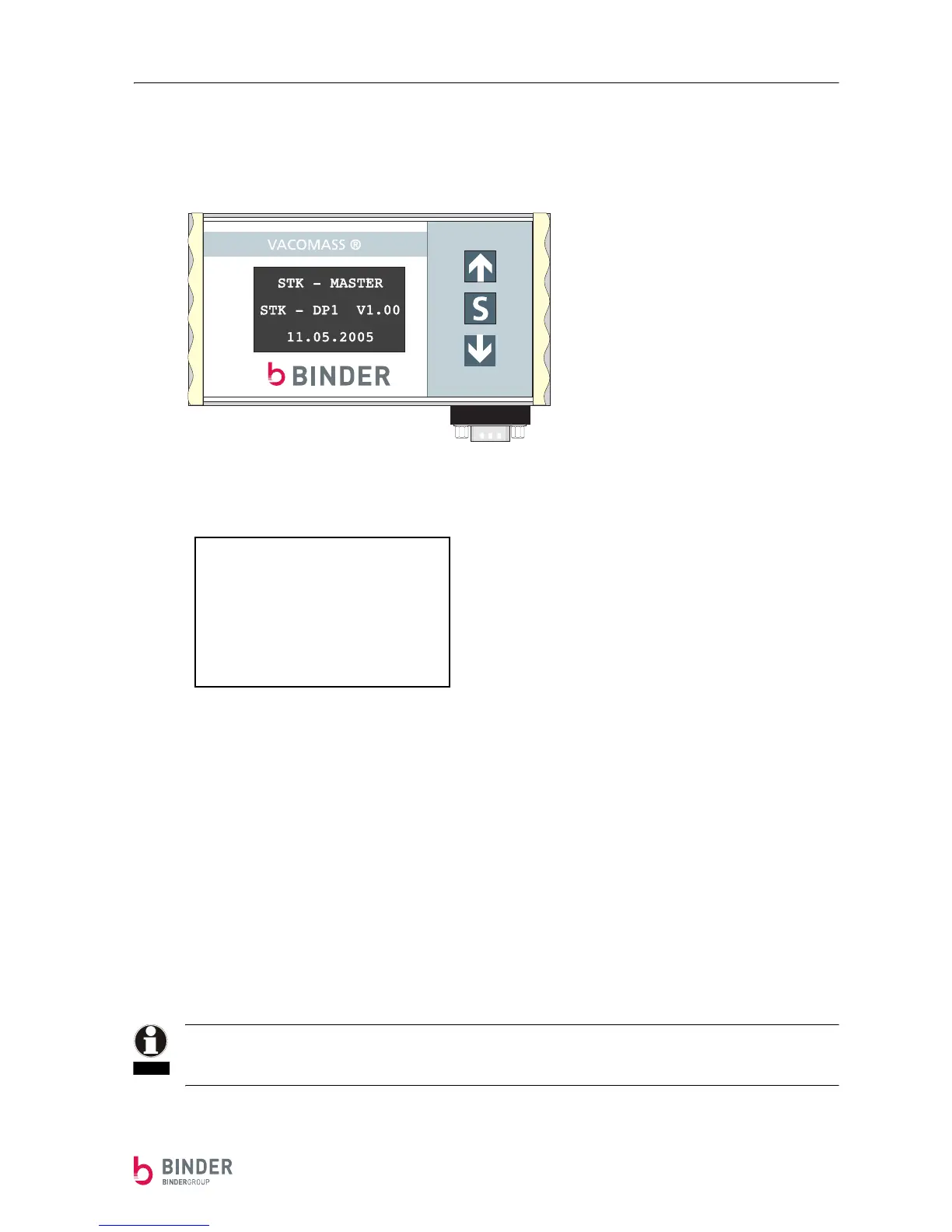
This information is displayed when turning on de device.
After 20 seconds the display shows the actual flow (normal mode display).
Normal mode display
In general:
The device is operated with 3 buttons.
The following buttons are available:
Button Position Further possible functions:
⇑ top button (+ , YES)
⇓ lower button (- , NO)
S center button (OK)
To get to the next lower menu level, press the S-button.
If no button is pressed for one minute, the device automatically goes back one menu level by another to
the normal mode display (shows the actual flow).
In case the display shows an unrealistic value, the connections (TX, RX) for the data signals might be swit-
ched.
In that case, switch the connections on clamp 4 (RX) and clamp 5 (TX) in the display case.
Act. Flow
00.00
Summation [Nm
3
]
0123456789
NOTE


 To Next Page