10 Getting to know the Bindomatic 301 DFS
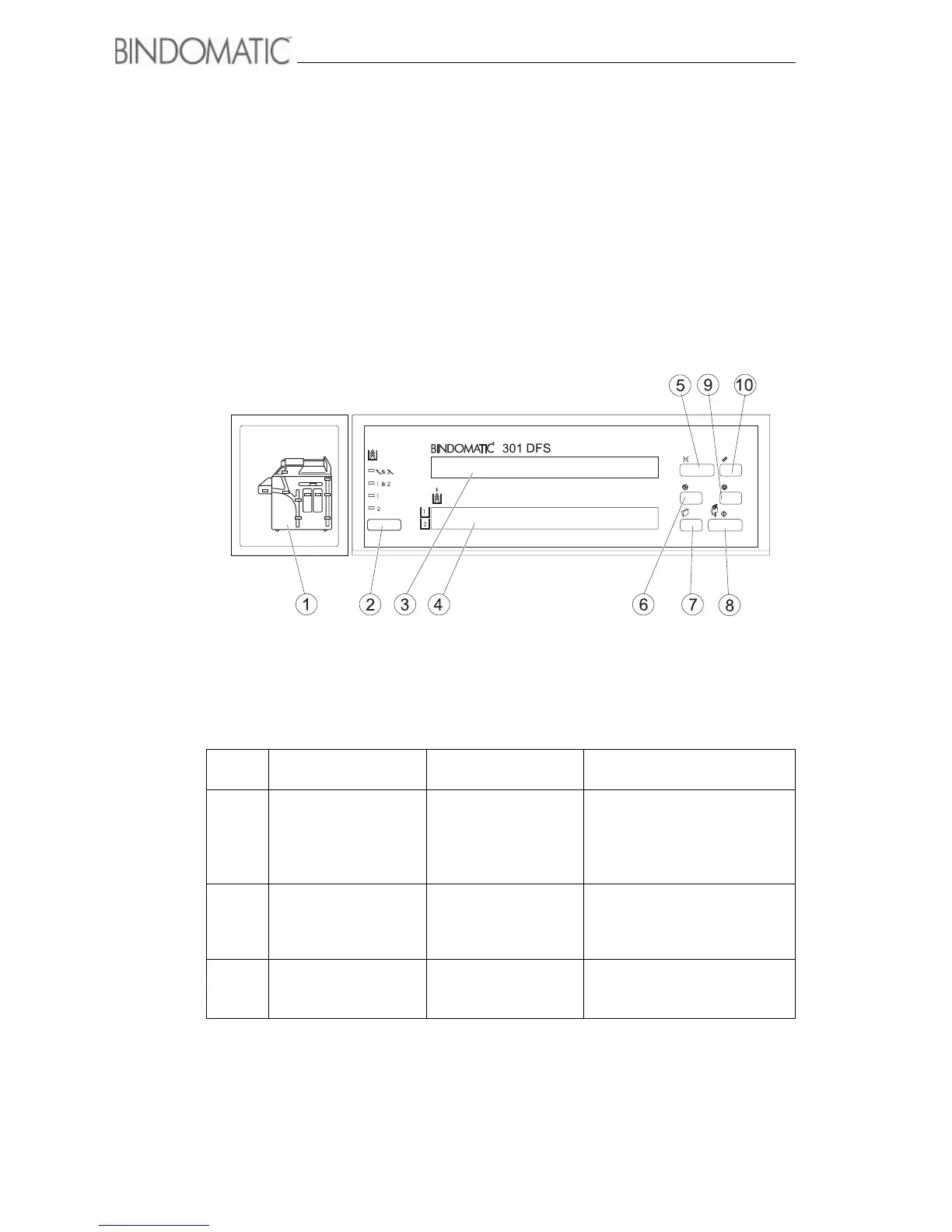
Control Panel
The Control Panel is located on top of the 301 DFS. It enables you to program the 301 DFS
and provides operational information.
The table following the illustrations contains descriptions of each of the components.
Item
#
Name Name/Symbol Description
1 Mimic Display Mimic Display The Mimic Display helps you
locate areas that require your
attention. Indicator lights will go
on in the applicable areas of
the Mimic Display.
2 Cover Supply Select
Button
Cover Supply Select
Button
Press this button to select the
desired cover source.
The green light to the left of the
selection will light.
3 Message Display Message Display The Message Display provides
operational information about
the 301 DFS.
www.bindomatic.com



 To Next Page