16 Getting to know the Bindomatic 301 DFS
Output Tray and Document Guide
The 301 DFS delivers the bound documents to its Output Tray, which is located on the right
side of the top of the 301 DFS. The Document Guide serves as a document end to hold the
documents in place in the Output Tray. The Document Guide moves to the left as the
documents arrive in the Output Tray.
When the Output Tray is approximately half full, the message ”Empty Top Output Tray”
will appear in the Message Display of the 301 DFS Control Panel. If enabled, the Attention
Lamp will light and the Sound Tone will beep twice. The 301 DFS will continue to operate.
Status ”Full”:
When the Output Tray is approximately three-quarters full, the message ”Output Tray
Almost Full - Empty Top Output Tray” will appear in the Message Display of the 301 DFS
Control Panel. If enabled, the Attention Lamp will light and the Sound Tone will beep twice.
The 301 DFS will finish binding the copy sets in process. You must empty the Output Tray
of the 301 DFS and resume printing.
Status ”Off-line”:
When the Output Tray is full, the 301 DFS will go off-line. The message ”Output Tray Full
- Empty Top Output Tray” will appear in the Message Display of the Control Panel. If
enabled, the Attention Lamp will flash and the Sound Tone will beep every two seconds. You
must empty the Output Tray of the 301 DFS and resume printing.
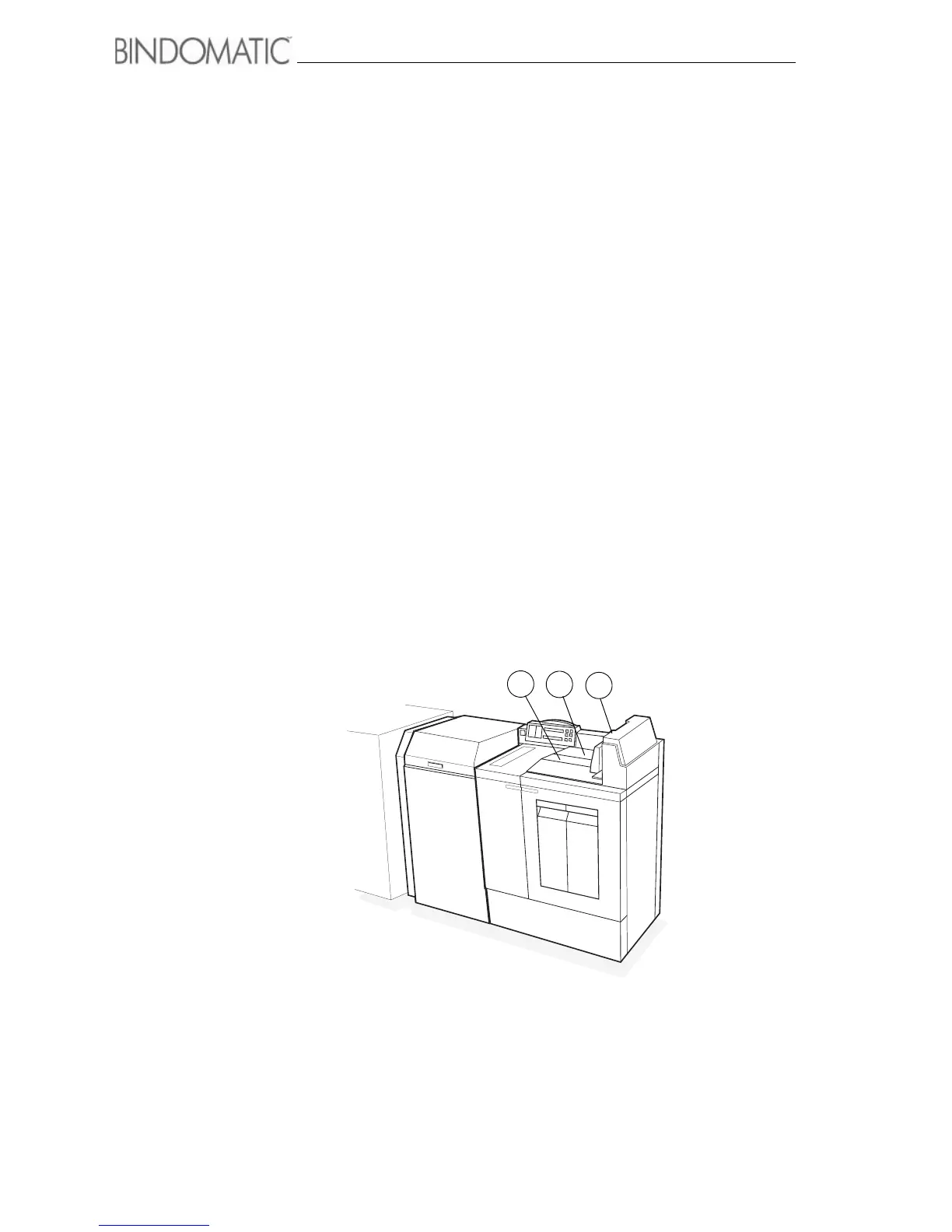
Below is an illustration of the Output Tray and Document Guide.
1. Output Tray
2. Document Guide
3. Documents
1
2
3



 To Next Page