Making the documents 27
Loading the cassettes into the Cover
Trays procedure
Follow the procedure below to replace an empty cassette or to
exchange a cassette for another having a different size spine
width or cover type.
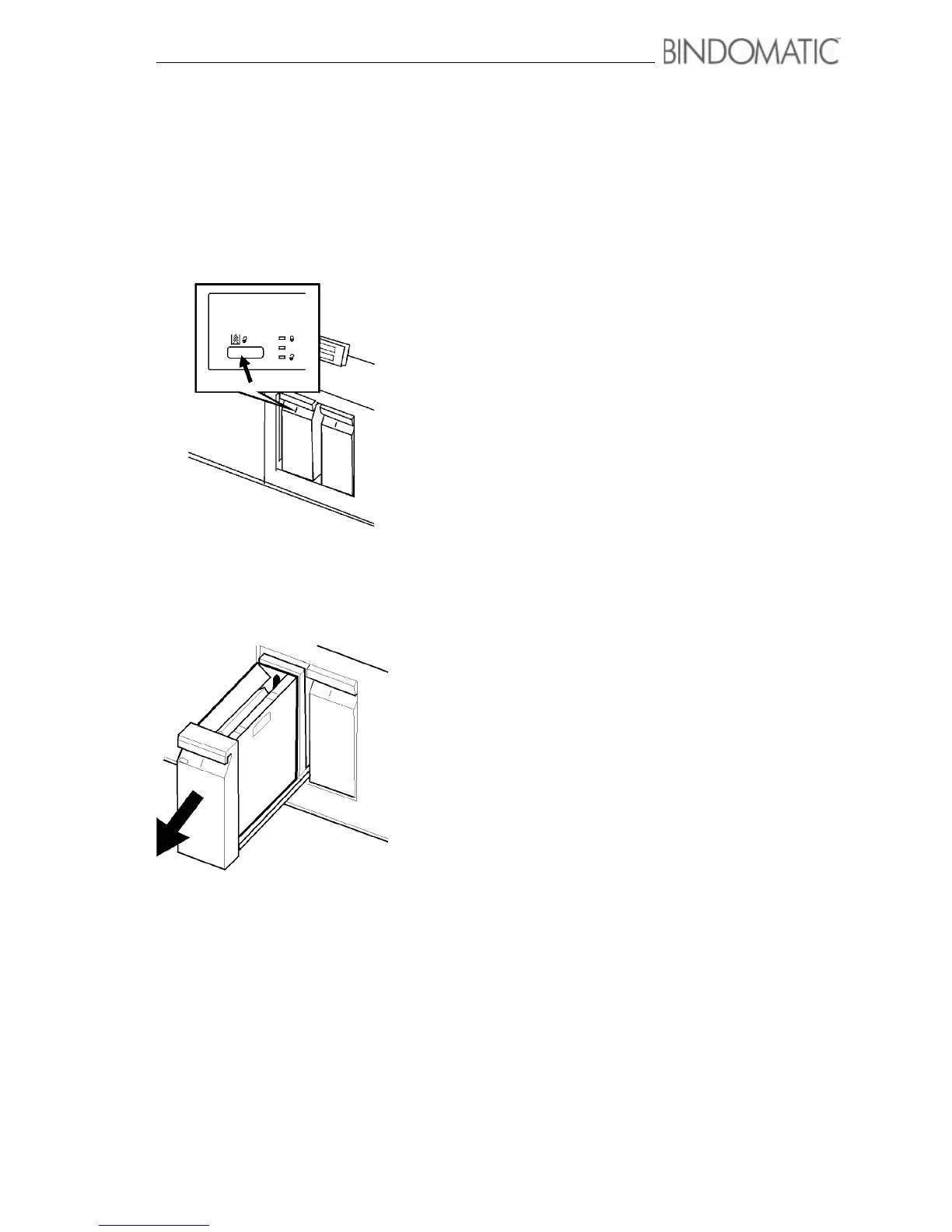
1. Press the Unlock button for the Cover Tray.
• The amber Please Wait indicator light will go on to
advise you that the Cover Tray is unlocking.
• When the Cover Tray is unlocked, the green Ready to
Open indicator light will go on.
NOTE: You must press the Unlock button only if the
Cover Tray you are loading currently contains covers
and is selected. When a Cover Tray is empty, the 301
DFS automatically unlocks the Cover Tray for you.
2. Pull open the Cover Tray.



 To Next Page