17
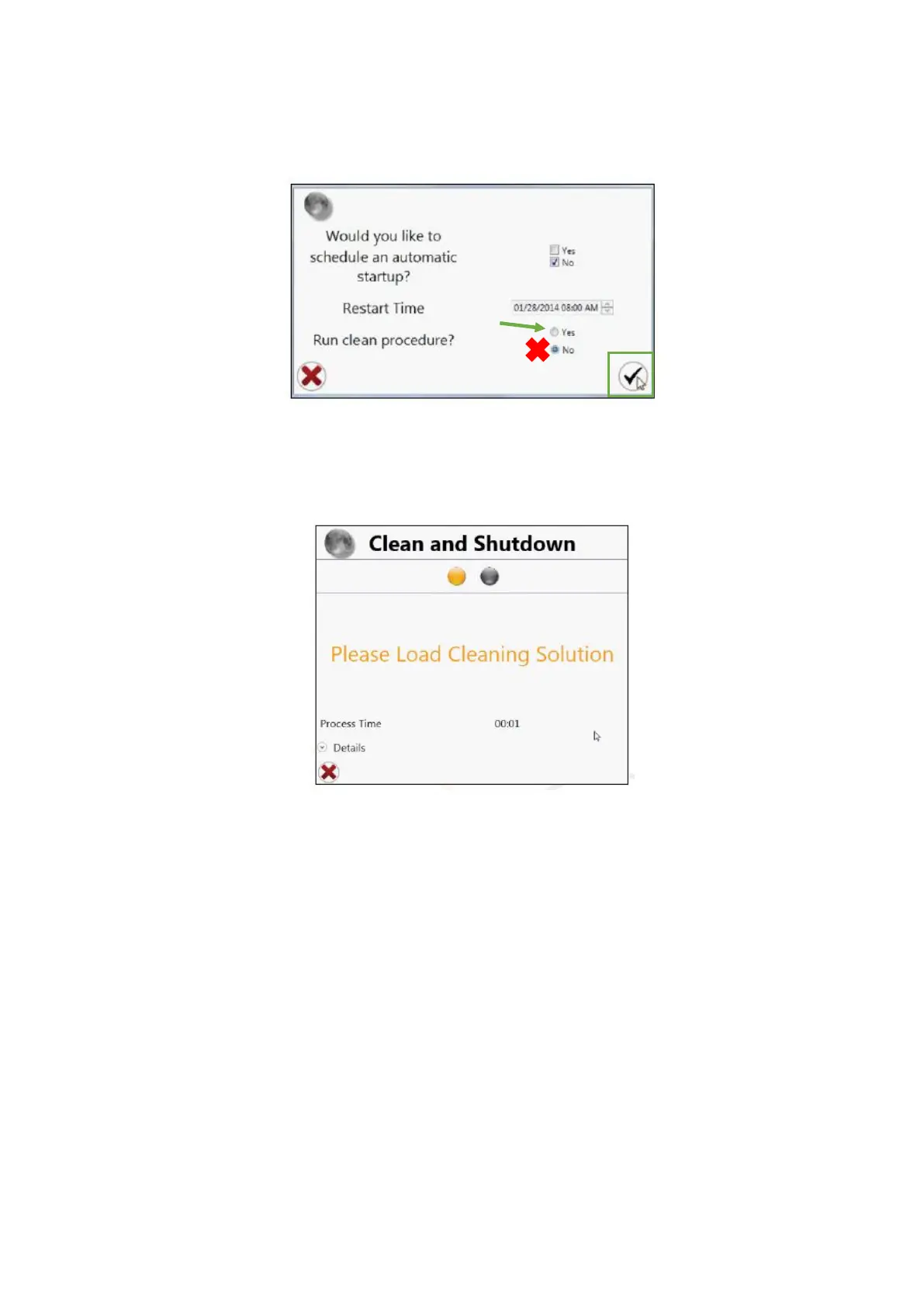
13. Yet in this window, select the Yes option for the Run Clean Procedure question
and click in the checkmark button
14. When the prompt “Please Load Cleaning Solution” appears in the Clean and
Shutdown window, load a tube of water MiliQ and move the loading stage into the run
position
15. After the cleaning procedure move the loading stage into the wash position
16. At this time the system is fully shut down. The software will return to the opening
log in screen
17. Close the ProSort software and switch off the computer
18. Empty the waste and refill the fluidics containers



 To Next Page