26 Biodex Medical Systems, Inc. © 2017
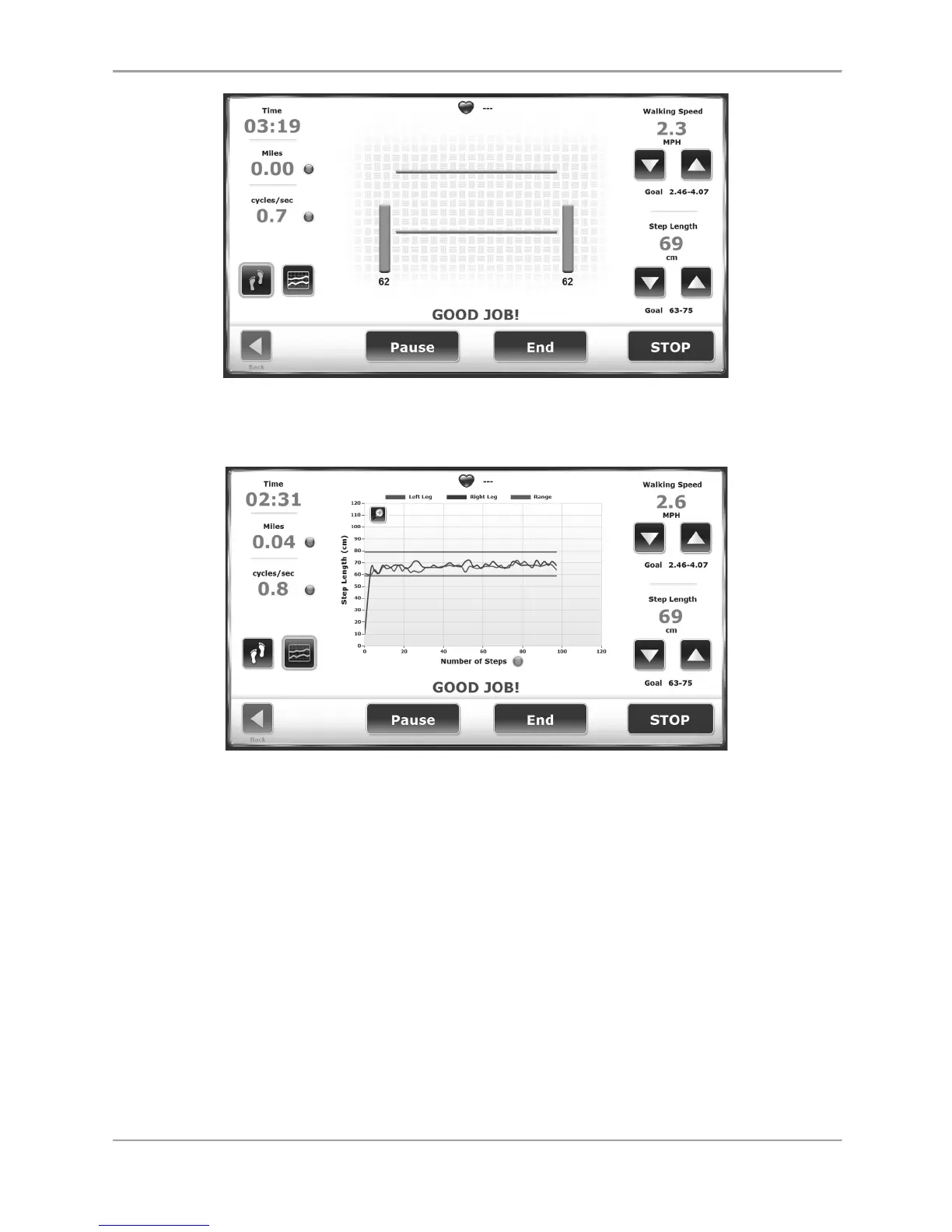
Figure 2.12. If the Patient is Achieving the Desired Step-Length Target, Two Vertical
Green Bars are Displayed along with a “Good Job!” Message.
Figure 2.13. Patients Also Receive Feedback on Step-Length Targets in the Histogram
View.
In the Footfalls screen, the blue foot marks the user's last foot placement while the space
between the two green lines is a target for the next foot placement. The user can toggle by
pressing the blue dots to display speed as cycles/sec, MPH, or meters/sec. The numbers in the
left and right corners of the Footfalls display illustrate the real time average of the patient’s last
five steps. (In Figure 2.12, it is 62 for both the left and the right legs.) There is also a reading
for step length.
In the Histogram view, the Y axis represents Step Length and can be displayed in scales of 0-60
cm, 0-80 cm, 0-100 cm, or 0-120 cm. The X axis can be TIME, DISTANCE, or STEPS.
To change the axis label, touch the axis label (in Figure 2.13 the words Number of Steps) to
toggle between selections.



 To Next Page