62 Biodex Medical Systems, Inc. © 2017
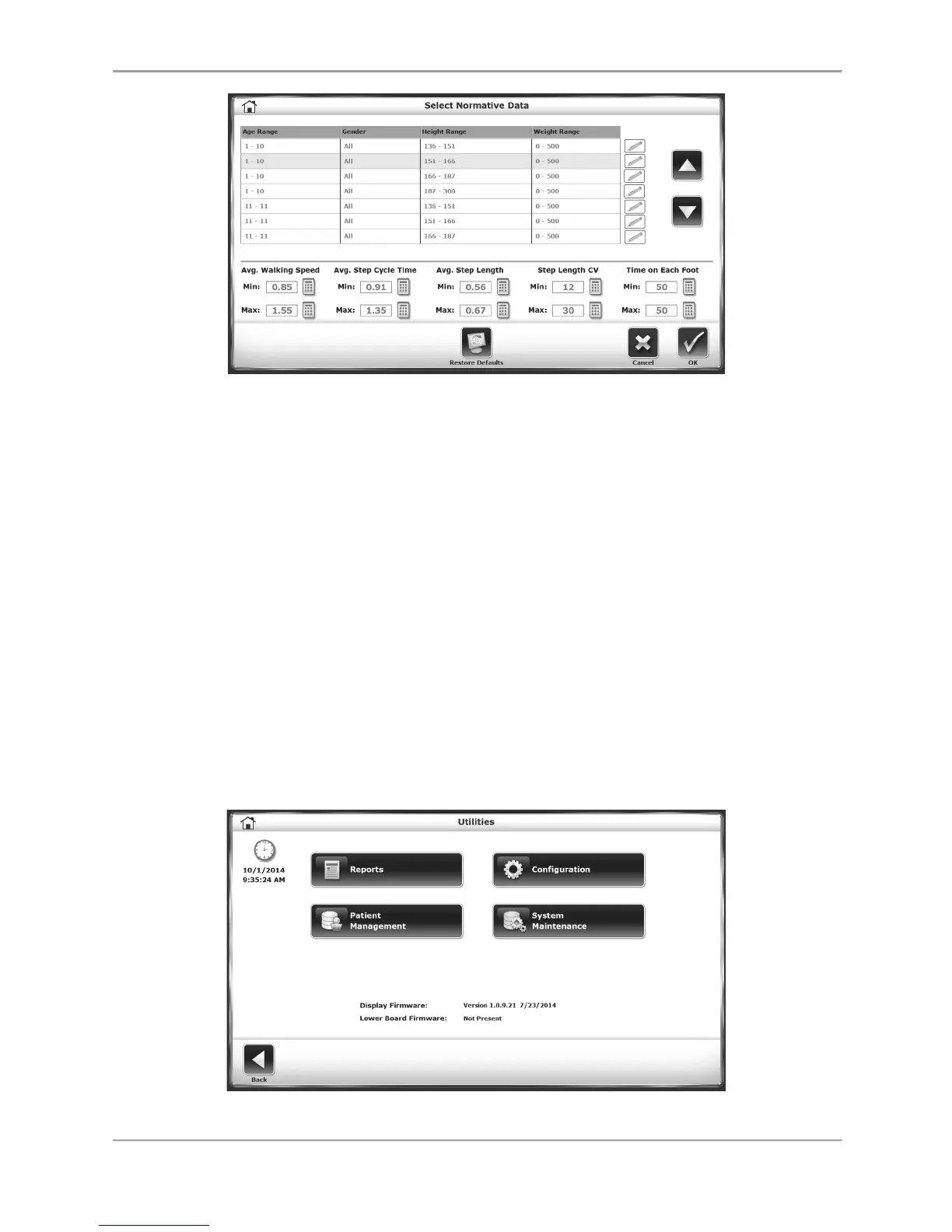
Figure 8.11. Select Normative Data screen.
Facility Information: Use this screen to enter the facility’s name, which can be featured on
printed reports.
Enable Advanced Data Input Mode: Touch this checkbox to input a patient’s exact date of birth
and height numbers in the Gait Training Patient Setup Screen (as opposed to simply designating
an age number and height range).
Require Patient ID# for Patient Record: Touch this checkbox to require that users input a
specific Patient ID# for each new patient that performs gait training sessions.
Enable “Additional Information” on Patient Setup: Touch this checkbox to enable the Additional
Info icon at the bottom of the Gait Training Patient Setup screen.
Print Facility Information on Reports: Touching this checkbox allows the user to input
information about the facility that will be displayed on printed reports.
Step Symmetry Histogram X Axis: This setting allows the X axis for the Reports/Test Results
histograms to be units of time, steps, or distance.
Patient Management
Figure 8.12. Utilities Menu



 To Next Page