GAIT TRAINER 3 (v3.X SOFTWARE) 73
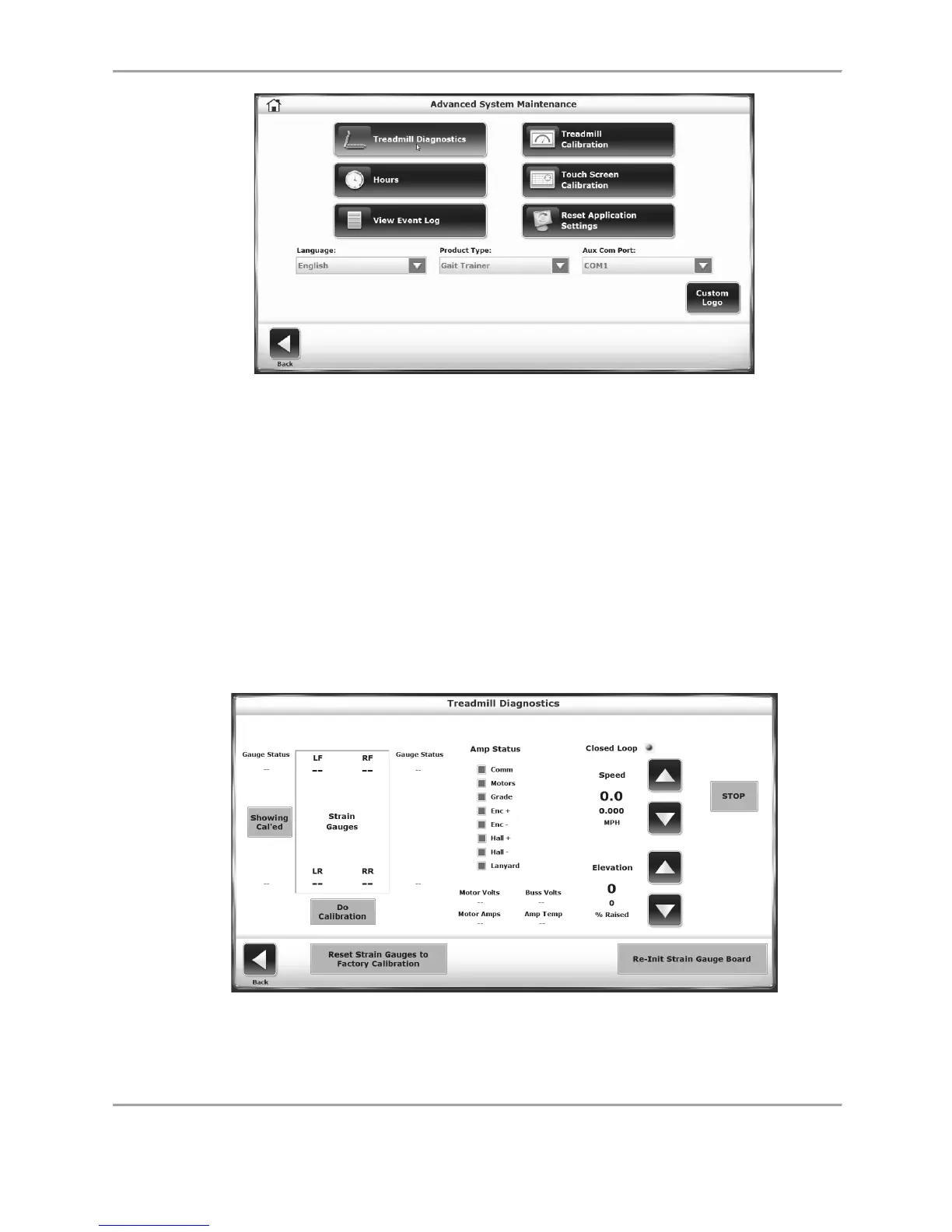
Figure 8.28. Advanced System Maintenance Screen.
Advanced System Maintenance Screen Settings
Treadmill Diagnostics: The Treadmill Diagnostics screen allows the user to conduct some
diagnostic tests with regards to treadmill performance. The strain gauges can be reset to the
factory calibration and the strain gauge board can be re-initialized.
● Touch < > for the elevation until the elevation motor stops. The reported elevation counts
must be between 12 and 15. If they not, loosen the nut on the elevation pot and adjust the
pot for a count between 12 and 15.
● Touch < > until the treadmill is fully elevated. The counts must be between 121 and 125.
Figure 8.29. Treadmill Diagnostics Screen.



 To Next Page