GAIT TRAINER 3 (v3.X SOFTWARE) 41
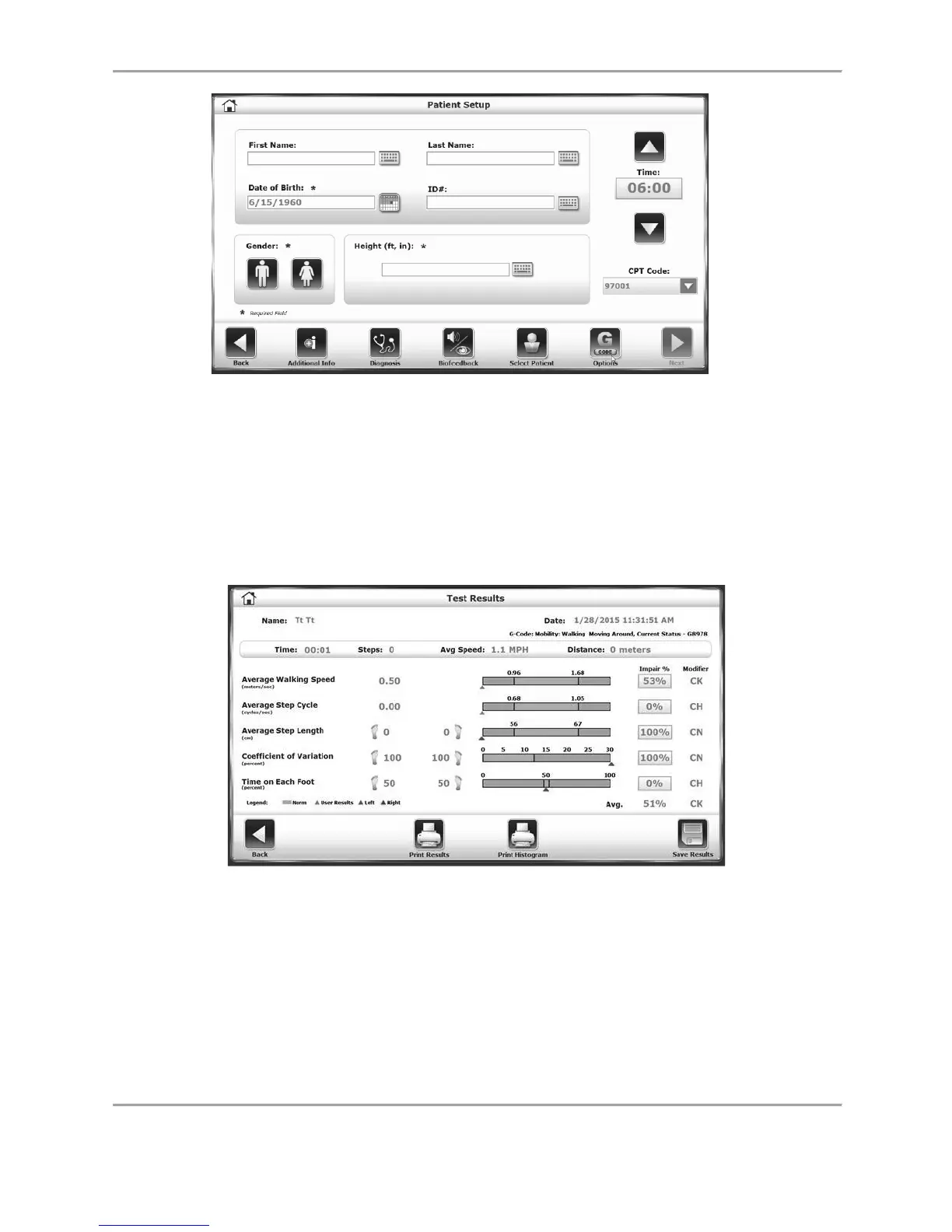
Figure 5.9. The Patient Setup screen after G-code data has been associated.
Test Results Data
Exercise report data can be reviewed from the Test Results screen only after touching <End> to
end the exercise session and touching <Results>.
The Test Results screen can also be accessed by selecting the individual record from the
Reports section in system Utilities.
Figure 5.10. Sample Test Results screen.
Near the top of the screen, the user can see that the G-code category has been specified as
Mobility: Walking and Moving Around. The G8978 code is derived from making a “Current
Status” selection. Both of these selections are made in the Gait Training Patient Setup screen.
The two columns at the right of the screen pertain to G-code data. The Impair Percentage
numbers refer to what degree the patient could be considered impaired, with 100% meaning
the patient is completely impaired and unable to do the associated task without help.



 To Next Page