GAIT TRAINER 3 (v3.X SOFTWARE) 67
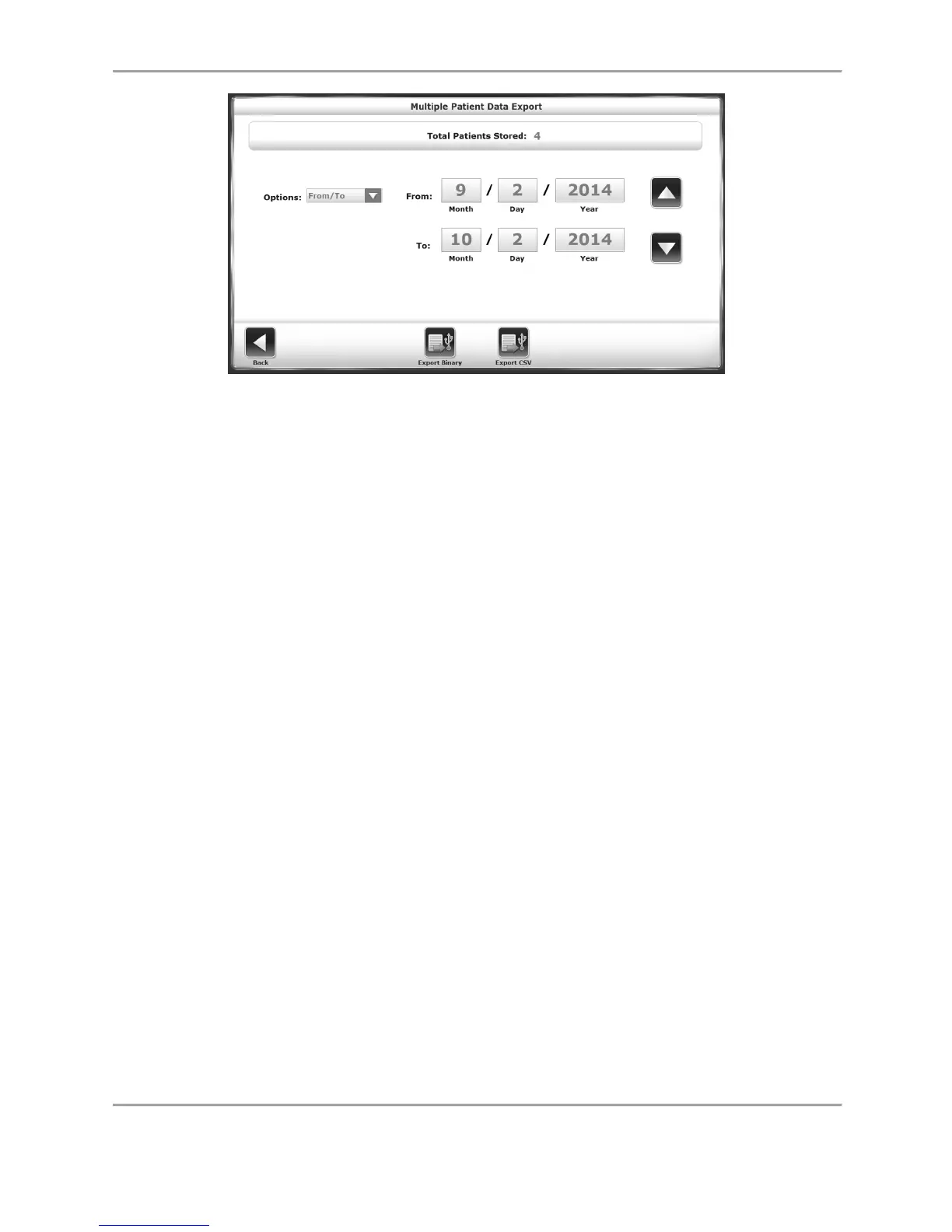
Figure 8.19. The Multiple Patient Data Export screen.
1. From the Patient Management – Select a Patient screen, touch <Export Multiple>.
2. On the next screen, the user has the option to select what range of patient records to
export: All records, records from a certain date to present time, records prior to a
certain date, or all records between certain dates (From/To).
3. Touch either the <Export Binary> button or the <Export CSV> icon. A confirmation
screen is displayed prompting the user whether or not to proceed.
4. Touch the <Export Binary> or the <Export CSV> button again to complete the export
process. The selected files are exported to the attached flash drive in the designated
format.
5. Touch <Back> to return to the Patient Management – Select a Patient screen.
Working With Individual Patient Records
To export an individual patient data file:
1. From the Patient Management – Select a Patient screen.
2. Select a patient row, and touch <Next>.
3. On the following Data Management – Test Results screen, touch <Export CSV>. The CSV
file will be saved to an automatically generated folder titled “BioCSV” (refer to Appendix
A for details regarding how to perform a CSV file export).
Note: The user has the option to export patient data either to a Binary file or a CSV file, which
can be stored locally on a hard drive.



 To Next Page