54 Biodex Medical Systems, Inc. © 2017
Profile Mode Exercise Track and Numeric Display Parameters
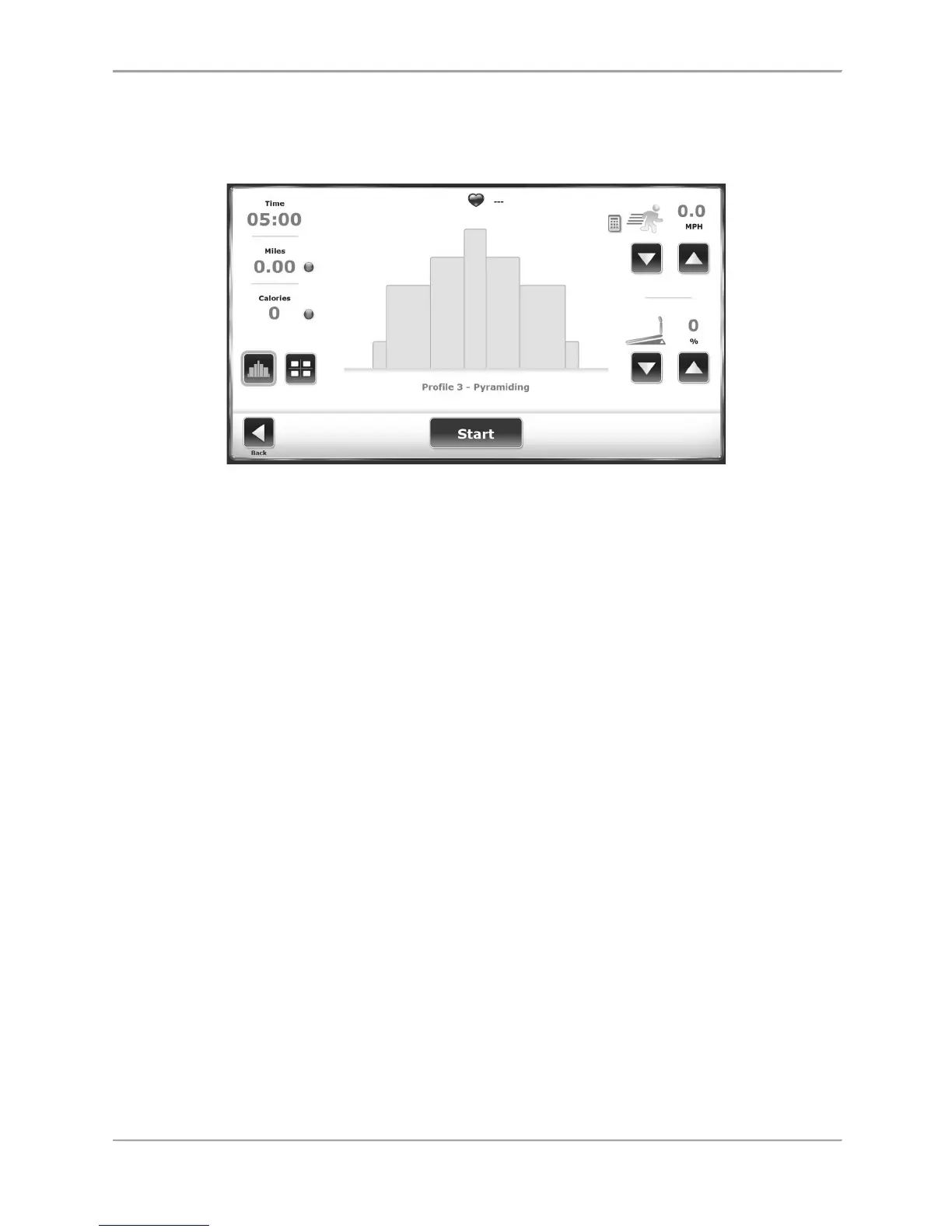
The same parameters are displayed on both the Exercise Track and Numeric displays. A brief
explanation of these parameters can be found in the Quick Start section.
Figure 7.3. Ready to begin an exercise session with Profile 3, Pyramiding, selected.
Designing a Custom Exercise Profile
To design a custom exercise profile:
1. At the treadmill Opening Menu, touch <Profile>. The Select Profile Menu is displayed.
2. Touch option six, <Custom>. The Custom Profiles screen is displayed.
3. Touch the <Empty> (1-12) icon of the profile to be designed. Touch <Edit Profile> at the
bottom of the screen. The Editing Profile screen is displayed.
4. Each exercise profile can be divided into as many as ten separate stages. Enter the
speed, elevation, and time duration for each stage. To add stages, touch the “add row
below” icon to the right of the Time field. If it is necessary to clear a stage, touch the
recycling can on that row. If it is necessary to clear all of the stages, touch <Delete All>.
Touch <OK> to return to the Custom Profile menu.
5. At this point, the user can select any of the custom profiles designed. The Custom
Profile Setup Options screen is displayed. Proceed as if using a pre-defined profile.



 To Next Page