User’s Guide
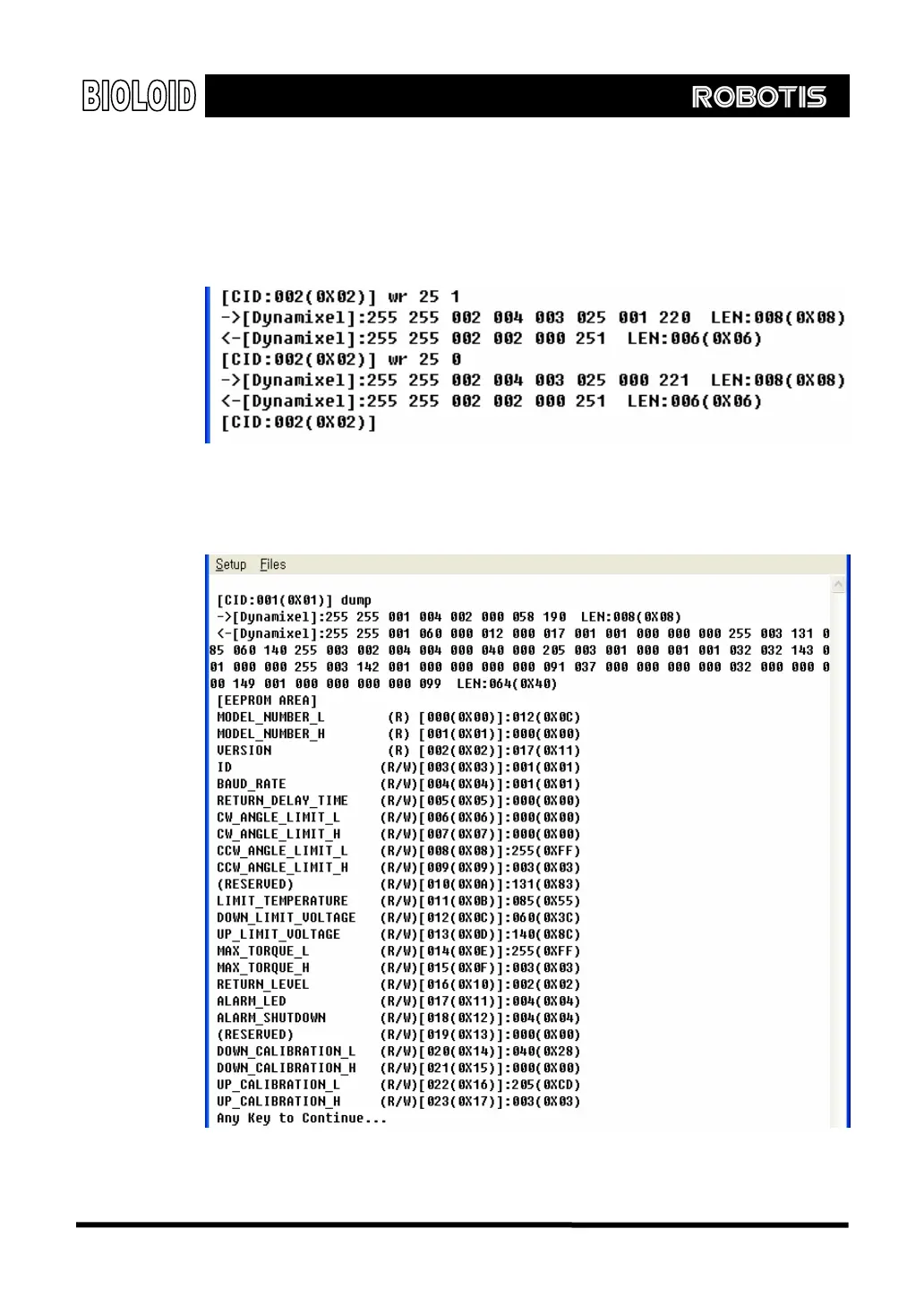
WRITE This command is used to change a data value of the control table.
The WRITE command format as the follows.
Usage: WRITE [Address] [Data] [Data] [Data]…
In the example below, you can verify that the LED turns on and off when 1 and 0 is
written to Address 25.
Dump This shows the control table values of the Dynamixel. The following shows the
information that is dumped. Refer to the AX-12 manual for more information about
control tables.
Press any key to continue dump.
112



 To Next Page