User’s Guide
SYNC_WR When you want to write to several Dynamixels and if the Write Addresses are all
the same, you can use the SYNC_WR command to write to all of the Dynamixels at
once. The format of a SYNC_WR command is as follows.
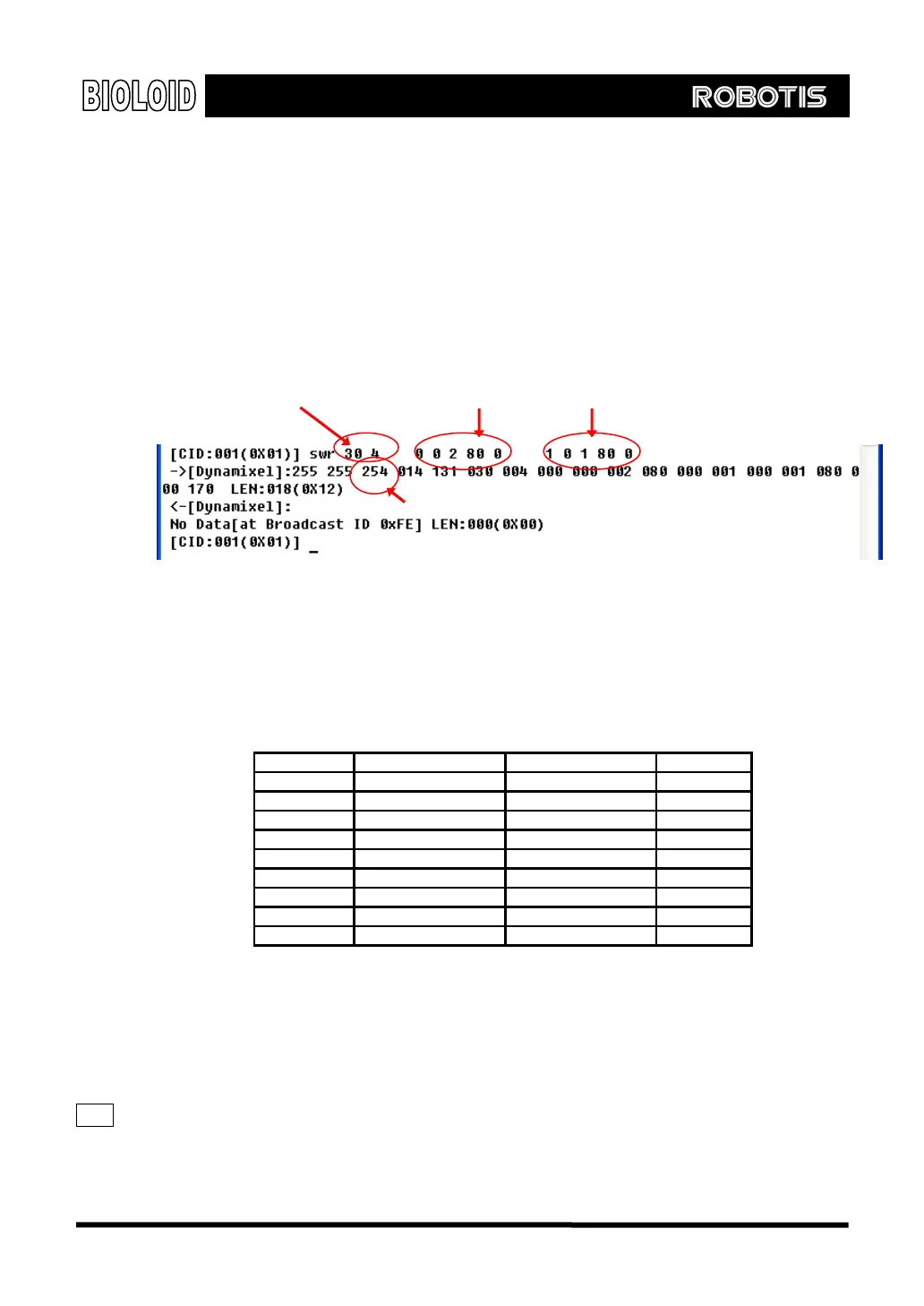
Usage: SWR [ADDRESS] [LENGTH] [ID] [DATA0] [DATA1] …[ID] [DATA0] [DATA1]…
The following example shows how to move a Dynamixel of ID = 0 to position
512(0x200) at a speed of 80(0x80) and a Dynamixel of ID = 1 to position 272(0x110)
at a speed of 80(0x80). SYNC_WR is a broadcasting command.
Addr,Length
Data of ID=0 Date of ID=1
Broadcasting ID
Baud This command is used to change the baud rate of the CM-5 Dynamixel controlling
UART. The baud rate is calculated using the following equation.
Speed (BPS) = 2000000/(Parameter Value + 1)
Parameter Values for Important Baud Rates
Parameter Set BPS Goal BPS Error
1 1000000.0 1000000.0 0.000%
3 500000.0 500000.0 0.000%
4 400000.0 400000.0 0.000%
7 250000.0 250000.0 0.000%
9 200000.0 200000.0 0.000%
16 117647.1 115200.0 -2.124%
34 57142.9 57600.0 0.794%
103 19230.8 19200.0 -0.160%
207 9615.4 9600.0 -0.160%
The Baud command changes the baud rate of the CM-5 itself and all the
Dynamixels that are connected to the CM-5.
Usage: BAUD [Calculated parameter value]]
Note A maximum Baud Rate error of 3% is within the tolerance of UART communication.
114



 To Next Page