User’s Guide
First, open the file that you want to edit. There are two ways of editing the
Makefile; the user can directly edit the contents of the Makefile, or the user can
use the menu to edit it. To edit it using the menu, the user selects the
“Makefile” menu on the right to change the options while the “mfile” is
running. To directly edit the contents of the Makefile, the user selects the
“Enable Editing of Makefile” under the “Makefile” menu to change options by
using the keyboard..
Editing Using the Menu
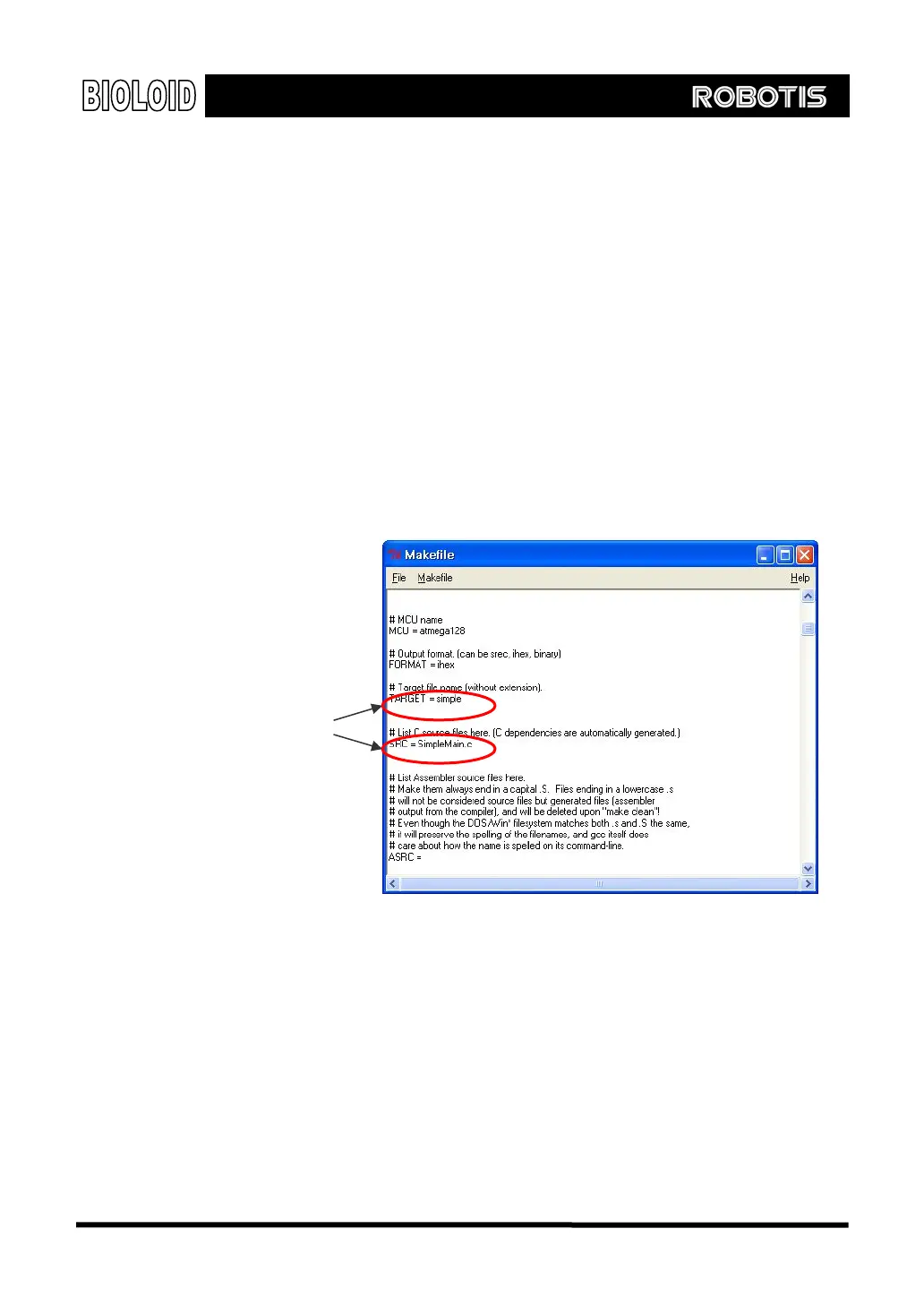
When a new project is created, two sections have to be modified in the
Makefile; one is the main file name section, and the other is the C/C++ Source
file(s) section. First set the name of the main file name to “simple.” This is
used for the file names the compiler creates. Source codes can be added in
the C/C++ Source file section. Edit the two sections of the Makefile as shown
below.
Modified items
The Makefile can be edited by using the “Notepad” or any text editor.
Summary of Makefile
The concept of Makefile can be tricky for those who use GCC for the first. The
Makefile can be summarized with the following two concepts..
1. The Makefile has to be located in the same folder as the project file and
source file. The name of the Makefile cannot be changed.
2. Within the Makefile, the source file section (SRC) and the resultant file
section (TARGET) needs to be modified as needed.
124



 To Next Page