User’s Guide
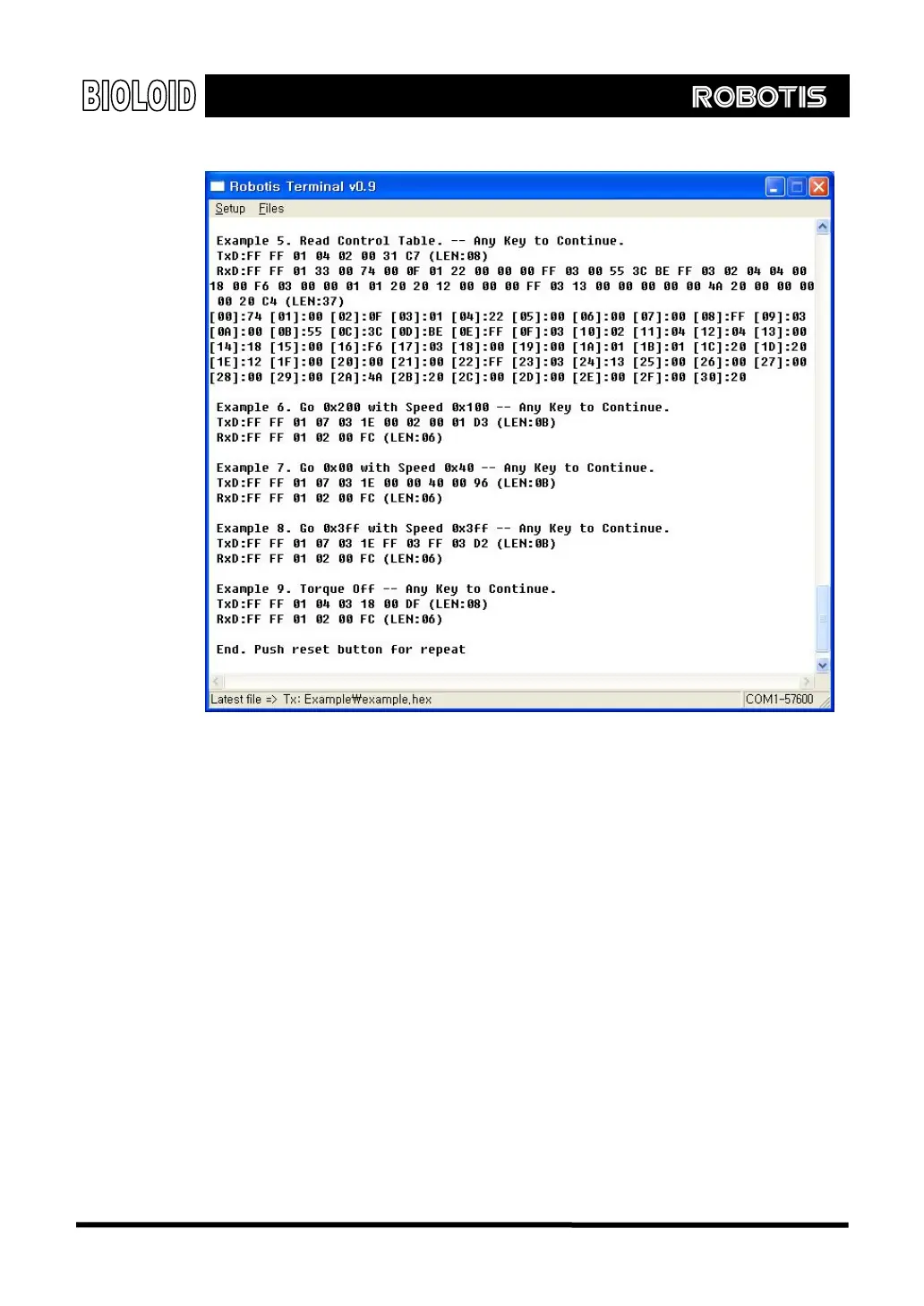
Example 5 reads all the data from the Control Table by sending a packet to read
data from address 0 to 0x31. The figure above shows the list of these 0x37
packets in the [Address]: Data form.
Example 6 demonstrates the command for moving the output of a Dynamixel
actuator to a specified position. This is the most often used command. The Goal
Position value of 0x200 (corresponding to the position at 180 degree) is written
to address 0x1e of the Control Table. The Goal Speed value of 0x100 is written to
address 0x20 of the Control Table as well. Note that both values (Goal Position
and Goal Speed) can be written at the same time using only one packet.
Example 7 and Example 8 each demonstrate the command for moving the output
of a Dynamixel actuator to a specified position, and they follow the same method
as explain in Example 6.
The last example (Example 9) turns off the torque of the Dynamixel actuator by
transmitting a packet to write a 0 to address 0x18 (address for Torque Enable) of
the Control Table.
129



 To Next Page