User’s Guide
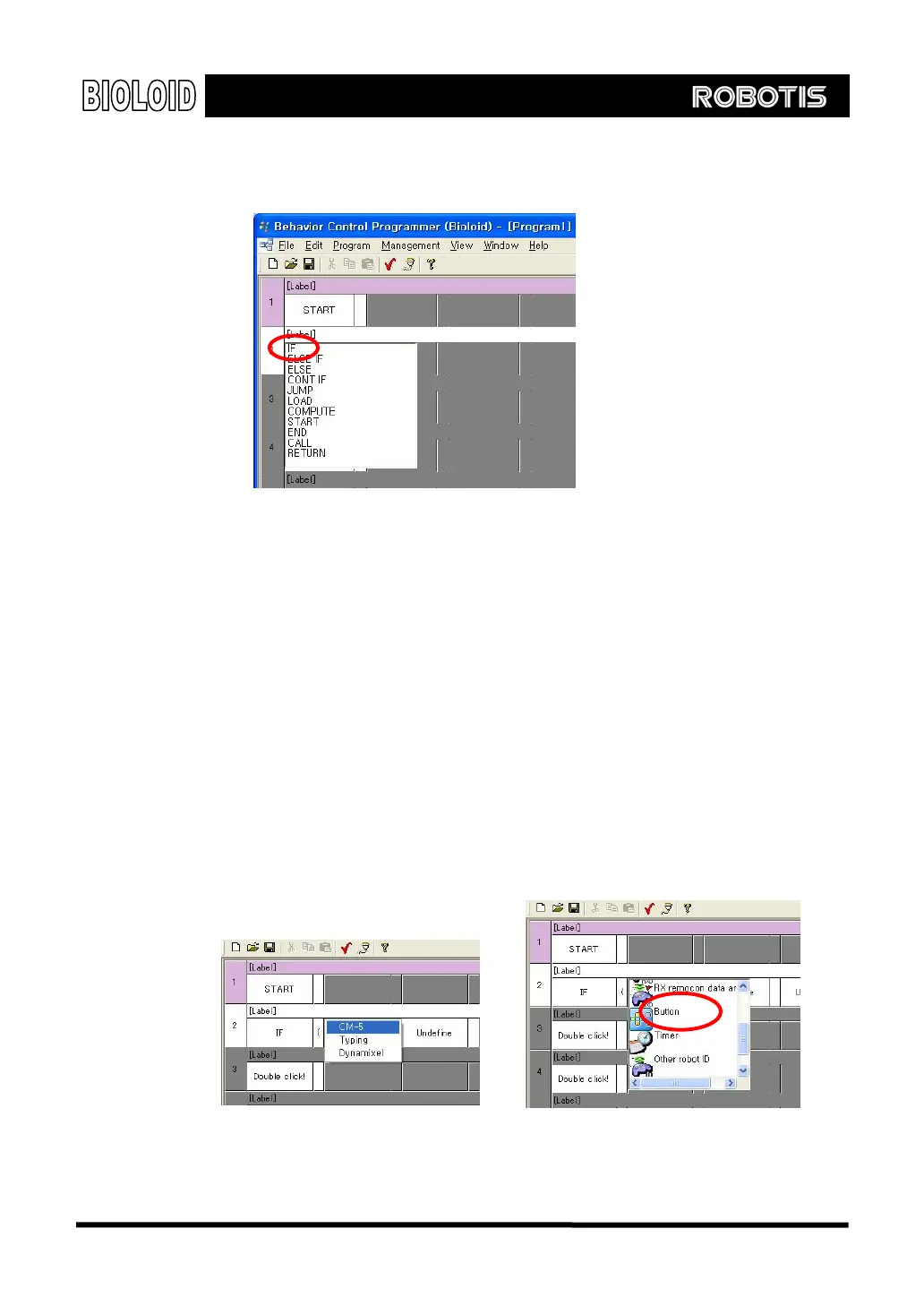
Double-clicks the first cell of the following line and select the command “If.”
Parameters There are some commands that need to be used together with a number or
symbol. For example, the command “START” does not require any number or
symbol to be used with, but the a command like “compute 1 + 2” requires the
numbers “1”,“2” and the symbol “+.” The command “If” compares two
items so it requires several parameters. Let’s implement the input command “IF
○
U
is pressed” using several parameters.
“IF (button status = ○
U
button) then”
As mentioned earlier, in order to understand and program a behavior control
program, you have to learn about the available input and output items. Here, we
have to find the “○
U
button”input item that has been used as a parameter.
To select the button status parameter, double-clicks on “undefined” and select
CM-5. Then select the “CM-5 button” item.
[Select CM-5 first.]
[Then select item]
19



 To Next Page