User’s Guide
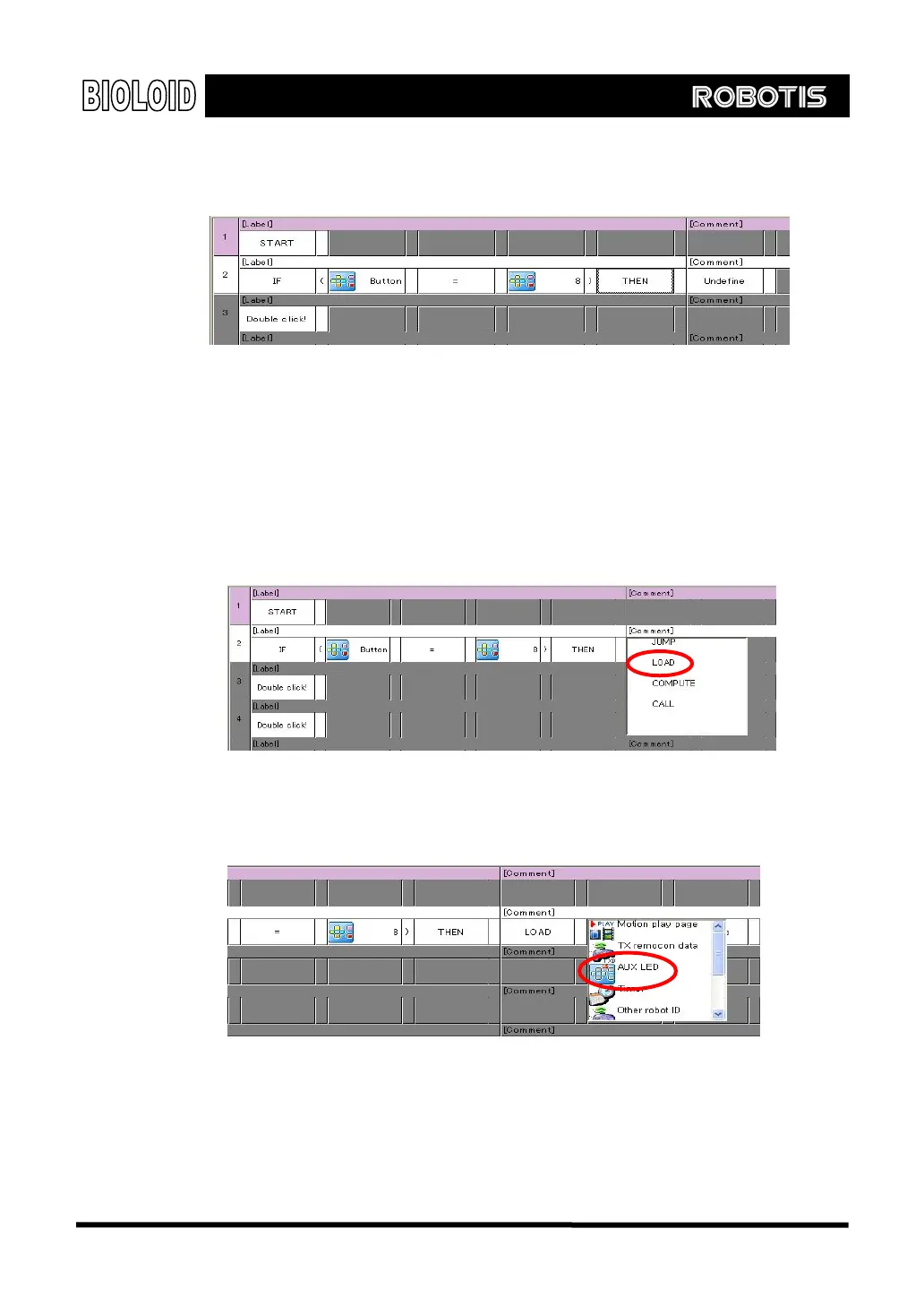
If you have done everything correctly, your screen should look like the figure
below.
이
Now we have finished making the complete command sentence, “ If (button
status = ○
U
button), then.” It seems difficult at first but after practicing several
times it should become natural.
“Load” The behavior control program expresses the command, “Turn on the LED” as
“Load LED Å 1.” Loading 1 mean “ON” and loading 0 means “OFF” for the
LED. Double-click the undefined cell and type in the command sentence. Select
the “LOAD” command.
Select the “ AUX LED ” item from the CM-5 item as the left parameter of
“LOAD.”
21



 To Next Page