User’s Guide
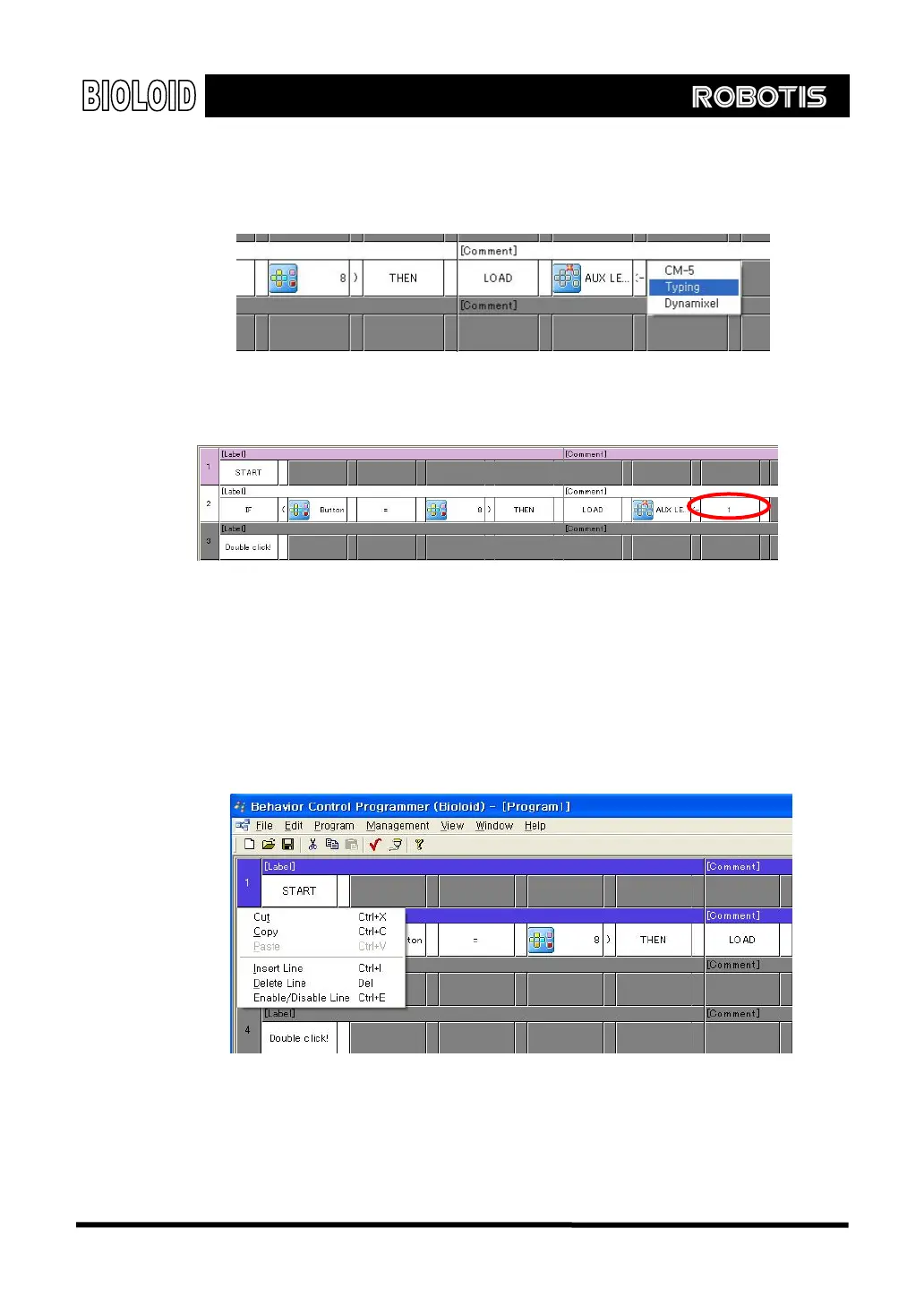
For the right parameter a number is needed, so first select “INPUT” and then
type in the number 1.
그
러
You have finished creating the following command.
Editing 행동제어 프로그램을 작성하다가 보면, 문장 전체, 심지어는 몇 개의 문장을 통째로 지우거나 복
Select the number of the sentence that you want to edit. If you press the shift
button and click on a sentence and then another sentence down the list, then
both sentences and all the sentences between the two will be selected
altogether. After you have selected the sentences that need to be edited you
can right click to display to the edit menu as shown below.
Let’s create the second behavior control sentence using the same method as
we used for the first one.
“If you push the ○
D
button the LED will turn off.”
22



 To Next Page