User’s Guide
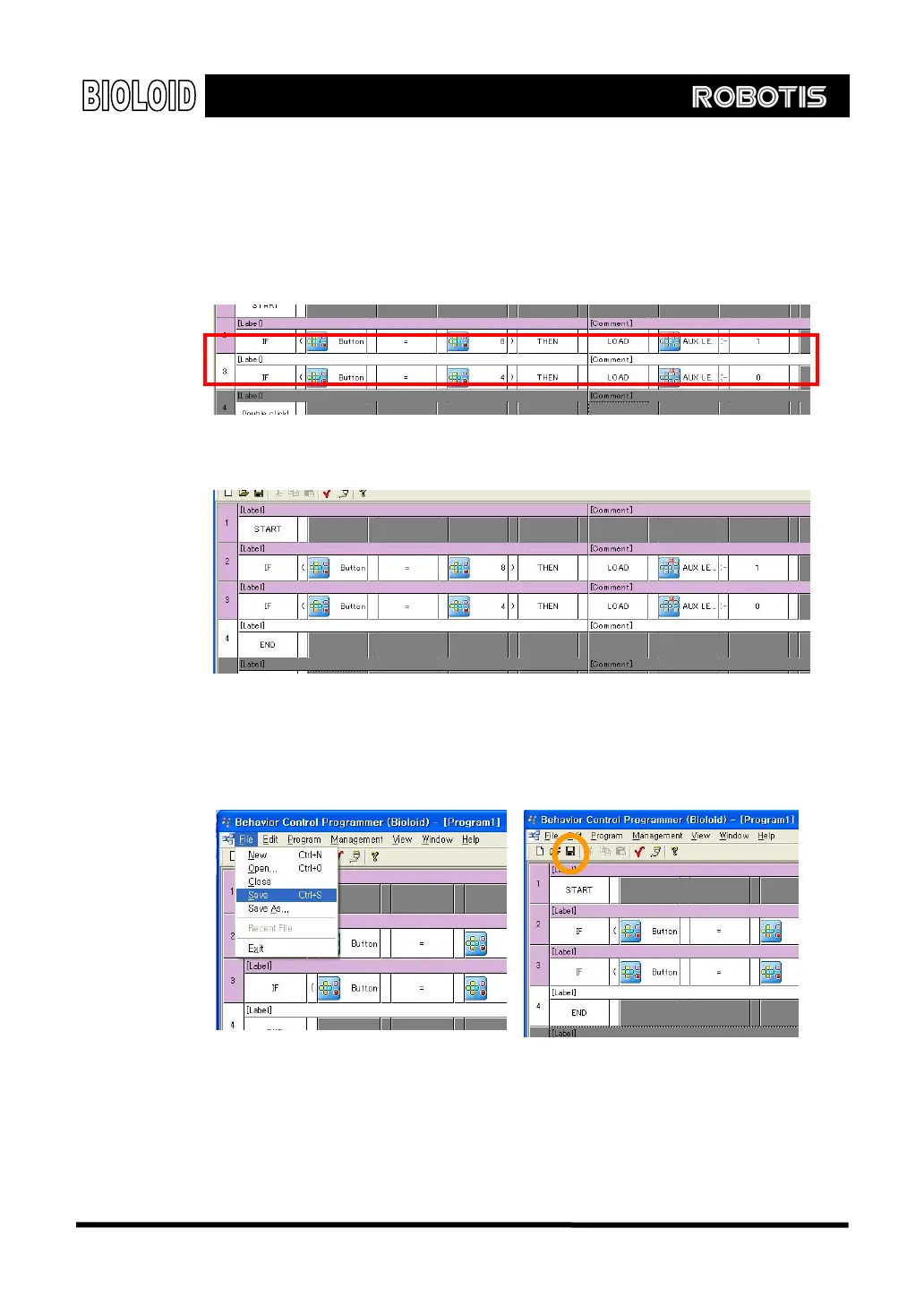
This can be expressed in a behavior control program as the following.
If (CM-5 button = ○
D
button) then LOAD CM-5 LED Å 0.
If you do everything correctly it should look like this.
Finally you have to state the end of the program. Everything that you have done
so far should be like the following.
Save Let’s save everything that we have done so far. To save a program, you can
either use the menu or click on the tool bar icon. Saving is done in the same way
as in any other computer program. The figure below shows how this is done.
[Saving with the use of the menu] [Saving by clicking on the toolbar]
Download To download the behavior control program onto the robot, the robot and the computer
needs to be connected to each other with a serial cable as shown in the figure below.
To download the behavior control program, the Bioloid robot has to be turned on.
23



 To Next Page