User’s Guide
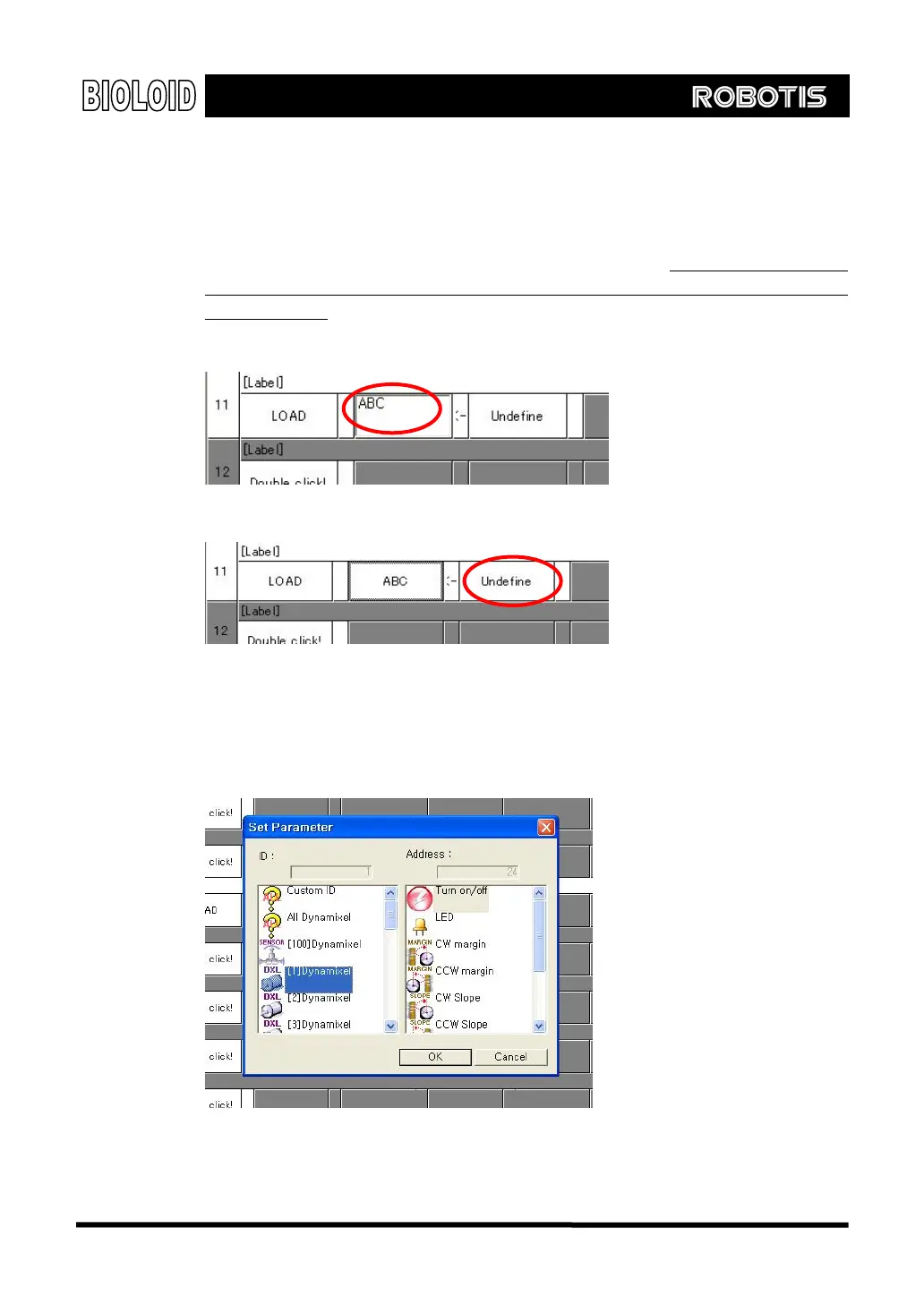
If you select “input” instead of “CM-5” you will be able to input something
via the keyboard instead, as shown in the figure below. Selecting “input” in the
menu means that the program is expecting you to input a constant or a variable.
When inputting a constant, just type in numbers and when inputting a variable,
type in an appropriate variable name. Just remember that
for the variable names
the first word has to start with a letter (numbers 0~9 should not be used as the
first character). After typing in and editing the contents, press Enter and the
information will be entered into the parameter block.
[Example of inputting a constant]
[[Example of inputting a constant
When you select “Dynamixel” as an input item, a pop up box will appear and
here you can select the ID and address items.
47



 To Next Page