User’s Guide
Call, Return
Sometimes you will have to execute an identical code of a program several times.
You can make such a code a subroutine and call it whenever you need to
execute it to simplify the program and for convenience. This technique is used
very often in programming and it becomes especially useful as the program
becomes lengthier.
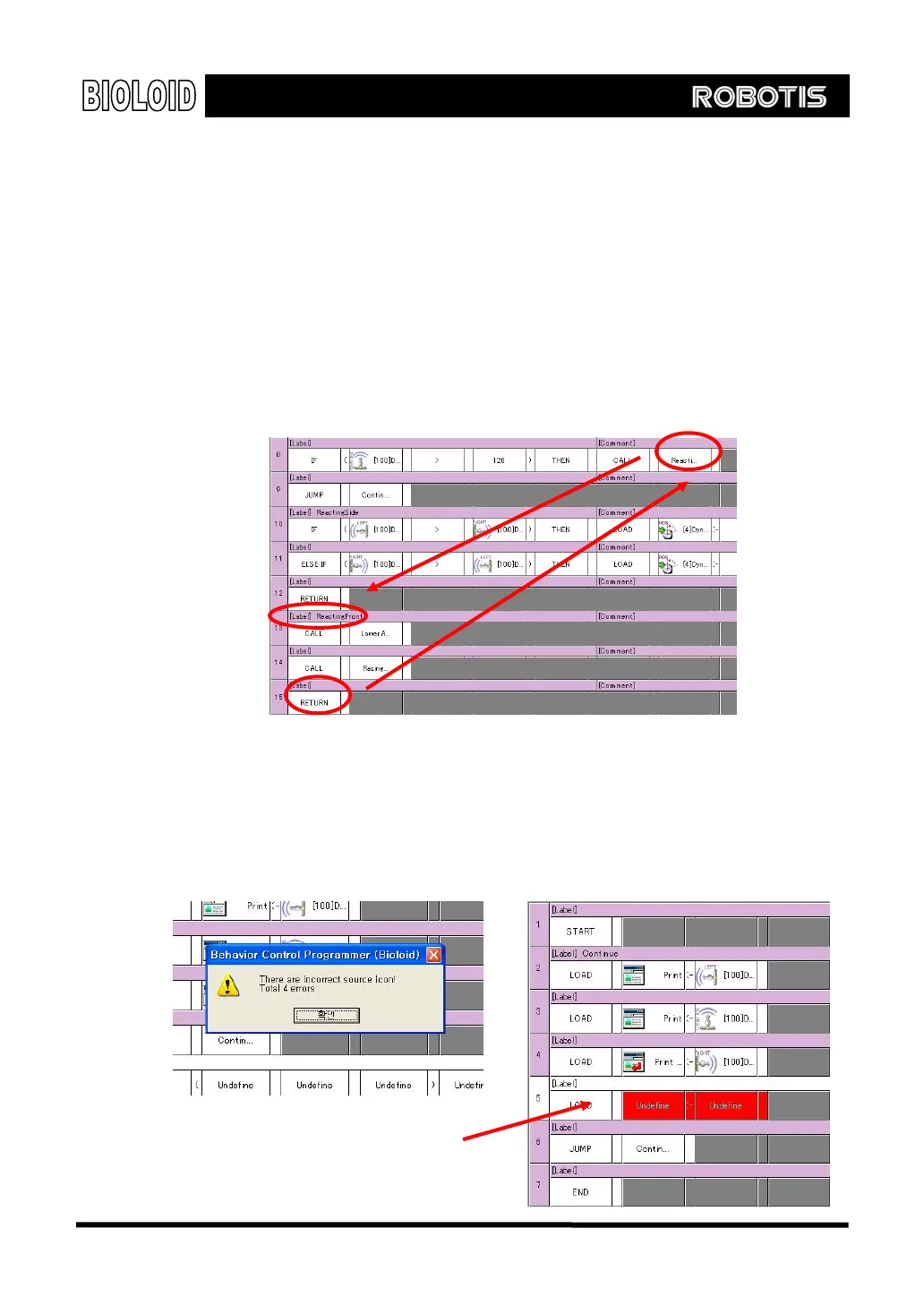
The CALL command is very similar to the JUMP command, however the difference
is that, for the CALL command, after executing the subroutine the execution will
go back to where the CALL was executed, using the RETURN command. When using
the CALL command, the subroutine should always end with the RETURN command.
Example of call command
Rule Check After finishing creating a behavior control program, you always have to check if
there are any errors in the syntax. A program with an error cannot be
downloaded to the robot. You can select the rule check item from the program
menu. Places with an error will be highlighted in red. Fix the errors and then run
rule check again.
Error Line
53



 To Next Page