User’s Guide
Since it will be difficult to make the two repeating items into a single command, it
will be better to divide it into small parts. Refer to the following flow chart which
labels the complicated parts as ○
1
, ○
2
, ○
3
, and ○
4
.
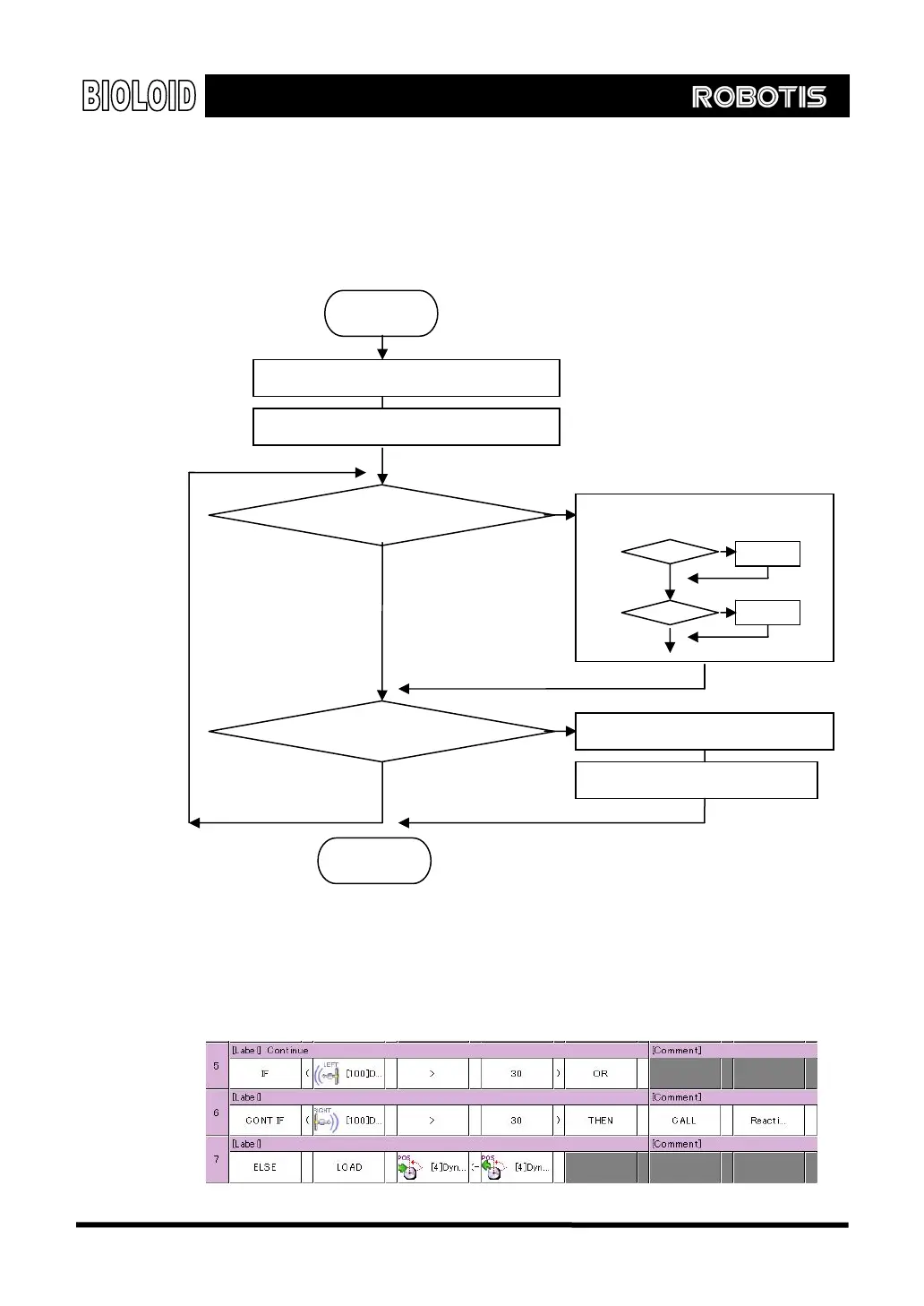
The figure below shows the behavior control program for part 1. If either of the
left or right distance sensors has a value greater than 30, then part 2 will be
executed. To do this, several condition statements need to be used together. This
can be done by connecting the sentences with “OR.” If not, make the robot
remain in its position.
Start
Torque limit <- 256, Speed <- 128
End
Sensed distance > 30?
Sensed distance > 120?
Rotate joint once toward object
Straighten arm (only joints 2 and 3)
Bend arm
Yes
No
No
Yes
○
2
○
1
○
4
○
3
Bend arm (only joints 2 and 3)
60



 To Next Page