User’s Guide
For the intelligent car example here, AX-12 will be set to the “continuous turn
mode.” To do so, refer to “Examples\Example(Change endless turn mode).bpg”
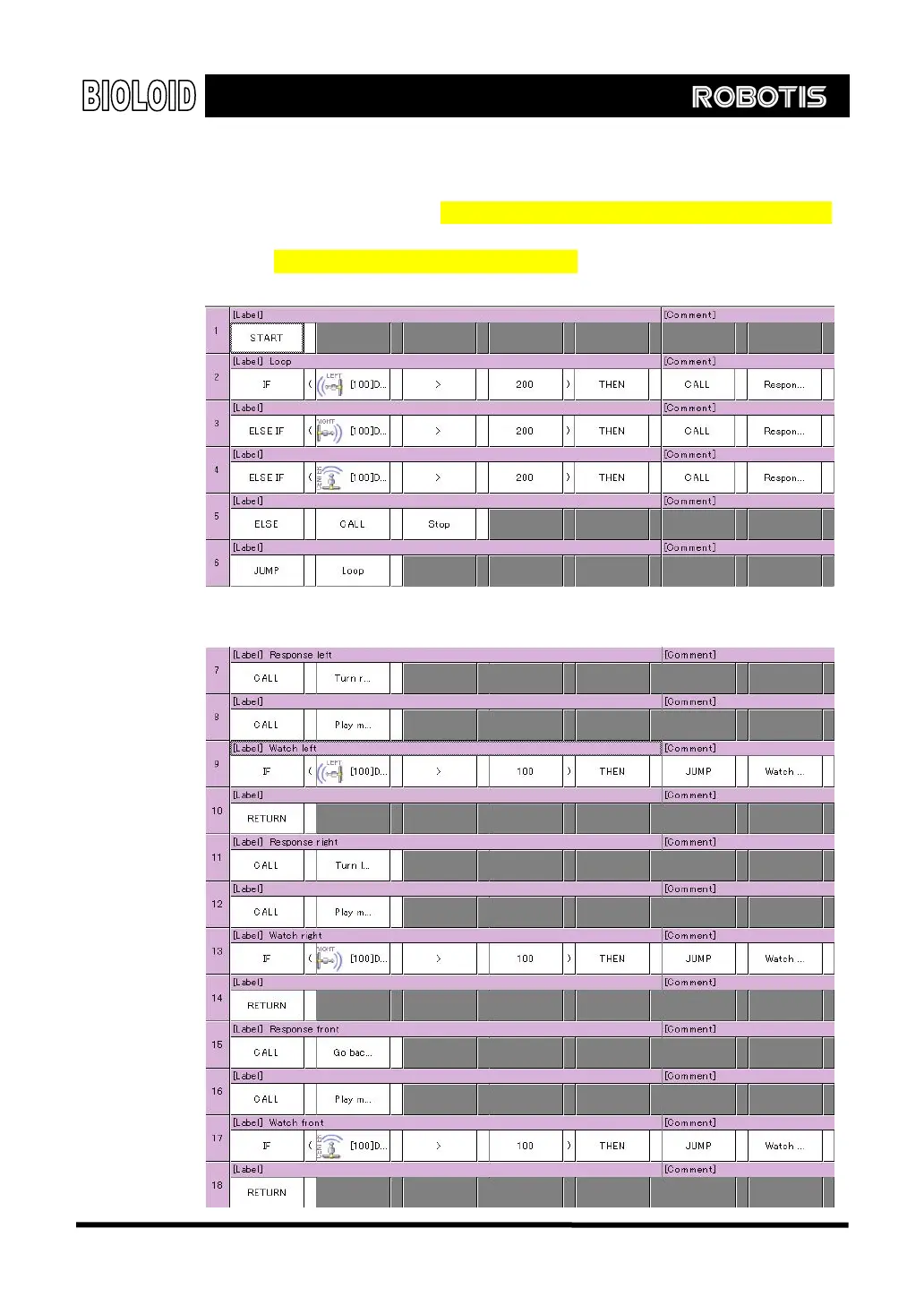
inside the CD. Next will be the intelligent car behavior control program. For that,
refer to “Examples\Example(Intelligent Car).bpg”inside the CD.
Main routine
Routine for left, right and center reaction to the sensors
72



 To Next Page