User’s Guide
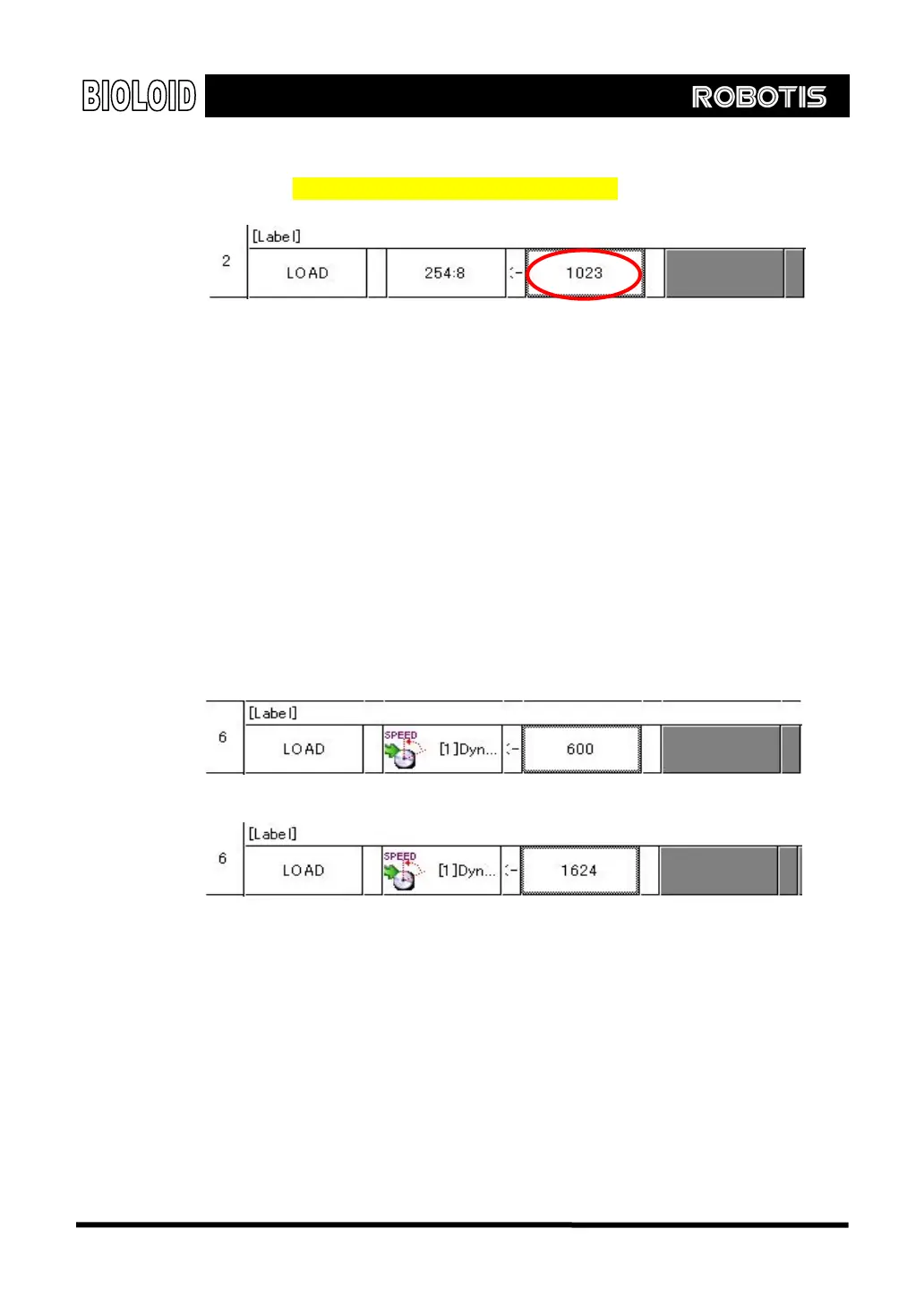
If you want to change back the AX-12 to “joint mode,” input the value of 1023.
Refer to “Examples\Example(Change joint mode).bpg”inside the CD.
Be aware as once you set the AX-12 mode, it will be in a set mode until you
change it directly. Thus, if you try to control the AX-13 by the “continuous turn
mode” when it is set as the “joint mode,” it will not work properly, and vice
versa.
AX-12 Continuous Turn Mode Control
When the AX-12 is in “continuous turn mode,” it will be controlled in the
“motion speed,” not “desired position.” If you input the value from 0 to 1023
in “motion speed,” AX-12 will rotate clockwise. Of course, the value of 0 will
make the AX-12 stationary. However, if you put the value above 1024, it will
rotate counter-clockwise corresponding to the inputted value. For example, if
you input 600, it will rotate clockwise corresponding to the speed of 600,
whereas, if you input 1624, it will rotate counter-clockwise, once again at the
speed of 600(600+1024).
[정 회전]
[역 회전]
71



 To Next Page