User’s Guide
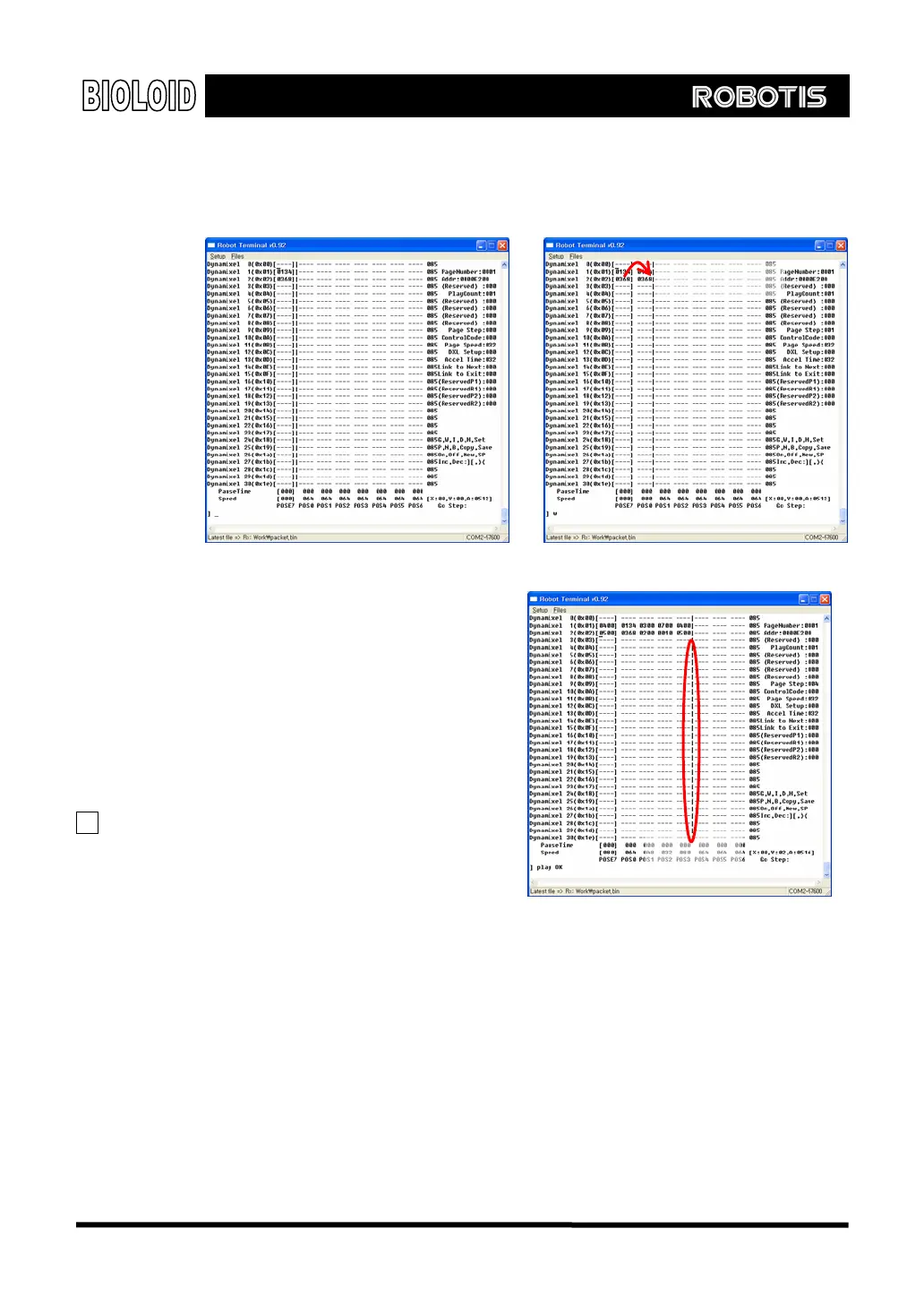
Write After setting the joint angles to the desired positions, type in the WRITE command.
The joint angle values of the POSE7 will be added to the pose. Let’s make several
more poses this way.
POSE loading
After executing the ON command After executing the WRITE command
Play We will now check the motion that
connects the inputted poses. If
you type in “play,” the motion
will be played. The poses from
POS0 to the last inputted pose will
be played. You can see where the
last inputted pose is by the Step
line.
TIP You can play another motion page
by typing in “Play [page
number].” For example, “Play 3”
will play the motion of page
number 3.
Step Line
[Playing from Pose 0 to Pose 3]
Go After playing a motion, sometimes you will want to edit it. Here, you can use the
“go” command. This command will take you to a certain pose. For example, “go
1” will make the robot move to the configuration of pose1 and the joint angle
values of POSE1 will be copied into POSE7. The Dynamixels will move at a constant
speed.
Write [pose number]
After using the GO command and edit the pose data using the OFF, ON commands,
you will want to save the new joint values of POSE7. This can be done by typing in
87



 To Next Page