93
User’s Guide
Motion Execution
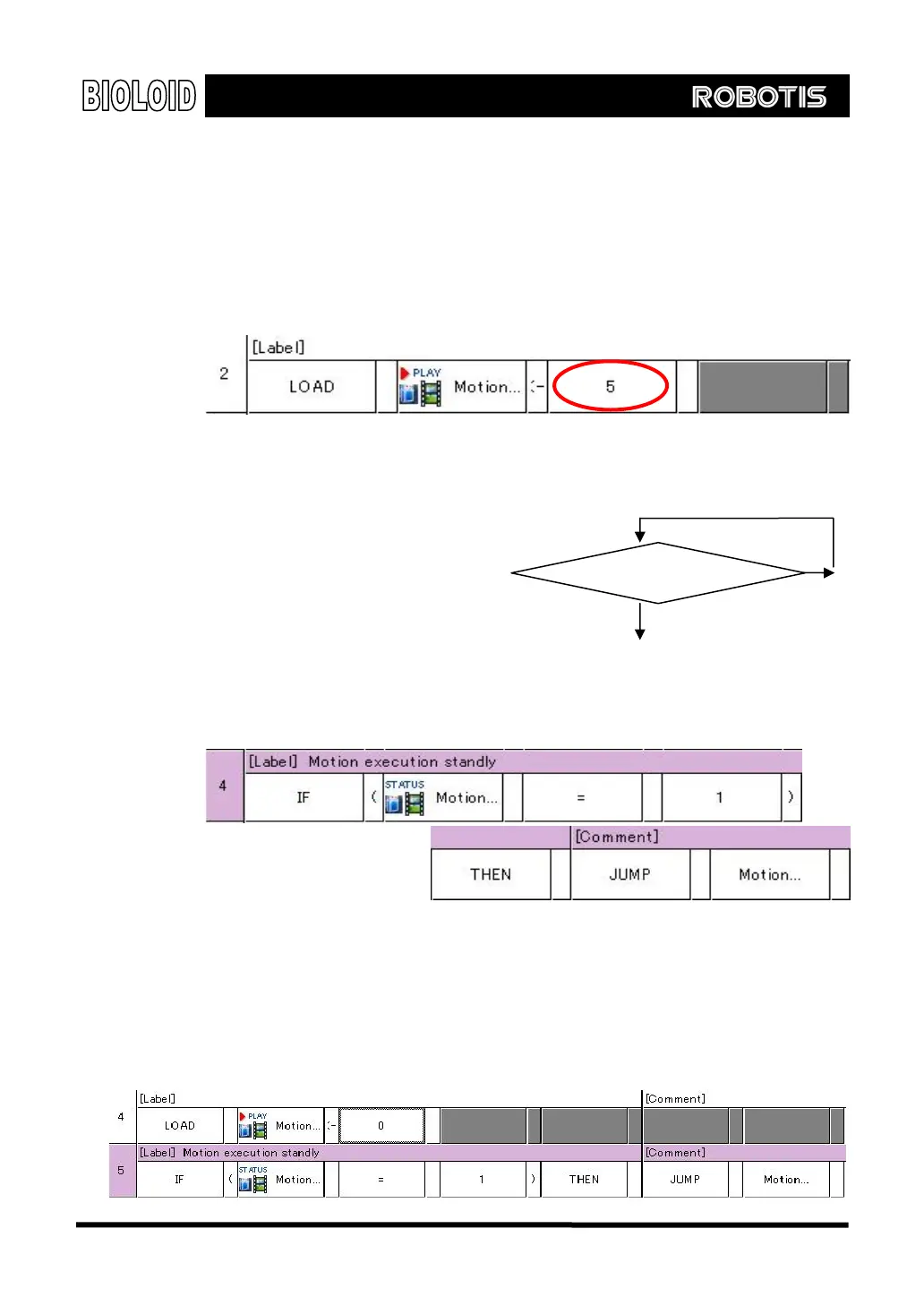
To use the motion data that was created with the motion editor, it is necessary to
use the motion execution function. The motion execution involves inputting a
motion page number of user’s choice in the “Robot Motion” item of CM-5.
When the page numbers that will be used in the motion data are managed
separately, it will be very useful when you want to create behavior control
program.
Motion Execution Standby
There will be a time when you may
want to stop behavior control
program while the particular
motion is running. For that, you
first need to know whether the
motion execution is completed. By
checking the “Robot Motion
Status,” you can find out. If the
“Robot Motion Status” is set to 0, it means that the motion execution is
completed, and if not, it will be 1.
Yes
Robot motion status= 1 ?
No
Motion Execution Stop
There is a function that will allow forceful stop without waiting for the motion to
complete. If you put input the value of 0 in “robot motion” item, the robot will
respond very fast to external events. However, keep in mind that even if you use
motion execution stop function, you will have to wait for all current motion pages
and designated final pages to be completed. Therefore, in order to completely
end the motion, you have to use motion execution standby.



 To Next Page