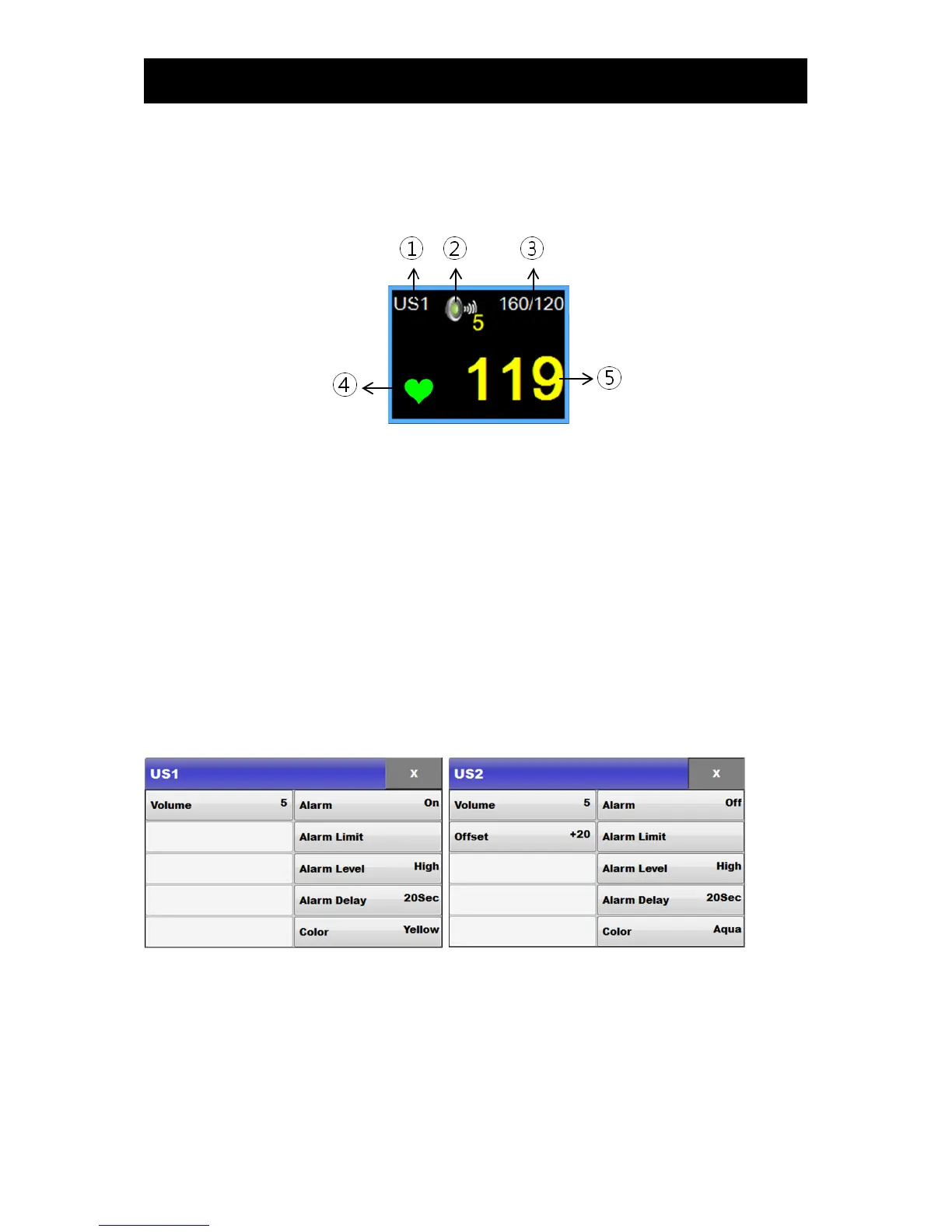
2) US screen
If the US area on the screen is selected and touched, the following selection window pops up on the
screen:
① Title
② FHR Volume Icon: This informs the user of the current state of the Volume; if this icon is touched, a
volume adjusting window will be displayed.
③ Alarm range: This indicates the alarm ranges of parameters.
④ Beat indication: When FHRs are detected as beats, the heart icon will blink.
⑤ FHR value: This indicates the FHR values.
3) Setup
If the US area on the screen is selected and touched, the following selection window pops up on the
screen (by touching the US1 area, US1-related items and common items can be set up; by touching
the US2 area, US2-related items can be set up):



 To Next Page