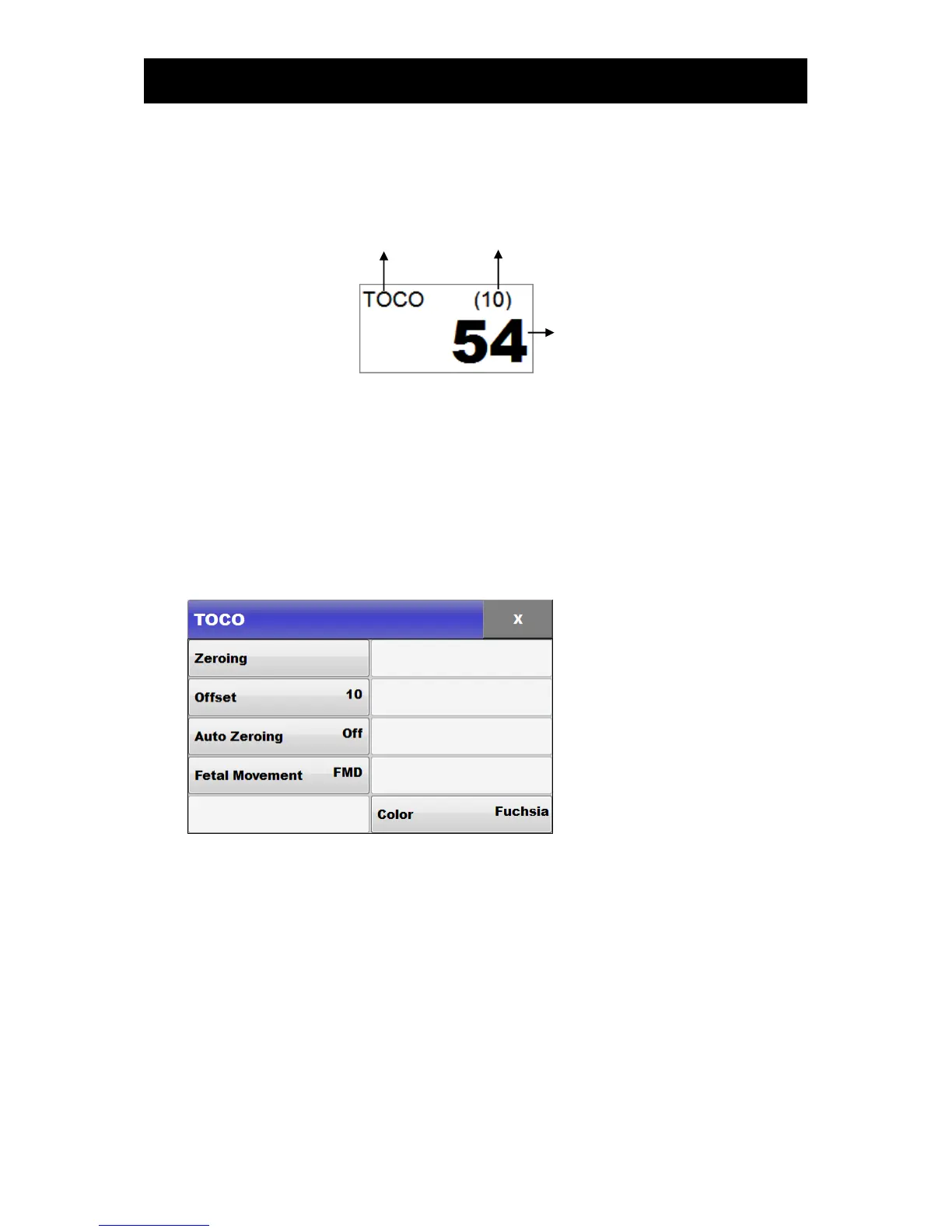
2) TOCO screen
If the TOCO area on the screen is selected and touched, the following selection window pops up on
the screen:
① Title
TOCO: Displays only uterine contraction but not fetal movements
TOCO+ FM: Displays both fetal movements and uterine contraction simultaneously
② TOCO Zero value: Displays the reference value that appears when Zeroing has been done
③ TOCO: Displays the degrees of uterine contraction
3) Setup
If the TOCO area of the screen is touched, the following selection window pops up on the screen:
▣ Zeroing
This is used to adjust the zero point of TOCO. If this is touched, the TOCO value at the moment will
be set up as Offset value.
▣ Offset
This is used to set up a reference value to be used when adjusting the zero point of TOCO. One of the
values 0, 10, and 20 can be selected.



 To Next Page