Rev A O-3
Q
C D
E
VICE
T
he QC Device should be run on each day of patient testing. It is desirable to run the
Q
C Device after the meter has been inactive for at least 30 minutes.
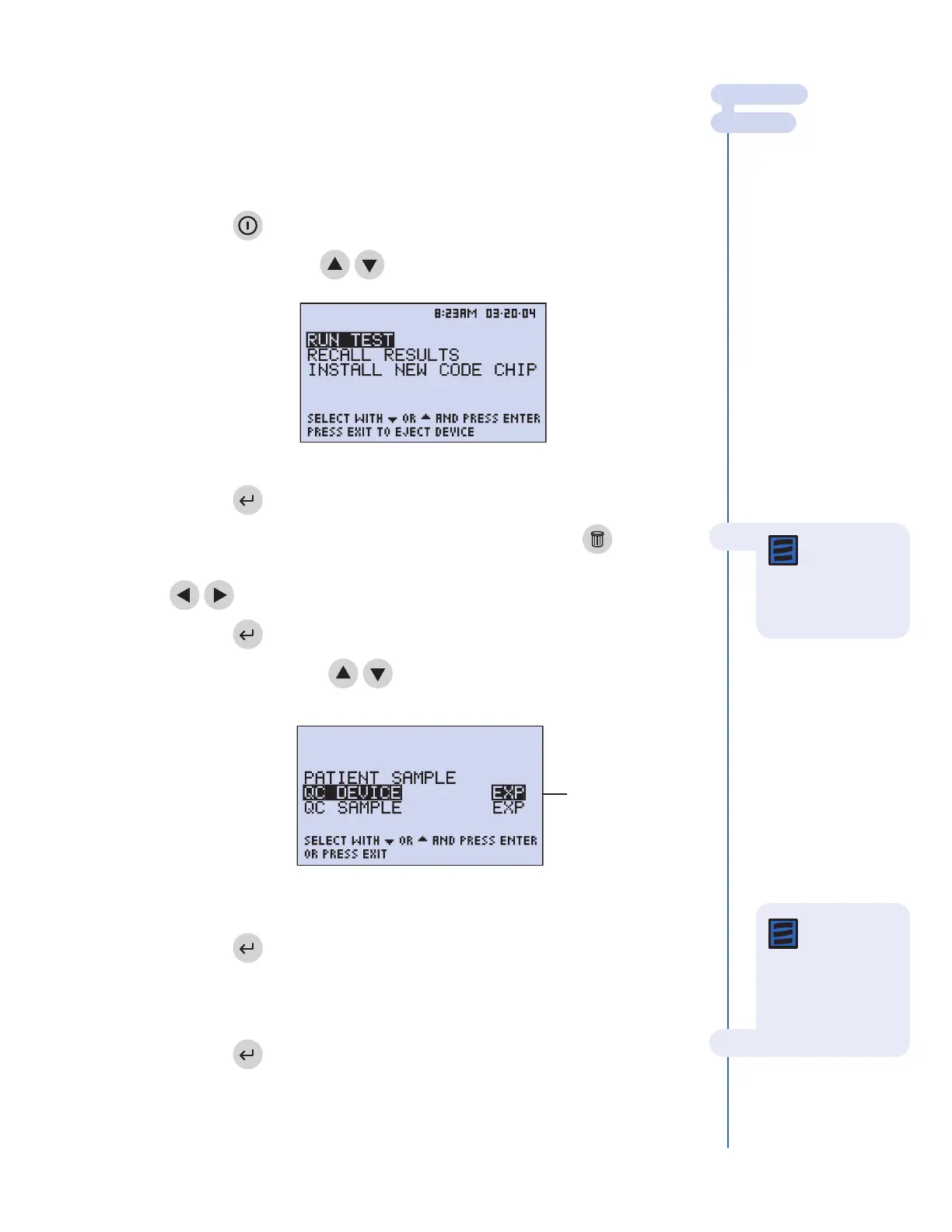
To run the QC Device test:
1. Press the key to power The Triage MeterPro on.
2. Select
RU
N
TE
ST
using keys.
3. Press the key.
4. Type in your identification number (User ID). To correct, press the key to
clear the entire number, or select the incorrect digit by using the
keys then type in the correct number.
5. Press the key
6. Select
QC DEVICE using keys.
7.
Press the key.
8.
Gently insert the QC Device into the T
riage MeterPro until you feel
the QC Device catch on the pin and hear an audible ‘click.’
9.
Pr
ess the
key
.
MAIN MENU
RUN TEST
Note: If the
User ID bypass
is
ON, the meter will
not ask you to enter a
User ID.
Menu scr
een as it looks when operator
selects QC Device.
“EXP” indicates that the
QC Device r
e-test
frequency has expired.
The Main Menu
Note: The meter
will prompt the
user to install the QC
Device Code Chip
module if the QC
Device has not been
run before.



 To Next Page