5 Display format
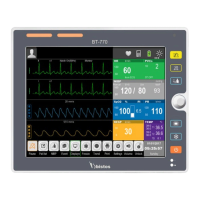
The monitor has four display format, which are “Normal Screen”, “Big ECG Screen”, “Big font
Screen”, and “ECG 7-Lead Full-Screen”. The user can select the display format according to
needs, and get different screen information.
5.1 Selecting user interface
Select the user interface as follows:
Select [Displays] smart hotkey→ Screen Select;
Select the display format according to needs:
“Normal Screen”: Standard interface.
“Big ECG Screen”: Big ECG interface.
“Big font Screen”: Big font interface.
“ECG 7-Lead Full-Screen”: ECG 7-Lead Full interface.


 To Next Page