5
Section 2
Getting Started
2-1 Introduction
Section 2 describes the front panel operational keys, displays, input terminals
and rear panel of the meter, adjusting handle, explains general operating
features.
2-2 Getting Started
! Unpacking and Inspecting the Meter
Carefully remove the meter from its shipping container and inspect it for
possible damage or missing items. If the meter is damaged or something is
missing, contact the place of purchase immediately. Save the container and
packing material in case user has to return the meter.
! Front Panel
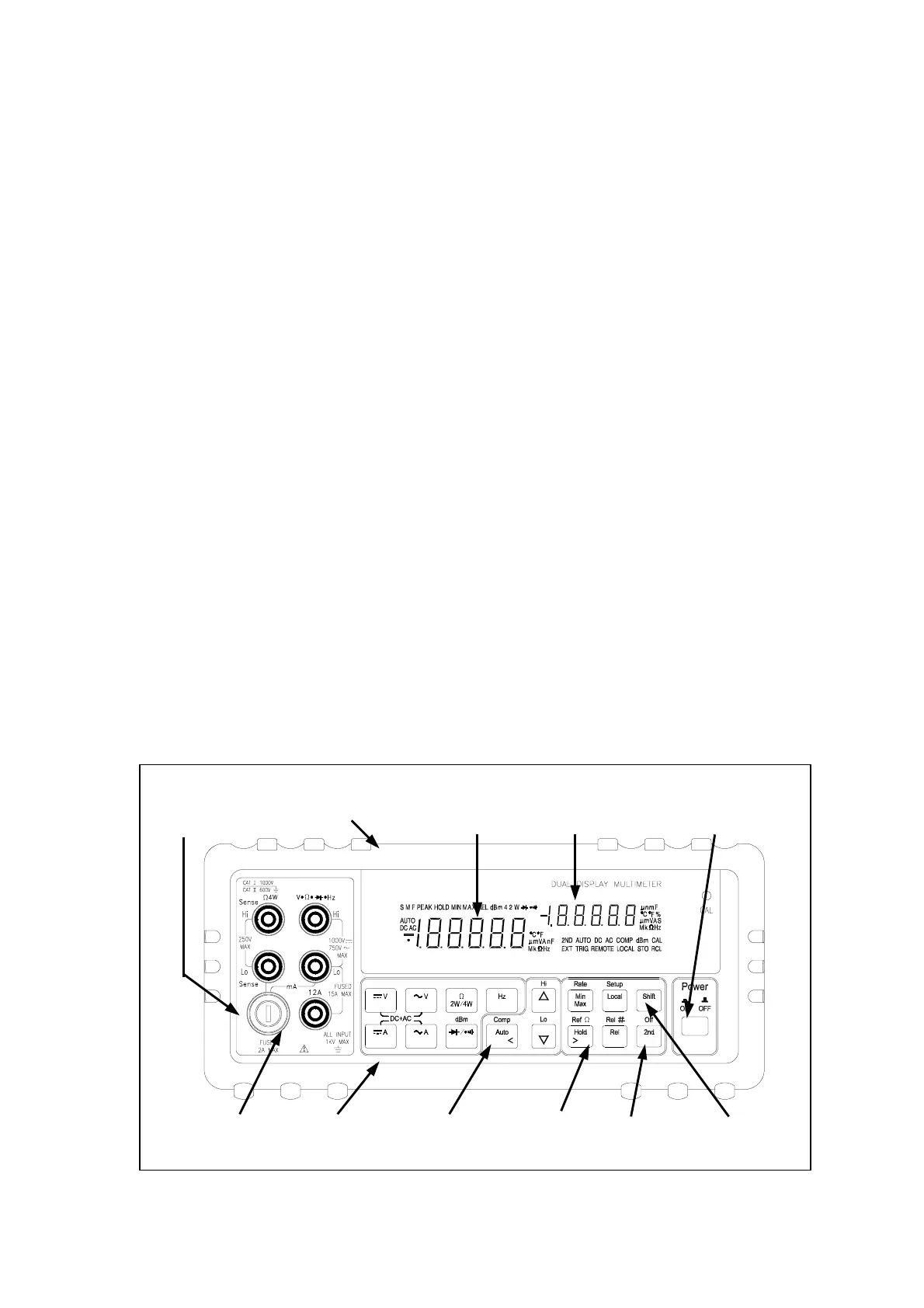
The front panel (shown in Figure 2-1) has three main elements: the input
terminals on the left, the primary/secondary displays, and the pushbuttons.
The pushbuttons are used to select major functions, ranging operations, and
function modifiers. These elements are described in detail in Section 3.
Figure 2-1. Front Panel
! Rear Panel
Input
Terminals
Primary
Display
Secondary
Display
Function
Buttons
Ranging
Buttons
Arithmetic
Buttons
Shift
Button
Power
Switch
2
n
Display
Selection
mA Fuse
Receptacle
Front Panel
Protective Holster
TEST EQUIPMENT DEPOT
99 WASHINGTON STREET
MELROSE, MA 02176-6024
TEL: 800 517 8431
FAX: 781 665 0780
WWW.TESTEQUIPMENTDEPOT.COM



 To Next Page