JUST POWER ON 87
3.5 Connect PV cable
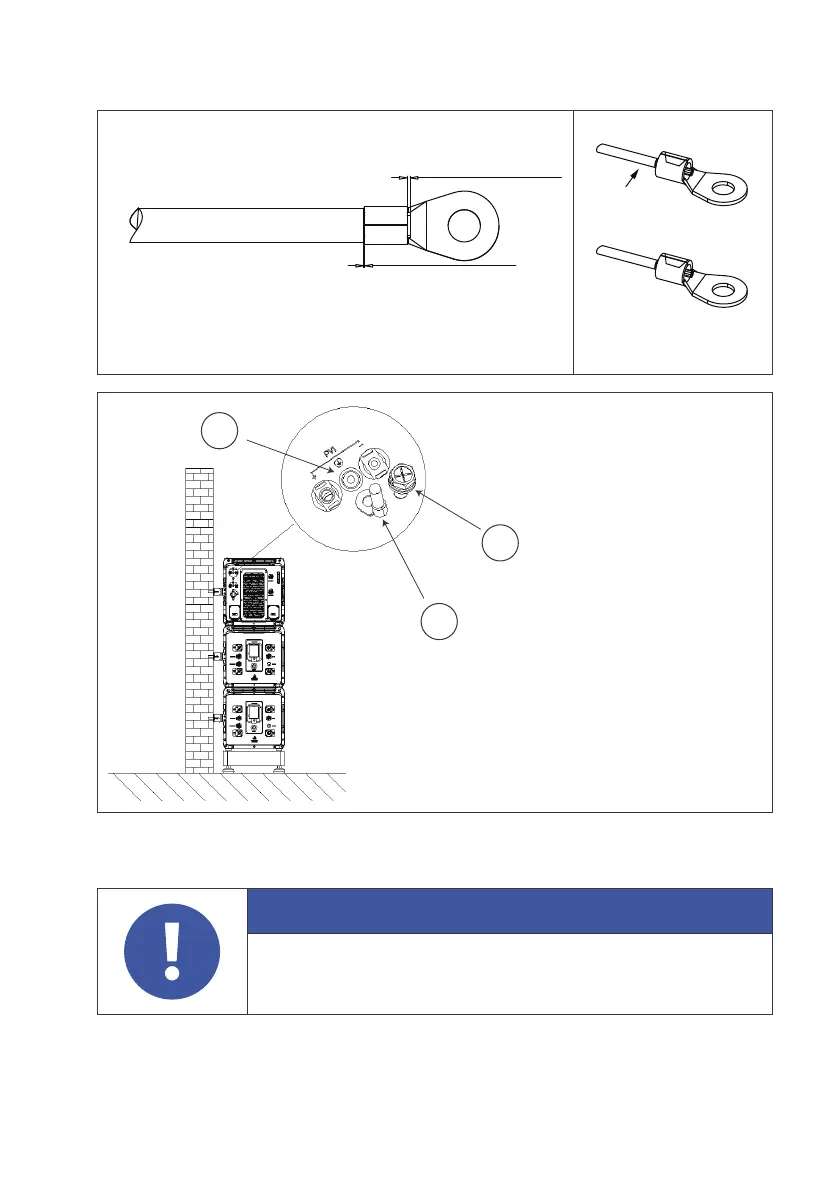
Step 1 : Select the appropriate cable type and specification according to figure
3-3; Strip the cable, For the stripping length, refer to figure 3-5-1.
Attention
Before removing the PV input positive and negative
connectors, make sure the DC switch on the EP600 inverter
has been set to "OFF".
3-3-2 3-3-3
1
2
3
1 . M5×10 sscrews
2. OT Round bare terminal
3. PV ground pole
L3≥2mm
L4≥1mm
Visible wire
Qualified
Wire even or bulge
up to 1mm



 To Next Page