JUST POWER ON96
Figure 3-8-2 Logical Interface
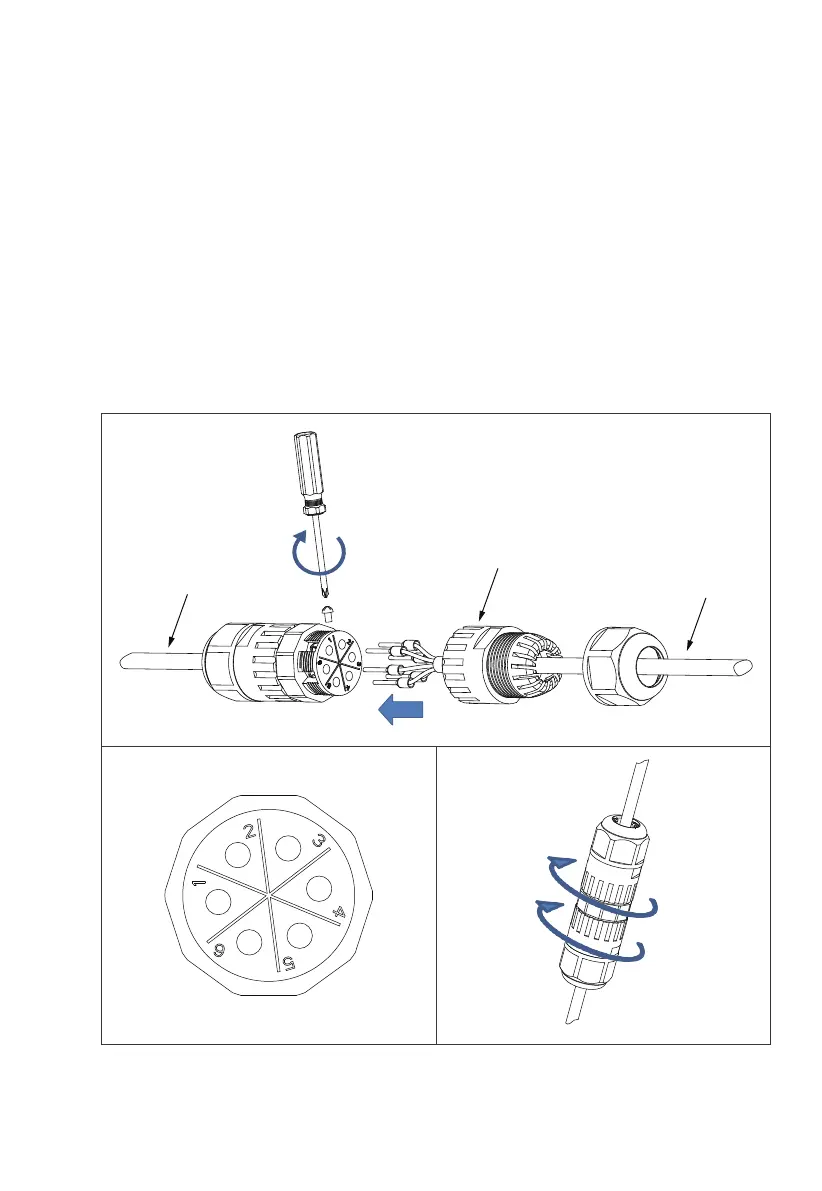
Operation steps.
Step 1 : Remove the unconnected end of the DRMs connector adapter counter-
clockwise.
Step 2 : Thread the extension cable into the connector shell and install the
corresponding signal cable into the connector pins.
Step 3 : Tighten the screws of the connector with a screwdriver.
Step 4 : Gently pull the connection cable of 6 pins to determine whether the
connection is tight;
Step 5 : Tighten the connector shell and nut clockwise.
DRMs cables
Tighten the screw
Connector housing
Signal extension cable



 To Next Page