Blusens Web:tv
37
ENGLISH
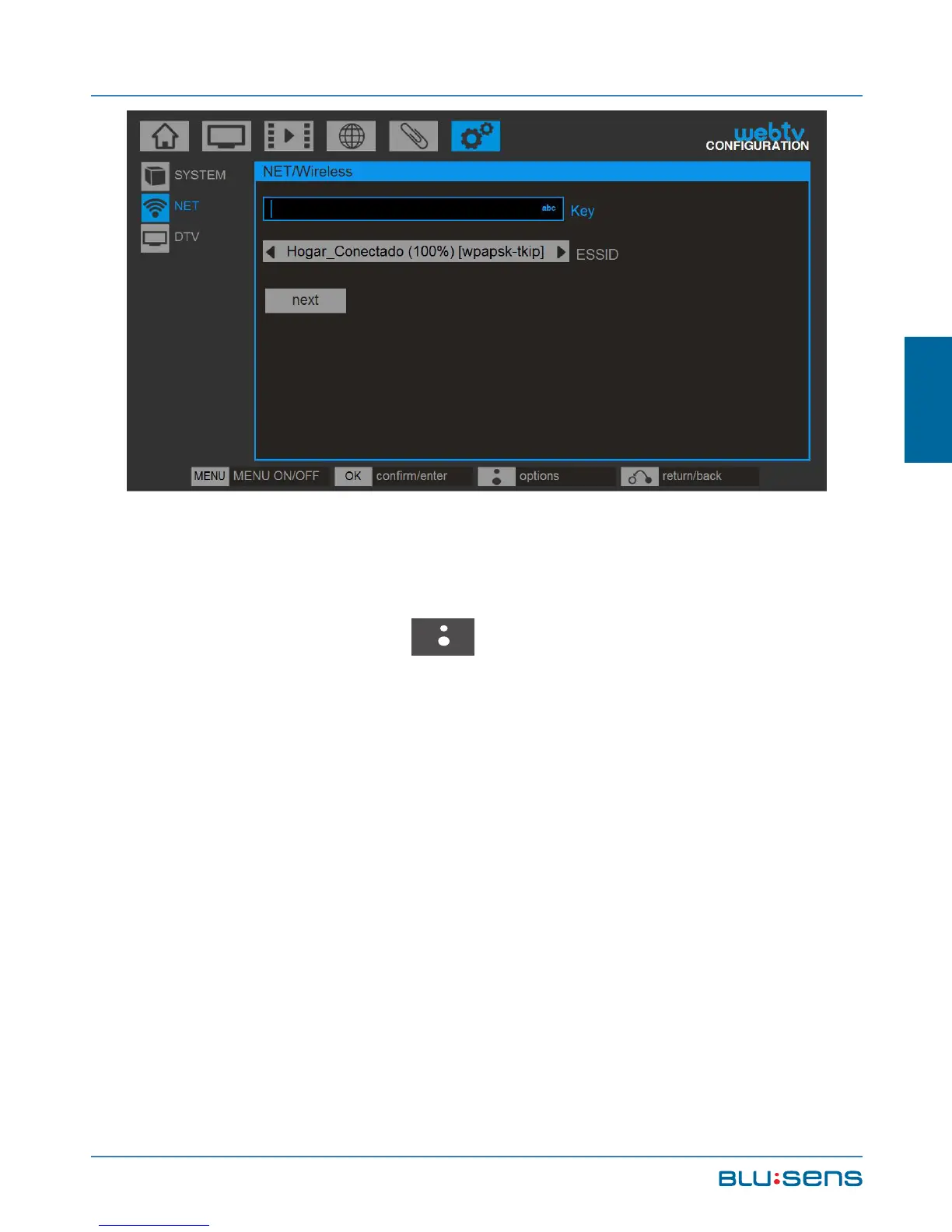
Then enter the network key using the alphanumeric
keypad of the remote control or the keyboard on the
screen (BLUSENS key ) and confirm the operation.
Remember that the wifi key is case sensitive.
NOTE: To switch between lowercase, uppercase and
numbers, press the UP key. To delete a character press
the LEFT key.
In any type of connection, in case of error in the
configuration or wrong key, the system displays a
warning.



 To Next Page