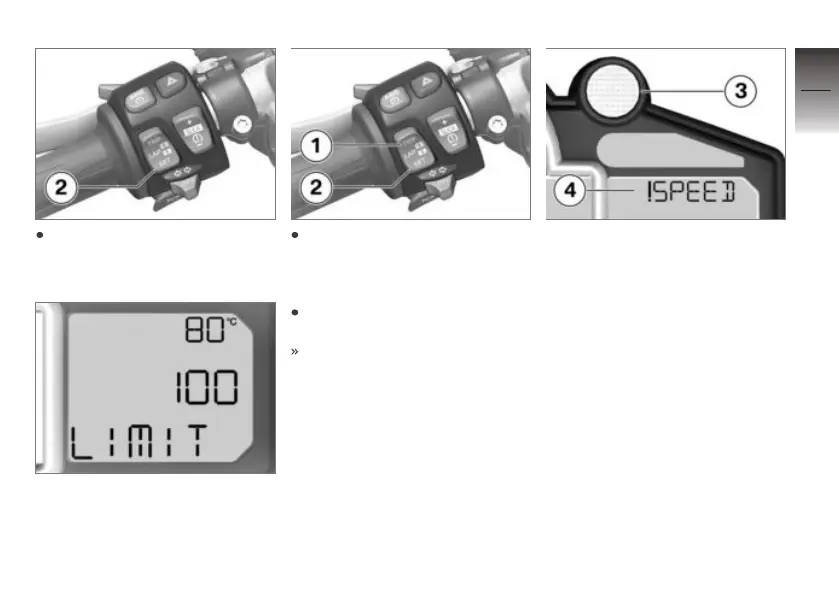
Repeatedly press button 2
until LIMIT appears on the
display.
The current speed setting or
OFF appears on the display.
To set the current speed as
the new limit: Hold down but-
ton 2 until this speed appears
on the display.
To increase the speed setting:
Briefly press button 1.
Speed is increased by approx.
10 km/h each time you press
the button.
If you exceed the limit set be-
forehand, shift indicator 3 lights
up or flashes at the preset fre-
quency and warning 4 appears
on the display.
4
39
z
Operation


 To Next Page