15
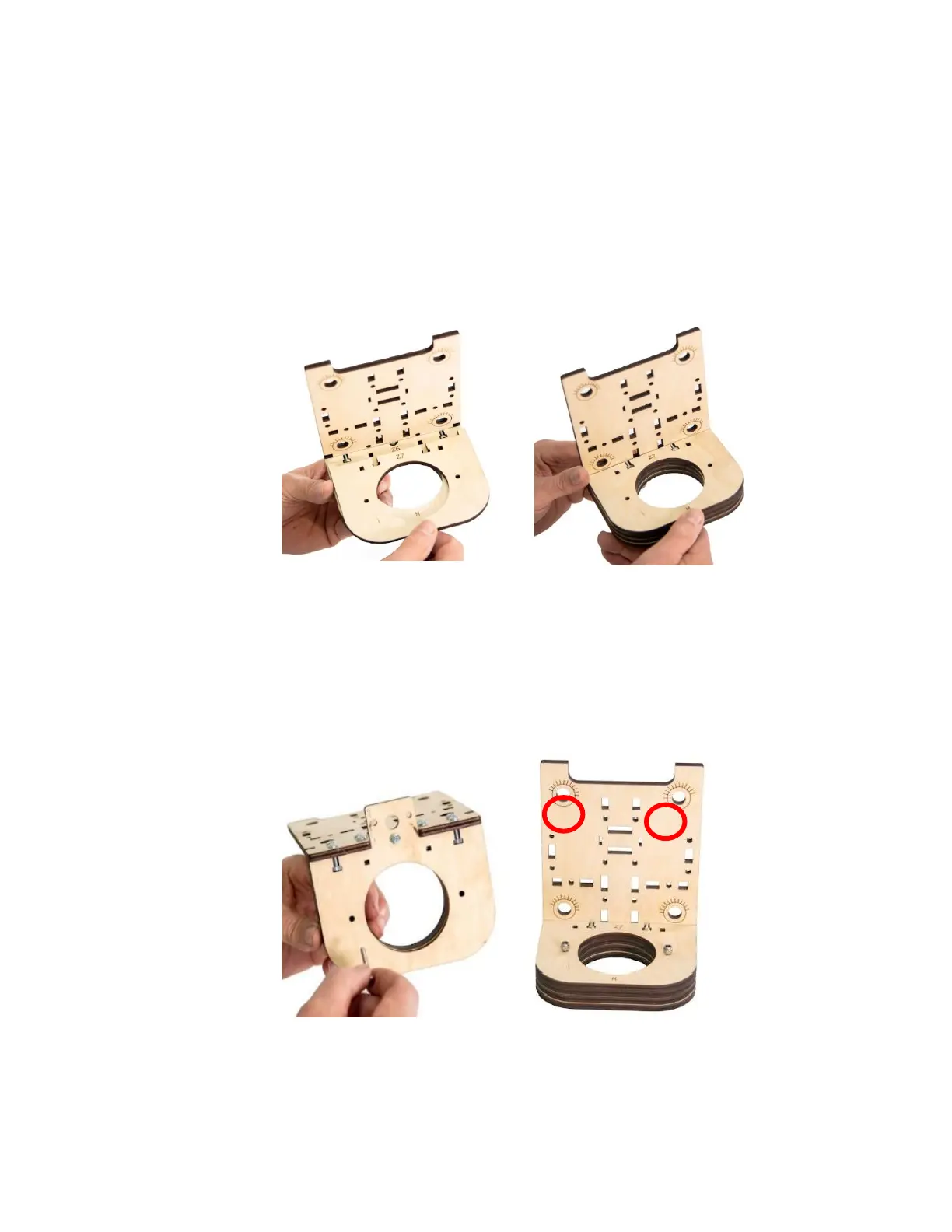
tightened in a later step after the Router has been
mounted. The Interlock Bottom and Top must be able to move
slightly from front to back, this allowance will make installing
the Router easier. You only need to make sure that the Machine
Screws and Nuts are engaged to keep the Screws from falling
out.
Step 5 Loosely secure the Z Spindle Bottom Mounts together with two
M4 x 30 Machine Screws and Locknuts as shown. Do not fully
tighten the Nuts.
Step 6 Attach the
Z Frame
Support
(Z2) to the
Spindle
Assembly with four M4 x 16 Machine Screws and Nuts as
shown.


 To Next Page