45
Illustrated Step by Step Instructions
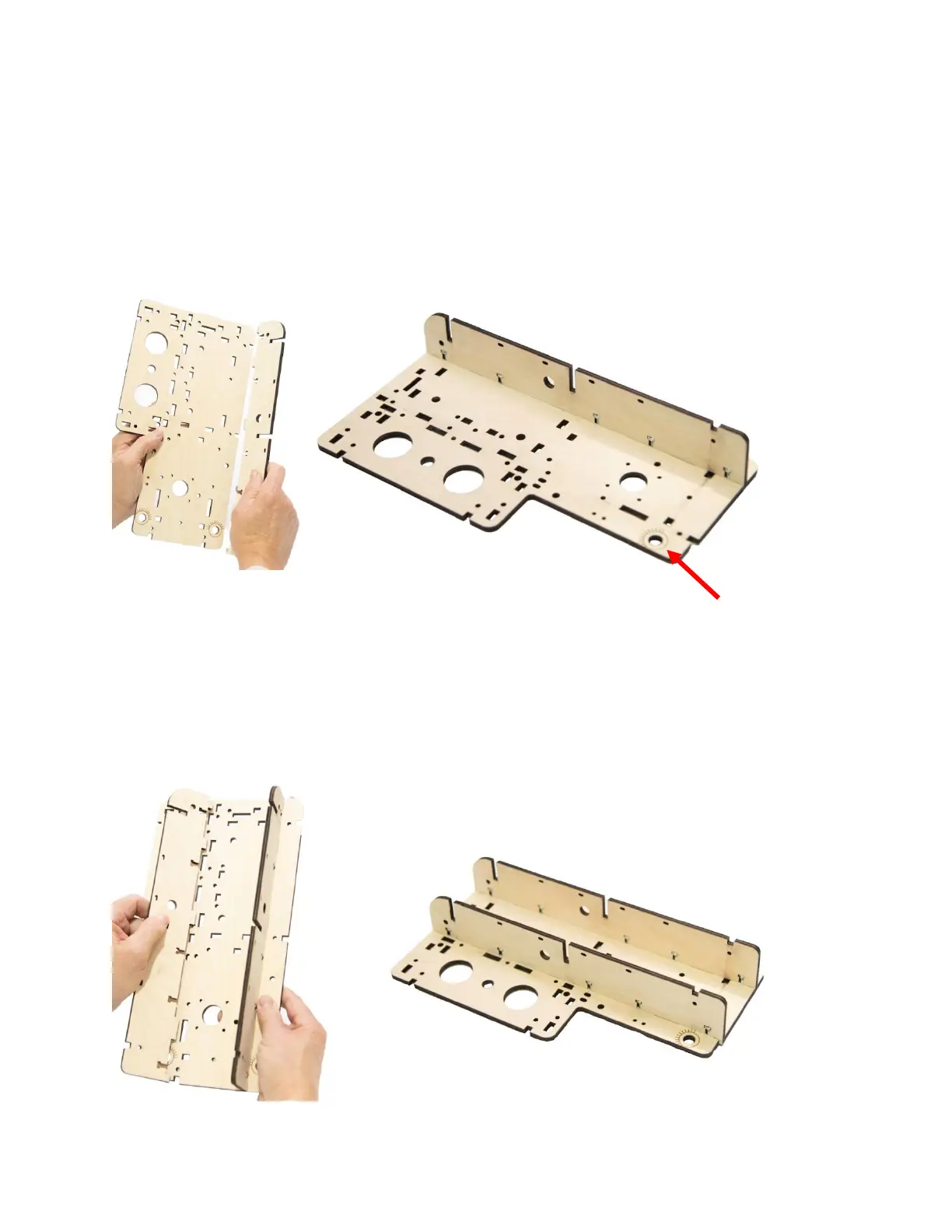
Step 1 Align and insert the tabs of one Gantry Side Support (G2) into
the slots of one Gantry Side (G10). Secure with five M4 x 16
Machine Screws and Nuts as shown. NOTE: Make sure the side
with the alignment markings is facing up.
Step 2 Align and insert the tabs of the second Gantry Side Support
(G2) to the slots of the Gantry Side (G10) and secure with five
M16 Machine Screws and Nuts as shown.


 To Next Page