39
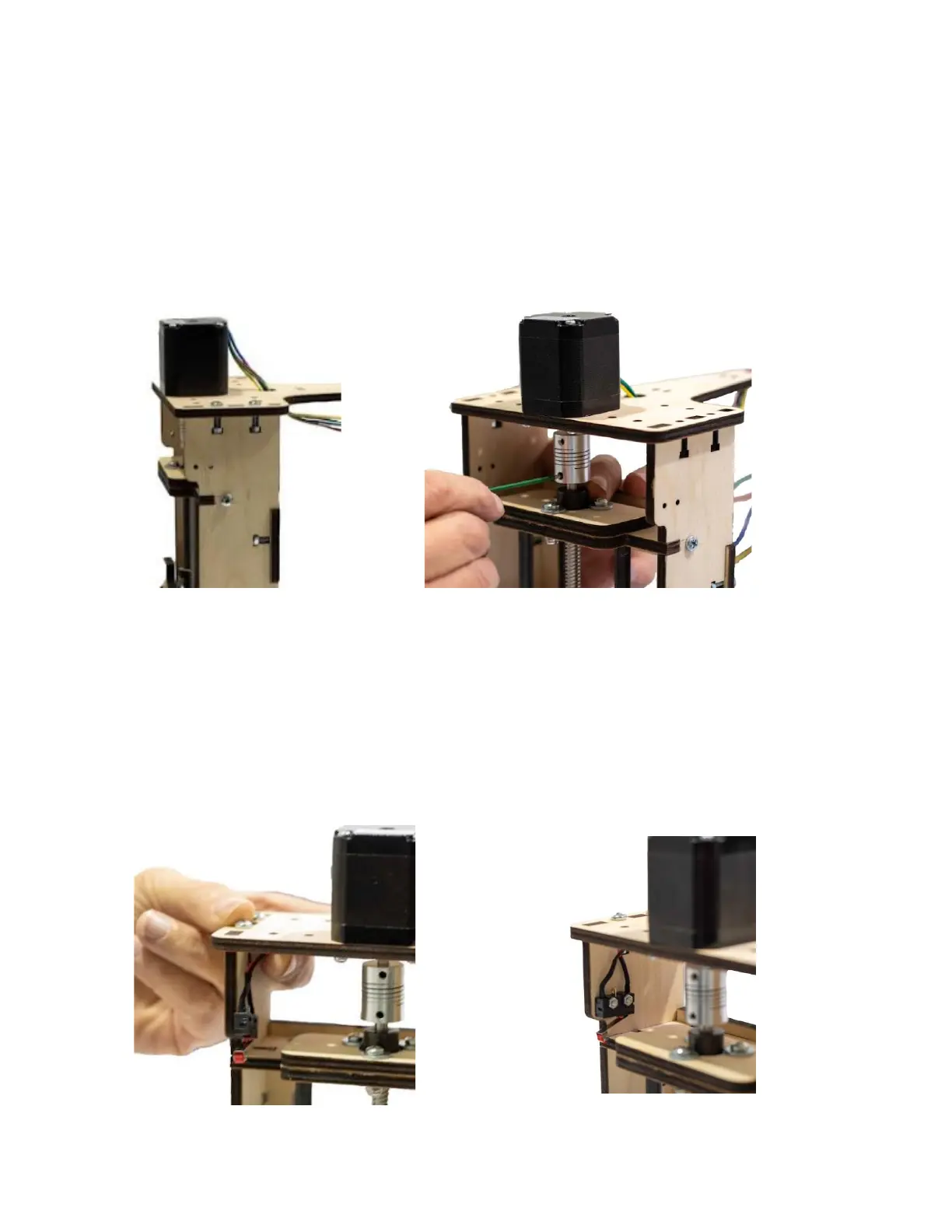
Step 10 Slide the Aluminum Helical Coupler so that it is centered top
and bottom between the Locking Collar and bottom of the Z
Stepper Motor Mount and tighten the upper and lower Set
Screws. Secure the Z Motor Mount to the tabs of the Y Carriage
Assembly using four M4 x 16 Machine Screws and Nuts.
Step 11 Attach the Z Carriage Home Switch in the upper left inside
corner of the Y-Carriage Assembly using two M 2.5 Machine
Screws and Lock Nuts as shown. Note: Do not overtighten the
Screws.


 To Next Page