4.3. DIGITAL DISPLAY OPERATION
These screens display information about the M3645 on units equipped with digital
displays or those equipped with the KIT 3645DD.
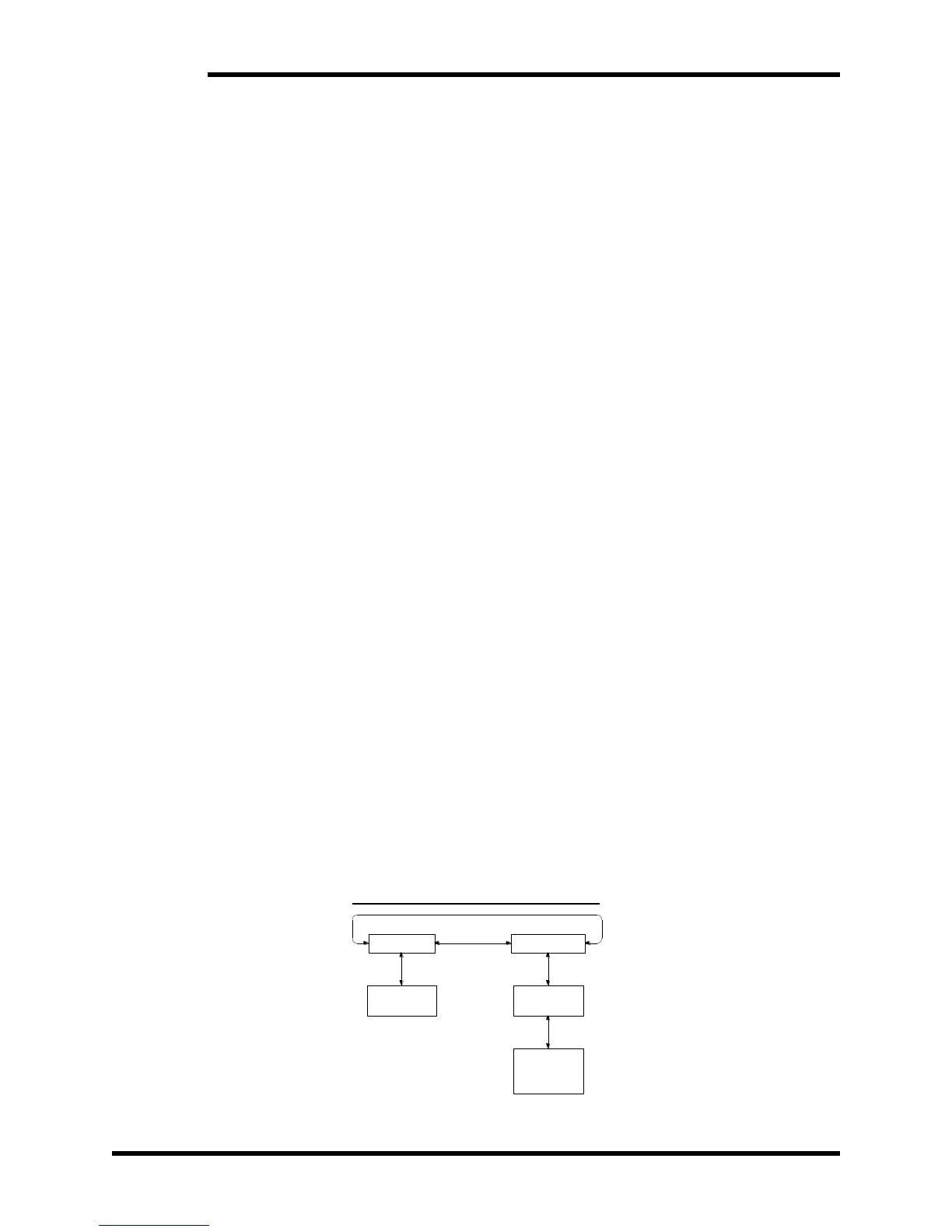
4.3.1. METERING SCREEN
This screen displays the present DC bus voltage, DC regen current, regen
power, and how long the unit has been powered on since shipment.
Left: Faults screen
Right: Faults screen
Down: Energy Records screen
4.3.2. ENERGY RECORDS SCREEN
This screen displays the total energy regenerated by the unit since shipment,
along with the total energy regenerated since the user reset the energy count.
Up: Metering screen
Down: Reset Energy Records screen
4.3.3. RESET ENERGY RECORDS SCREEN
This screen allows the user to reset the record of energy regenerated by the
unit. This screen also displays the firmware version present on the unit.
Up: Energy Records screen
Enter: Confirm reset
4.3.4. FAULTS SCREEN
This screen shows the present fault state of the unit, scrolling through all
faults detected.
Left: Metering screen
Right: Metering screen
Down: Fault Records screen
4.3.5. FAULT RECORDS SCREEN
This screen shows a record of a previous fault state, including all faults and
the time since first power-on that the fault state occurred. The display stores
the 50 most recent fault states.
Left: Previous fault in the record
Right: Next fault in the record
Up: More recent fault state
Down: Older fault state
Cancel: Faults screen
Figure 4-1: M3645 Screen Tree


 To Next Page