en | 129
en
10 Rear-view camera
Note:
This function is only available if the
vehicle is equipped with a rear view
camera.
The picture from the rear-view camera is auto-
matically shown on the display for as long as the
reverse gear is engaged.
Road safety
When reversing, if you only look at the
picture provided by the rear-view cam-
era, you may fail to notice other road
users or objects outside the picture
and may cause an accident.
Therefore, please always also pay
attention to your vehicle’s surround-
ings.
10.1
Picture settings for the rear-
view camera
Note:
You can only change the settings while
the reverse gear is engaged.
10.1.1
Guide lines – on/off
The superimposed guide lines project the
dimensions of the vehicle onto the section of
road behind.
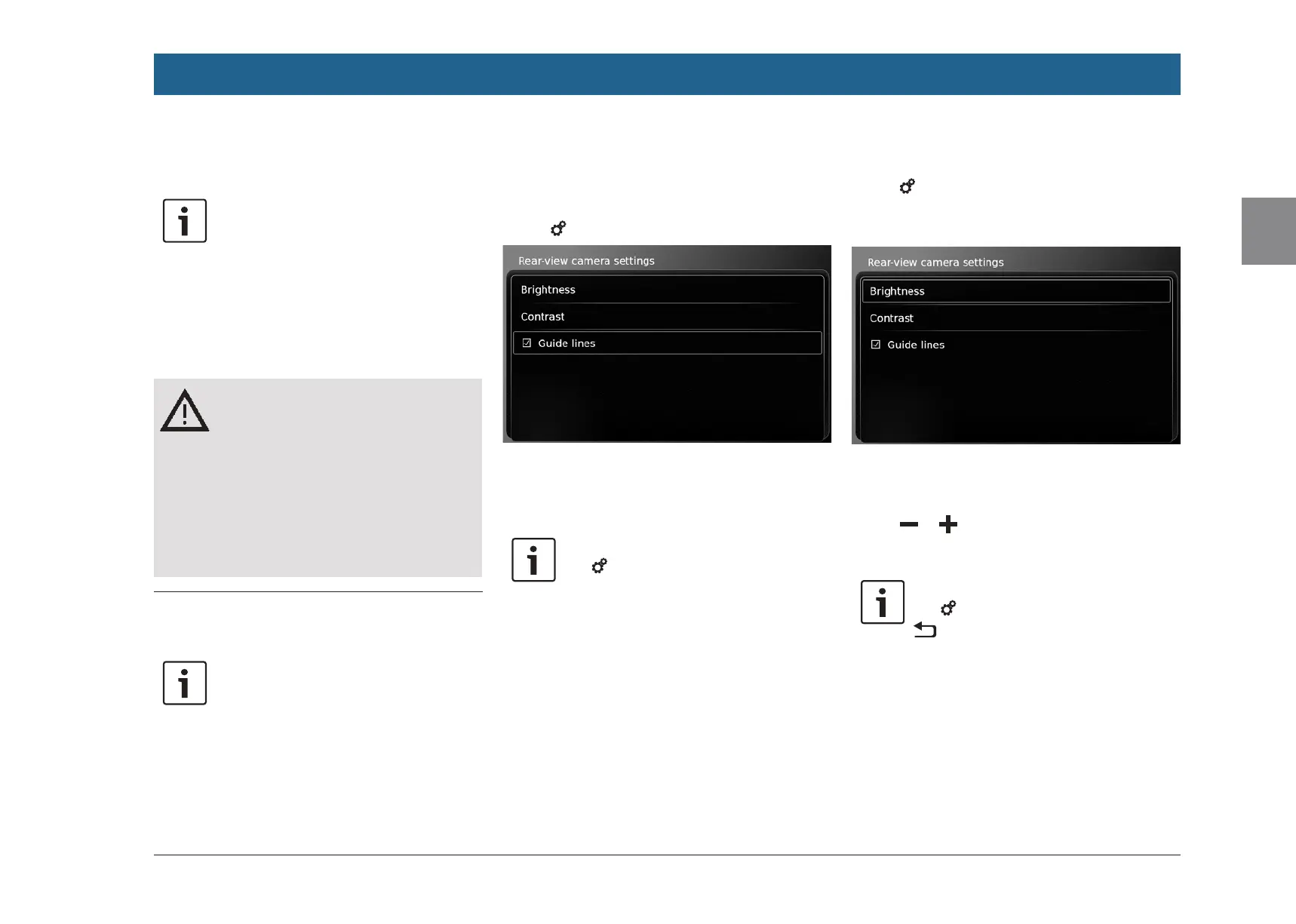
f Tap 6.
f Tap Guide lines.
The guide lines are shown when the check mark
is displayed in the checkbox.
Note:
Tap 6 to close the settings.
10.1.2
Adjusting the picture bright-
ness and contrast
f Tap 6.
The settings for the rear-view camera are dis-
played.
f Tap Brightness or Contrast.
The picture from the rear-view camera is dis-
played.
f Tap or to decrease or increase the
value.
Note:
Tap 6 to close the settings or tap
to return to the settings for the
rear-view camera.
The settings are also closed when you
disengage the reverse gear.
Rear-view camera


 To Next Page