en | 89
en
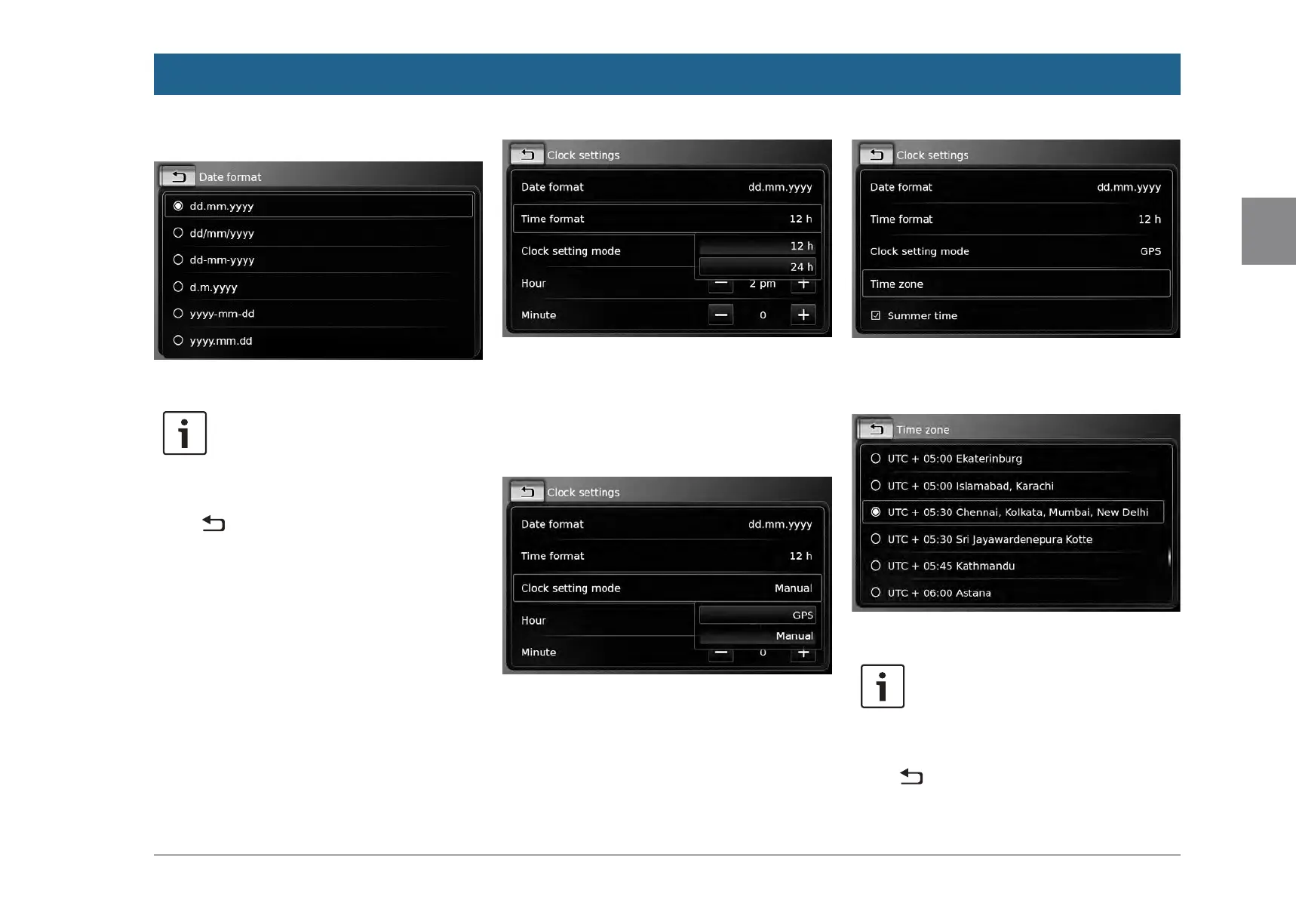
f Tap Date format.
f Tap the desired date format.
Note:
To scroll through the available date
formats, touch the list area and swipe
up or down.
f Tap to return to the time and date set-
tings.
4.9.2
Selecting the time format
The selected time format refers to the display of
the time, e.g. in the Home menu.
f Tap Time format.
f Tap the desired option: 12 h or 24 h.
4.9.3
Setting the time via GPS
First select “GPS” as the time setting, if neces-
sary:
f Tap Clock setting mode.
f Tap GPS.
The options for setting the time via GPS are
displayed.
Select your time zone:
f Tap Time zone.
f Tap the desired time zone.
Note:
To scroll through the available time
zones, if necessary, touch the list area
and swipe up or down.
f Tap to return to the time and date set-
tings.
Operation


 To Next Page