132 | en
12 Steering wheel
remote control
Note:
When smartphone integration is ena-
bled, some of the steering wheel
remote control buttons may not work.
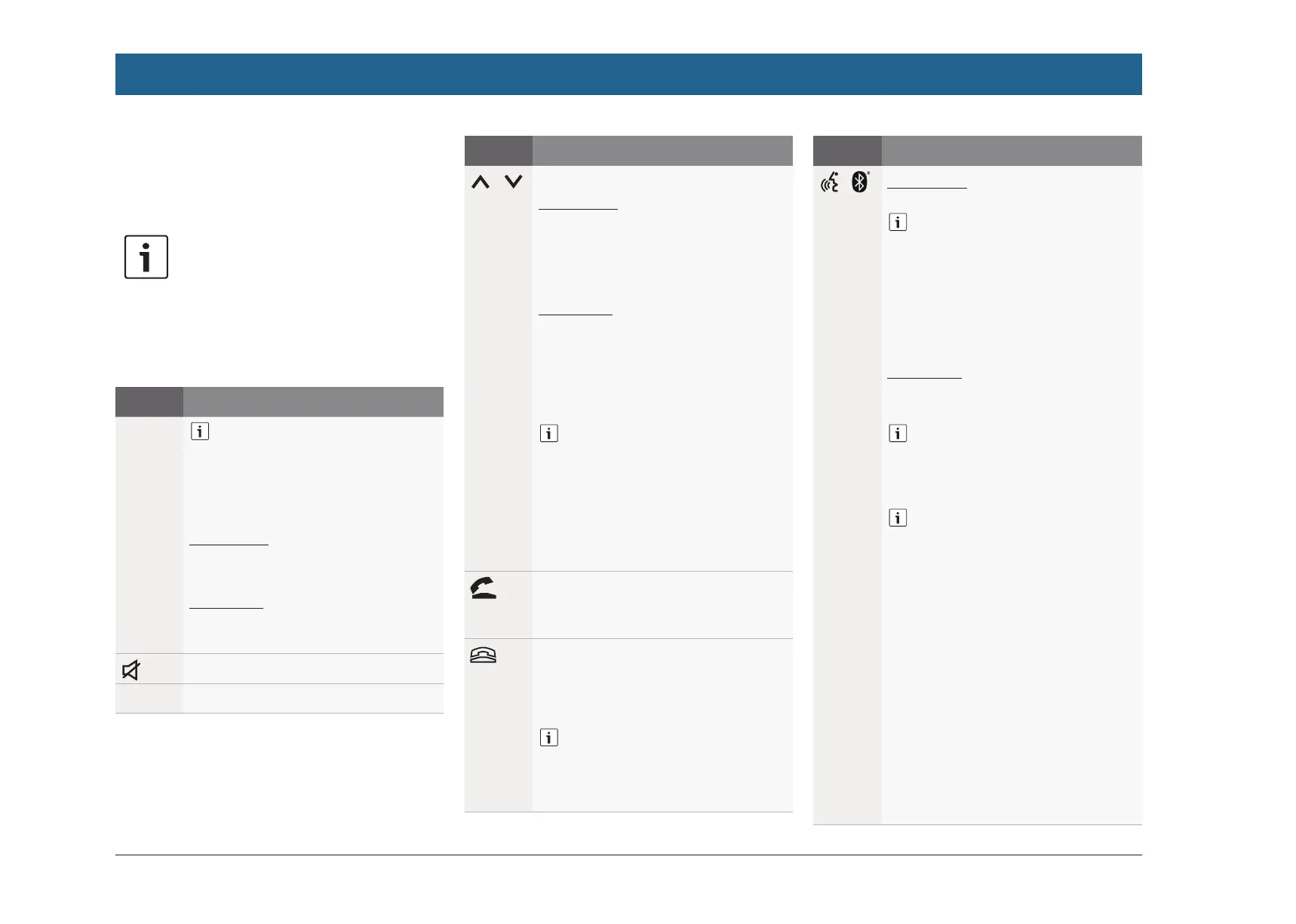
You can also operate frequently used functions
using the steering wheel remote control:
Button Function
MODE
Notes:
f Not during an active phone
call
f Not during activated voice
control
Short press:
Switch between the radio and avail-
able media sources.
Long press:
Switch between radio/media play-
back and navigation.
Mute the device / cancel mute
VOL. ±
Adjust the volume
Button Function
/
During radio/media playback:
Short press:
f Radio: switch to the next/previ-
ous preset
f Media: skip to the next/previous
title
Long press:
f Radio: adjust the frequency
continuously (after you release
the button, the radio tunes to the
next station automatically.)
f Media: Fast forward/Rewind
Notes:
f Not during AUX or external
DVD playback
f Not during an active phone
call
f Not during activated voice
control
Open the Calls menu
When there is an incoming call:
answer the call
When there is an incoming call:
reject the call
During an active phone call: end the
call
Note:
If the voice control system is
already active, the voice control
session will end.
Button Function
/
Short press:
Activate voice control
Notes:
f Voice prompts from the
device will be skipped if the
voice control system is
already activated
f Not when the smartphone
integration function is active.
Long press:
Activate the voice control system on
the connected mobile phone
Note:
If the voice control system is
already active, the voice control
session will end.
Notes:
f Not during an active phone
call, or during an incoming
call, or while the user is trying
to make a call or is dialling.
f The device’s voice control
cannot be activated if the
voice control system on the
connected mobile phone is
already activated.
f Activating the voice control
system on the connected
mobile phone is only avail-
able, if the connected mobile
phone supports it.
Steering wheel remote control


 To Next Page