en | 83
en
Note:
If your device is not equipped with a
navigation system, you will be able to
access these functions:
f Radio: Open the tuner display
f Call:
– If a phone is connected: Open
the phone menu
– If no phone is connected: Open
the Select Bluetooth device
menu
f Media: Open the audio/video dis-
play
f Connect: Open the application
interface
4.4.2
Directly selecting functions
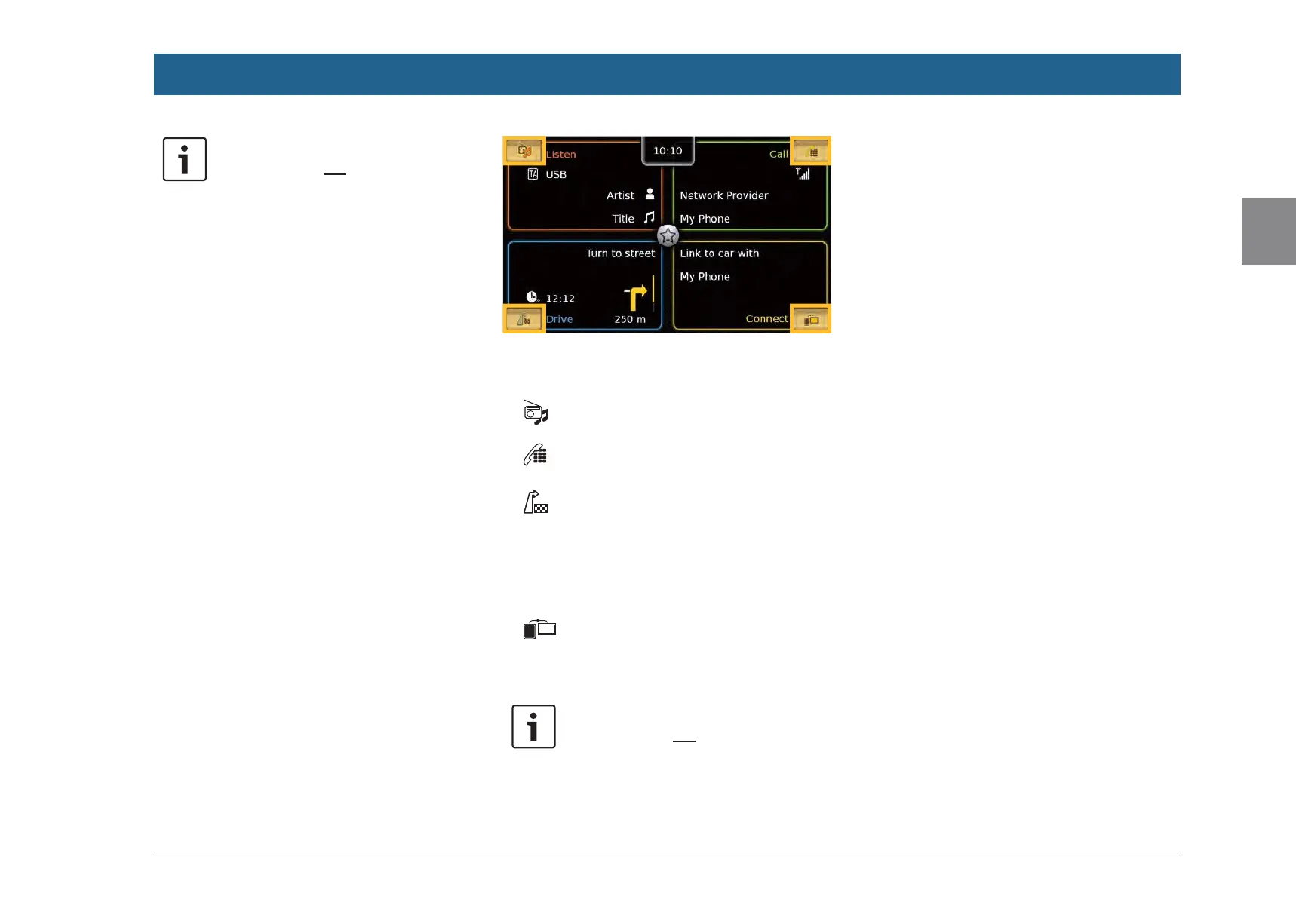
You can select a main function belonging to any
of the operating modes directly from the Home
menu:
f Tap the direct-select button within the screen
area of the main operating mode.
You can access these functions using the direct-
select feature:
f (Listen): Open the source menu for radio
listening and playing media
f (Call): Open the Select Bluetooth device
menu
f (Drive):
– When route guidance is activated: Open
the Route tab in the Destinations menu
– When route guidance is not activated:
Open the New tab in the Destinations
menu
f (Connect): Open the application inter-
face or the list of applications (depending on
the type of smartphone that is connected)
Note:
If your device is not equipped with a
navigation system, you will be able to
access these functions:
f Radio: Open the source menu for
radio listening
f Call: Open the Select Bluetooth
device menu
f Media: Open the source menu for
playing media
f Connect: Open the application
interface or the list of applications
(depending on the type of smart-
phone that is connected)
Operation


 To Next Page