en | 95
en
f Devices without FAT16 / FAT32 file system
are not supported.
f Hard Disk Drives (HDD) are not generally
supported.
f USB hubs are not supported.
Connecting and removing a USB storage device
or Apple device
To connect a USB storage device or Apple
device,
f connect it to the USB port.
A notification appears briefly in the display
when the device detects the USB storage device
or Apple device.
To remove a USB storage device or Apple
device,
f pull it out of the USB port.
An appropriate notification appears briefly in
the display.
4.11.4
AUX audio source
Note:
Only applicable if your vehicle is fitted
with an AUX input.
Connecting an AUX source
f Use a suitable cable to connect the AUX
source to the AUX input.
Note:
If you want to play a connected AUX
source, you must first enable the AUX
input (see below).
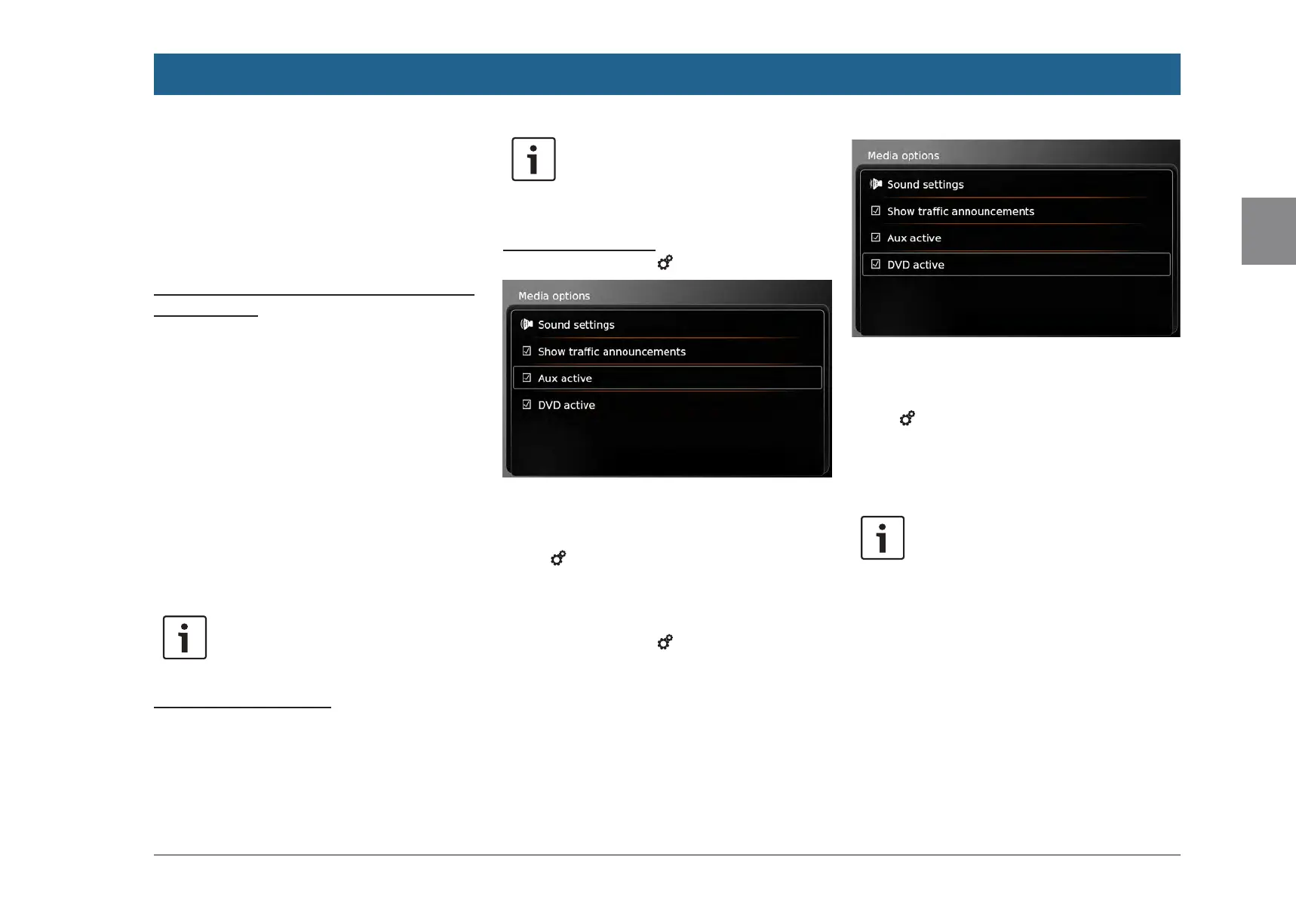
Enabling the AUX input
f In media mode, tap 6.
f Tap Aux active.
The AUX input is enabled when the check mark
is displayed in the checkbox.
f Tap 6 to close the menu.
4.11.5
Enabling the external DVD
input
f In media mode, tap 6.
f Tap DVD active.
The external DVD input is enabled when the
check mark is displayed in the checkbox.
f Tap 6 to close the menu.
4.11.6
Connecting a device via Blue-
tooth®
Notes:
f Information about which external
devices the device supports is
available at www.suzuki-slda.com.
f The procedures described in this
chapter apply to Bluetooth® mobile
phones as well as to Bluetooth®
audio playback devices, such as
Bluetooth® MP3 players.
f Your connected device must have at
least one media file stored on it
before Bluetooth® audio playback
will work.
f Media playback using third-party
devices and applications may not
work consistently.
Operation


 To Next Page