84 | en
4.4.3 Quick-access feature
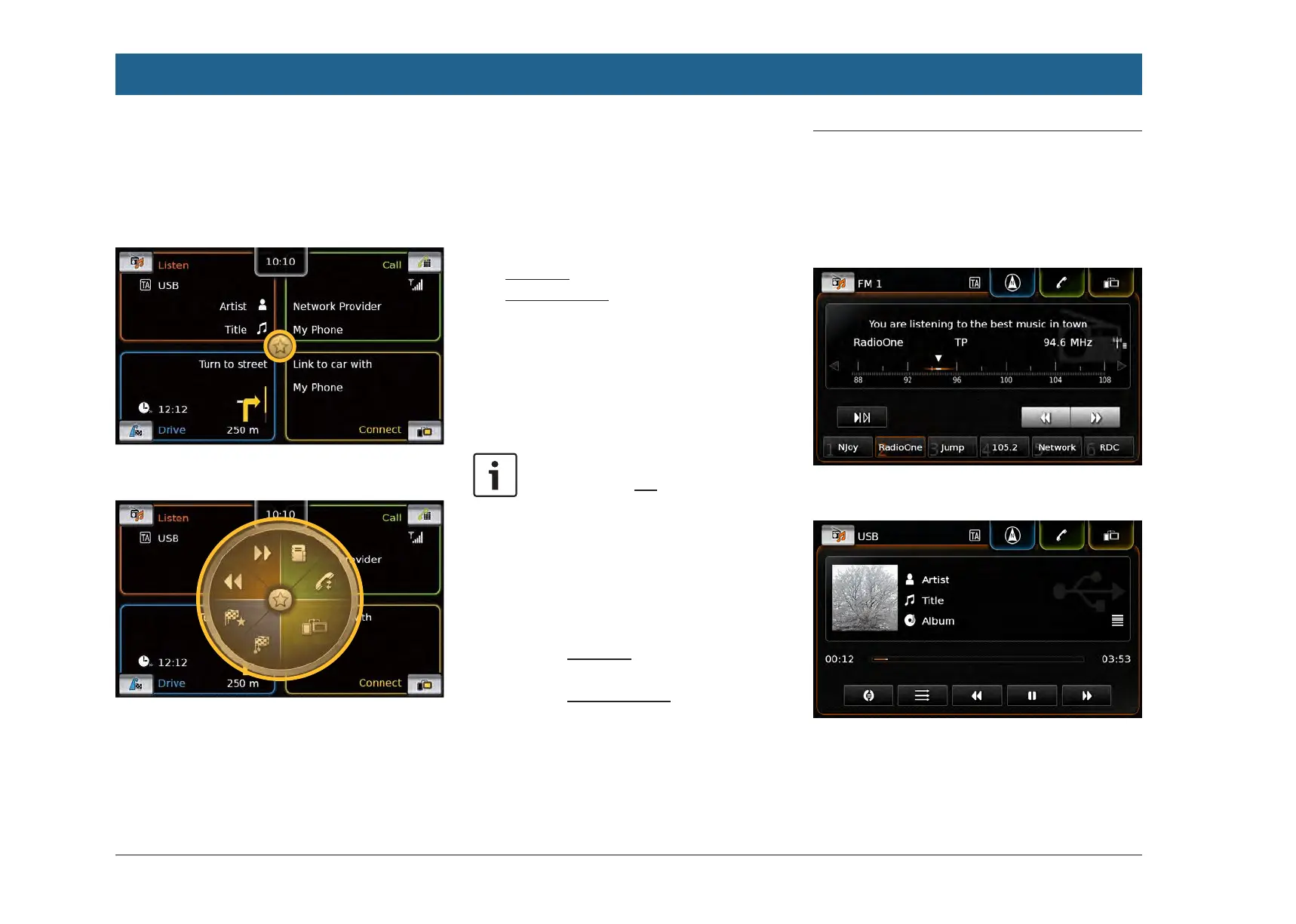
You can access further functions for each main
operating mode using the quick-access feature:
f Tap the quick-access button in the centre of
the Home menu.
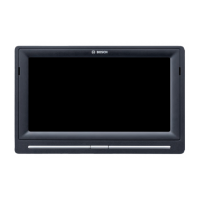
The quick-access wheel appears.
f Tap the desired function.
You can access these functions using the quick-
access feature:
f Listen:
– Radio: Start ascending/descending seek
tuning
– Playing media:
Short tap: Skip to the next/previous title
Touch and hold: Fast forward/rewind
f Call: Open the Contacts menu / open the
Calls menu
f Drive: Open the Favourites menu / open the
Previous menu
f Connect: Quit the running smartphone appli-
cation
Note:
If your device is not equipped with a
navigation system, you will be able to
access these functions:
f Radio: Start ascending/descending
seek tuning
f Call: Open the Contacts menu /
open the Calls menu
f Media:
– Short tap: Skip to the next/
previous title
– Touch and hold: Fast forward/
rewind
f Connect: Quit the running smart-
phone application
4.5 The displays of the main operat-
ing modes
4.5.1 Radio listening and playing
media
FM tuner display:
USB display:
Operation


 To Next Page