92 | en
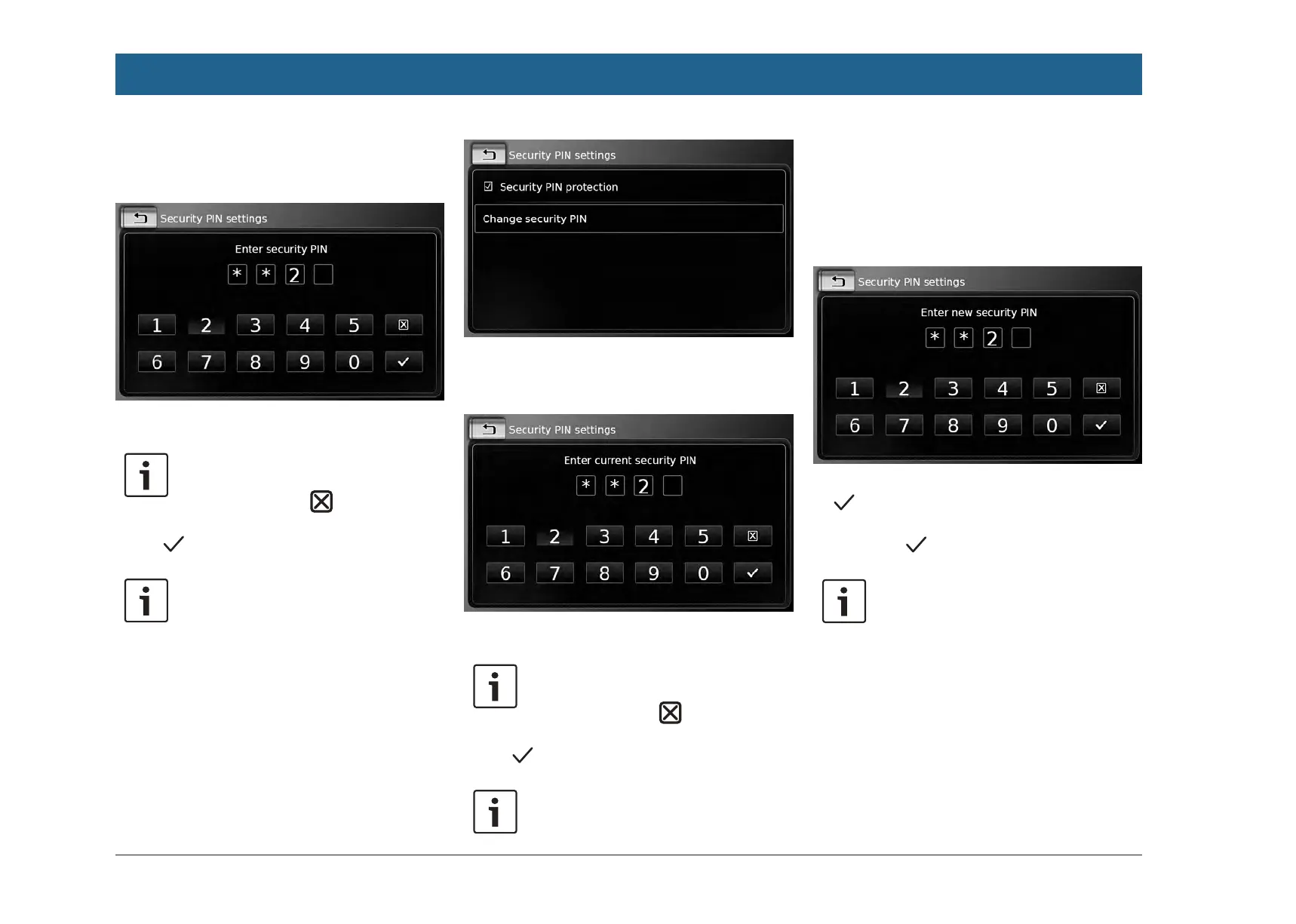
If you disable security PIN protection, you will be
prompted to enter the device’s current security
PIN:
f Enter the device’s four-digit security PIN.
Note:
If you enter a wrong digit, you can
delete it by tapping
.
f Tap .
Note:
If you have not entered the correct
security PIN for the device, the “Wrong
security PIN” notification appears
briefly, and you can enter the security
PIN again.
4.10.5
Changing the device’s secu-
rity PIN
f In the system settings, tap Security PIN.
f Tap Change security PIN.
You will be prompted to enter the device’s cur-
rent security PIN.
f Enter the device’s four-digit security PIN.
Note:
If you enter a wrong digit, you can
delete it by tapping
.
f Tap .
Note:
If you have not entered the correct
security PIN for the device, the “Wrong
security PIN” notification appears
briefly, and you can enter the security
PIN again.
You will be prompted to enter the new security
PIN for the device.
f Enter a four-digit device security PIN and tap
.
f Enter the new security PIN again to confirm
it, and tap
.
Note:
If the security PIN you entered as con-
firmation differs, a notification is dis-
played, and you can enter the new
security PIN again, starting from the
very beginning.
4.10.6
Displaying information about
open-source software
The device uses open-source software. To view
information about it,
f in the system settings, tap Open-source
software.
Operation


 To Next Page